

 Reply With Quote
Edit /etc/lilo.conf; add 'screen=800x600' (use your own resolution numbers) to the 'append=' line. Then run lilo to implement your changes. This is equivalent to booting with cheatcode screen=aaaxbbb.


A friend of mine installed knoppix on an old computer i got. at the time of installation he was using one of his own monitors. when i got the computer back from him and hooked it up to my monitor, the graphics did not show up properly. the screen was fuzzy. i hooked it up to a newer monitor and it worked fine. i changed the resolution to a lower setting and changed to the old monitor without turning the computer off, and the old monitor displayed everything fine. but whenever i log out, the resolution switches back to the default, which is too high.
how do i make the resolution permanantly changed to a lower setting, for both regular, logged-in use, and at the login screen?
Edit /etc/lilo.conf; add 'screen=800x600' (use your own resolution numbers) to the 'append=' line. Then run lilo to implement your changes. This is equivalent to booting with cheatcode screen=aaaxbbb.
how exactly do i edit /etc/lilo.conf, and where do i find it? will i edit it after logging in, or at some point in time during startup? how do i run lilo? is it something like typing "run lilo" or just "lilo" or something else?
ok, i read the faq and figured lilo out. (sorry, i was one of those annoying people who asks a question which is obviously answered in the faq)
i did what you said, ran lilo, and rebooted. but it still boots with 1024x760, or something similar. and i want it at 800x600. why wouldn't it be working? is there something else to change as well? would it help if i posted the relevant part of the lilo.conf file?
 Posting Permissions


NETGEAR GS308EP Essential Series 8-Port Gigabit PoE+ Unmanaged Switch
$39.99

Cisco WS-C3650-12X48UR-L 48-Port Stackable Layer 3 8x10G SFP+ Port Switch
$129.99

NETGEAR 5-Port Gigabit Ethernet Unmanaged Switch (Gs305) - Desktop Quiet Fanless
$22.00

TP-Link Omada SG3428 24-Port Gigabit L2+ Managed Switch 4x SFP w/ Ears
$99.99

TP-Link TL-SG105 5-Port Gigabit Ethernet Unmanaged Metal Desktop Network Switch
$19.99

TP-Link TL-SG2210P 10-Port Gigabit Smart Switch w/ 8-Port PoE+ NO AC SKU 25597
$36.98
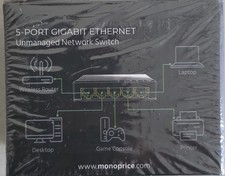
Monoprice 5-Port 10/100/1000Mbps Gigabit Ethernet Unmanaged Switch Network Hub
$8.99
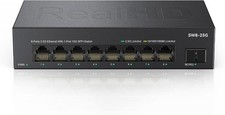
8 Port 2.5Gb Ethernet Switch Unmanaged Network Switch w/8 x 2.5G & 1 x 10G SFP
$45.00

Extreme Networks 10GE X440-G2-24P-10GE4 16533 24Plus-Ports POE+ Switch UP
$127.00

~NIB~ Netgear GS728TPP-300NAS V3 24 PORT GIGABIT POE MNGD W. 4 SFP PORTS
$349.95