-
Installing to multiple HDs
I have installed Knoppix 3.6 to the hard Drive. However, i wanted to have my /home directory on a separate HD. The Knoppix Installer will allow me to format the Hard Driives but I cannot seem to get it to install my /home directory on the second HD.
How can I get my /home directory to the other HD and how can I mount Fat 32 HD that i have my Music on....?
-
Senior Member
registered user
Simple. Read my howto. 
-
I'll give it a try and let you know.
Thanks...
-
BTW - Am I correct in assuming that I will have to reinstall or can I do this from my current installation?
-
You don't need to reinstall, just do:
mkdir /mnt/newhome
mount /dev/hdaX /mnt/newhome (where X is the new partition)
cp -a /home/* /mnt/newhome/
mv /home /oldhome (you can delete the oldhome later)
umount /mnt/newhome
mount /dev/hdaX /home
edit /etc/fstab to mount /home , this is what I have:
/dev/hdb6 /home ext3 rw,auto,users,exec 0 0
-
Senior Member
registered user
that was almost good, you only forgot to add a new /home dir. but a minor mistake (although the errormessage might be mislesding to a mewcommer to linux)
the way I would do to is.
[quote]mkdir /mnt/newhome
mount /dev/hdaX /mnt/newhome (where X is the new partition)
cp -a /home/* /mnt/newhome/
mv /home /oldhome (you can delete the oldhome later)
umount /mnt/newhome
mkdir /home <--- here is the change
mount /dev/hdaX /home
edit /etc/fstab to mount hdaX as /home , this is what I have:
/dev/hdb6 /home ext3 rw,auto,users,exec 0 0[quote]
i added the large red letters and the line comented with but now it should work.
and a small coment that in hdaX the a "x" is the partition number, and that the "a" might be another letter on his system, sorry if i am nitpicking.
OErjan
-
Ah, thanks, but perhaps mkdir /home instead of /mnt/home....?
But you're right, I could be a bit more verbose from time to time 
-
Senior Member
registered user
thanks! edited it
-
Tried everything here...several times...every time a different error came up...nothing consistent...more trouble than ist worth...
thanks
-
What's the error?
Did you set permissions on the new /home?
This explains how to do it from the live-CD: http://www.knoppix.net/docs/index.ph...PartitionHowTo
Similar Threads
-
By heliker in forum Customising & Remastering
Replies: 1
Last Post: 05-02-2005, 01:36 AM
-
By hernan in forum The Lounge
Replies: 2
Last Post: 01-27-2005, 02:27 AM
-
By imjustabill in forum Hdd Install / Debian / Apt
Replies: 2
Last Post: 08-09-2004, 11:04 PM
-
By Simon_Haddad in forum Hdd Install / Debian / Apt
Replies: 2
Last Post: 10-27-2003, 06:23 AM
-
By Ghandalfar in forum Customising & Remastering
Replies: 5
Last Post: 04-28-2003, 09:57 PM
 Posting Permissions
- You may not post new threads
- You may not post replies
- You may not post attachments
- You may not edit your posts
-
Forum Rules


16GB KIT (2x8GB) DDR3 Gamer Desktop RAM PC3 MIXED BRANDS VIPER VENGEANCE FURY
$10.00

Netac DDR4 32GB 16GB DDR4 3200MHz UDIMM C16 Desktop Internal Memory RAM Kit
$99.99

Crucial 32GB(4 x 8GB) CT8G4DFS824A.C8FDD1 DDR4-2400 UDIMM Desktop RAM - CR352A
$89.95

Micron 16GB (2x8GB) 2Rx8 DDR3 1600MHz PC3-12800U Desktop RAM
$19.99
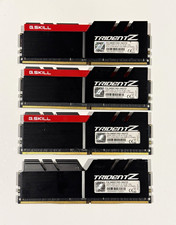
G.SKILL Trident Z 32GB (4x8GB) DDR4-3400 DIMM RAM F4-3400C16D-16GTZ
$140.00

Samsung 32GB DDR4-2666V-2Rx4-RB2-12 RAM M393A4K40CB2-CTD6Q
$169.00
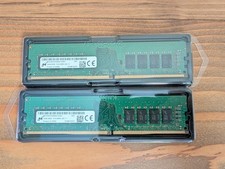
Micron 32GB Kit (2x16GB) DDR4 2666MHz PC4-2666V Desktop RAM MTA16ATF2G64AZ-2G6E1
$140.00
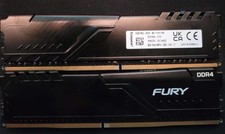
Kingston 16GB (2x8GB) DDR4-3200 PC4-25600 Dell Alienware OEM RAM XW21KG-HYD-NX
$115.00

Samsung 32GB DDR4-2666 PC4-21300 288-Pin DIMM RAM M393A4K40CB1CRC0Q
$185.00

Corsair Vengeance DDR3 8GB 16GB 32GB 1866MHz PC3-14900 Desktop RAM Memory DIMM
$85.00



 Reply With Quote