

 Reply With Quote
Simple. Read my howto.


I have installed Knoppix 3.6 to the hard Drive. However, i wanted to have my /home directory on a separate HD. The Knoppix Installer will allow me to format the Hard Driives but I cannot seem to get it to install my /home directory on the second HD.
How can I get my /home directory to the other HD and how can I mount Fat 32 HD that i have my Music on....?
Simple. Read my howto.
I'll give it a try and let you know.
Thanks...
BTW - Am I correct in assuming that I will have to reinstall or can I do this from my current installation?
You don't need to reinstall, just do:
mkdir /mnt/newhome
mount /dev/hdaX /mnt/newhome (where X is the new partition)
cp -a /home/* /mnt/newhome/
mv /home /oldhome (you can delete the oldhome later)
umount /mnt/newhome
mount /dev/hdaX /home
edit /etc/fstab to mount /home , this is what I have:
/dev/hdb6 /home ext3 rw,auto,users,exec 0 0
that was almost good, you only forgot to add a new /home dir. but a minor mistake (although the errormessage might be mislesding to a mewcommer to linux)
the way I would do to is.
[quote]mkdir /mnt/newhome
mount /dev/hdaX /mnt/newhome (where X is the new partition)
cp -a /home/* /mnt/newhome/
mv /home /oldhome (you can delete the oldhome later)
umount /mnt/newhome
mkdir /home <--- here is the change
mount /dev/hdaX /home
edit /etc/fstab to mount hdaX as /home , this is what I have:
/dev/hdb6 /home ext3 rw,auto,users,exec 0 0[quote]
i added the large red letters and the line comented withbut now it should work.<--- here is the change
and a small coment that in hdaX the a "x" is the partition number, and that the "a" might be another letter on his system, sorry if i am nitpicking.
OErjan
Ah, thanks, but perhaps mkdir /home instead of /mnt/home....?
But you're right, I could be a bit more verbose from time to time
thanks! edited it
Tried everything here...several times...every time a different error came up...nothing consistent...more trouble than ist worth...
thanks
What's the error?
Did you set permissions on the new /home?
This explains how to do it from the live-CD: http://www.knoppix.net/docs/index.ph...PartitionHowTo
 Posting Permissions


Intel Xeon E5-2680 V2 2.8GHz 10-Core 25MB 8GT/s SR1A6 LGA2011 B Grade Server CPU
$7.95

NEW HP Z4 G4 Workstation Xeon W-2123 16GB ECC 256GB NVMe NVIDIA T400 750W Win11
$450.00

Intel Xeon Phi 5110P 60-Core 1.053GHz Coprocessor
$50.00
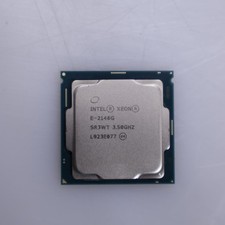
Intel Xeon E-2146G 6-Core 3.5GHz CPU
$85.00

Dell Precision T5820 Workstation 3.70GHz W-2135 No RAM/ GPU/ HDD/ OS
$179.98

Lenovo ThinkStation P520c Intel Xeon W-2133 6-Core 3.60GHz -NO RAM/ HDD/ GPU/ OS
$127.54

Dell T7910 Workstation Tower Homelab AI Server PC - Xeon CPU - NO HDD/RAM/GPU
$279.99

Intel Xeon E5-2699 V4 2.20GHz 55M 22-CORES LGA2011-3 Server Processor 145W SR2JS
$84.49

Dell Precision Tower 7810 Xeon E5-2630 v3 @ 2.40GHz , 32GB Ram, NO HDD, NO OS
$239.99

Dell EMC PowerEdge R440 Xeon silver 4215 2.5GHz 16 GB ram 2x 550W PSU No HDD
$275.00