

 Reply With Quote
Simple. Read my howto.


I have installed Knoppix 3.6 to the hard Drive. However, i wanted to have my /home directory on a separate HD. The Knoppix Installer will allow me to format the Hard Driives but I cannot seem to get it to install my /home directory on the second HD.
How can I get my /home directory to the other HD and how can I mount Fat 32 HD that i have my Music on....?
Simple. Read my howto.
I'll give it a try and let you know.
Thanks...
BTW - Am I correct in assuming that I will have to reinstall or can I do this from my current installation?
You don't need to reinstall, just do:
mkdir /mnt/newhome
mount /dev/hdaX /mnt/newhome (where X is the new partition)
cp -a /home/* /mnt/newhome/
mv /home /oldhome (you can delete the oldhome later)
umount /mnt/newhome
mount /dev/hdaX /home
edit /etc/fstab to mount /home , this is what I have:
/dev/hdb6 /home ext3 rw,auto,users,exec 0 0
that was almost good, you only forgot to add a new /home dir. but a minor mistake (although the errormessage might be mislesding to a mewcommer to linux)
the way I would do to is.
[quote]mkdir /mnt/newhome
mount /dev/hdaX /mnt/newhome (where X is the new partition)
cp -a /home/* /mnt/newhome/
mv /home /oldhome (you can delete the oldhome later)
umount /mnt/newhome
mkdir /home <--- here is the change
mount /dev/hdaX /home
edit /etc/fstab to mount hdaX as /home , this is what I have:
/dev/hdb6 /home ext3 rw,auto,users,exec 0 0[quote]
i added the large red letters and the line comented withbut now it should work.<--- here is the change
and a small coment that in hdaX the a "x" is the partition number, and that the "a" might be another letter on his system, sorry if i am nitpicking.
OErjan
Ah, thanks, but perhaps mkdir /home instead of /mnt/home....?
But you're right, I could be a bit more verbose from time to time
thanks! edited it
Tried everything here...several times...every time a different error came up...nothing consistent...more trouble than ist worth...
thanks
What's the error?
Did you set permissions on the new /home?
This explains how to do it from the live-CD: http://www.knoppix.net/docs/index.ph...PartitionHowTo
 Posting Permissions


Yealink T48S VoIP/SIP Phone, 2 x Gigabit Ports PoE 7" Color SIP-T48S | TESTED
$34.95

SIM Bank 32 SIM Card Slots Ethernet SIM Server for GoIP
$400.00

Poly CCX 400 Desktop Business Media Phone VoIP 2200-49700-019
$49.99

Grandstream WP810 Portable Cordless Wi-Fi IP Phone
$49.28

Yealink SIP-T33G IP Phone 4-LineSpeakerphone VoIP Desk Phone Black w/ Power Sply
$25.00

Yealink SIP-T44W VoIP Phone 12-Line Gigabit Speakerphone RJ-45 Gray/Black
$44.00
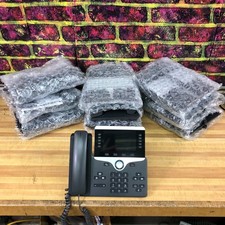
Lot of 10 Cisco CP-8851 5-Line VoIP Business Phone w/ Stand
$249.95

5 Allworx Verge 9312 VoIP IP Phone 12-Line Speakerphone Black RJ-45 MPN 8113120
$999.00

Cisco IP Phone CP-8821 No Battery C2-F3
$185.00

Grandstream VoIP Phone Adapter ATA 1-Line Black Ethernet (RJ-45) Micro USB
$27.07