-
Administrator
Site Admin-
I don't know the answer to your question, but you might consider disabling the first CD in your BIOS (which should then let you boot the second as your only CD) or even swap out the bad drive completely (complete removal of the first drive will likely require rejumpering the second, but disabling the first in the BIOS should not).
Similar Threads
-
By knopnet in forum General Support
Replies: 0
Last Post: 11-13-2005, 11:23 PM
-
By tmj0nes99 in forum Hdd Install / Debian / Apt
Replies: 1
Last Post: 03-30-2005, 07:16 PM
-
By crix in forum General Support
Replies: 5
Last Post: 08-25-2004, 04:56 PM
-
By siddharth in forum General Support
Replies: 10
Last Post: 08-05-2004, 09:01 AM
-
Replies: 2
Last Post: 05-03-2004, 05:50 AM
 Posting Permissions
- You may not post new threads
- You may not post replies
- You may not post attachments
- You may not edit your posts
-
Forum Rules


RAM-HOL-SAM52CPU RAM USB-C Powered Dock Samsung Tab Active4 Pro & Tab Active Pro
$81.99
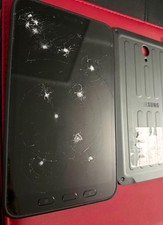
Samsung Galaxy Tab A SM-T280 Digitizer Battery Back Cover EB-BX306GBY
$150.00

Samsung 2.5" 870 EVO SSD SATA III 250GB 500GB 1TB Internet Solid State Drive Lot
$90.00
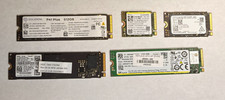
LOT OF 5 512GB PCIe NVMe SSD M.2 SATA NVME MIXED LOTS Major Brands
$250.00

RAM-HOL-SAM60CPU RAM USB-C Powered Dock for Samsung Tab Active5 - 3 - 2
$81.99
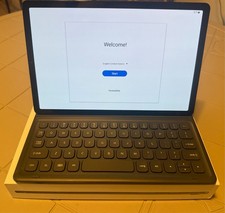
Samsung Galaxy Tab S5e 10.5 Screen 128GB Storage and a Samsung KEY BOARD
$150.00

RAM-GDS-SKIN-SAM54-NG-1 RAM Mounts IntelliSkin® Next Gen for Samsung Tab Active4
$93.99

Samsung SCXSTP000, SCX-STP000 (Swingline Staple Cartridge - 3 Refills)
$57.99
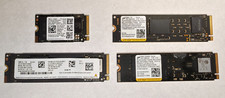
Lot of (4) 1TB NVME SSD M.2 2280 Samsung Micron Used
$399.00

Samsung 24" S3 Essential IPS 100Hz Monitor | Sealed | Fast shipping
$50.00



 Reply With Quote