-
Administrator
Site Admin-
I don't know the answer to your question, but you might consider disabling the first CD in your BIOS (which should then let you boot the second as your only CD) or even swap out the bad drive completely (complete removal of the first drive will likely require rejumpering the second, but disabling the first in the BIOS should not).
Similar Threads
-
By knopnet in forum General Support
Replies: 0
Last Post: 11-13-2005, 11:23 PM
-
By tmj0nes99 in forum Hdd Install / Debian / Apt
Replies: 1
Last Post: 03-30-2005, 07:16 PM
-
By crix in forum General Support
Replies: 5
Last Post: 08-25-2004, 04:56 PM
-
By siddharth in forum General Support
Replies: 10
Last Post: 08-05-2004, 09:01 AM
-
Replies: 2
Last Post: 05-03-2004, 05:50 AM
 Posting Permissions
- You may not post new threads
- You may not post replies
- You may not post attachments
- You may not edit your posts
-
Forum Rules


OPNsense Firewall VPN QAT 8-Core Atom C3758 2.20GHz 16GB DDR4 128GB SSD 8xNIC
$175.00

Ubuntu Server 26.04.1 LTS Bootable USB Flash Drive – Latest September 2026
$12.99

OPNsense pfSense 8-Core Atom C3758 2.2GHz 8GB DDR4 64GB SSD 8x NIC QAT AES VPN
$115.00
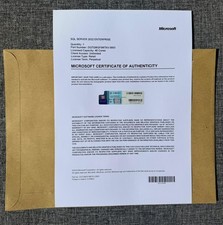
SQL Server 2022 Enterprise 40 Cores Unlim CAL Retail License Authentic
$299.00

Start9 Server Pure 32GB 4TB Intel i7 Node StartOS — Box + PSU
$649.00

ZimaBoard 2 1664 Home Server 16GB
$350.00

All New Ubuntu 26.04 LTS Linux Bootable USB Flash Drive
$15.95

Novell SUSE Linux Enterprise Server 9, Linux Professional 8.2 / 9.1 — 3 DVD Set
$58.00

Microsoft SQL Server 2019 Enterprise 40 Core Unlimited CAL Retail License FPP
$299.00

SQL Server 2022 Enterprise 96 Core License & DVD Unlimited CALs with CoA
$284.99



 Reply With Quote