-
Senior Member
registered user
Help booting mandrake install with grub...
I need to get my mandrake 10 install to boot through grub. I installed kanotix and the grub installer did not recognize the mandrake install, which uses lilo, and now I cannot configure the menu.1st properly for it to boot. It is on hda1, windows on hda2, hda3 -swap, hda4 - kanotix. Here are the entries for the menu.1st:
title Kanotix
root (hd0,3)
kernel /boot/vmlinuz-2.6.8.1-kanotix-5 root=/dev/hda4 ro ramdisk_size=100000 lang=us apm=power-off hda=scsi hdb=scsi hdc=scsi hdd=scsi hde=scsi hdf=scsi hdg=scsi hdh=scsi nomce vga=791
savedefault
boot
title Mandrake
root (hd0,0)
kernel /mnt/hda1/boot/initrd.img root=/dev/hda1 devfs=mount acpi=ht splash=silent vga=788
boot
#title Mandrake
#root (hd0,0)
#kernel /mnt/hda1/boot/vmlinuz-2.6.8.1-10mdk root=/dev/hda1 devfs=mount acpi=ht splash=silent vga=788
#boot
### END DEBIAN AUTOMAGIC KERNELS LIST
#title Mandrake
#root (hd0,0)
#kernel /mnt/hda1/boot/initrd.img root=/dev/hda1 devfs=mount acpi=ht splash=silent vga=788
#boot
title WindowsXP
rootnoverify (hd0,1)
makeactive
chainloader +1
savedefault
I've tried all of what is commented out and I get the following error:
root (hd0,0)
Filesystem type is ext2fs partition type is 0x83
Kernel /mnt/hda1/boot/ initrd.img vga= 0 x317 root = /dev/hda1 devfs=mount
acpi=ht splash=silent vga=788
Error 15: File not found
Press any key to continue...
I don't know why the vga=0 x 317 is in there. I know it is there in the mandrake lilo.conf file but don't know how or why it appears in the grub menu.1st.
Any help would be appreciated.
-
Senior Member
registered user
I am more comfortable with lilo myself, but the following looks plausible:
Code:
title Mandrake
root (hd0,0)
kernel /boot/vmlinuz-2.6.8.1-10mdk root=/dev/hda1 devfs=mount acpi=ht splash=silent vga=788
initrd /boot/initrd.img
boot
PS: grub's config file is called menu.lst, not menu.1st
-
Senior Member
registered user
I did the reverse and reinstalled kanotix then mandrake and used mandrakes lilo to boot and now it works. Thanks for the help.
Similar Threads
-
By Dieselboy in forum Hdd Install / Debian / Apt
Replies: 1
Last Post: 01-23-2005, 09:34 AM
-
By blipblipblip in forum General Support
Replies: 3
Last Post: 10-24-2004, 11:26 PM
-
By Éireannach in forum Hdd Install / Debian / Apt
Replies: 6
Last Post: 07-22-2004, 05:00 AM
-
By cannedmushrooms in forum Customising & Remastering
Replies: 3
Last Post: 12-16-2003, 05:22 PM
-
By bazwaldo in forum Hdd Install / Debian / Apt
Replies: 1
Last Post: 06-15-2003, 03:27 PM
 Posting Permissions
- You may not post new threads
- You may not post replies
- You may not post attachments
- You may not edit your posts
-
Forum Rules


Seagate Exos 7E8 4TB 3.5" SAS ST4000NM0025
$22.00

Hitachi / HGST Travelstar HTS541010B7E610 1TB 2.5" SATA III HDD
$29.99

HUS726060ALA640 HGST Ultrastar 6TB SATA 6Gbps 7.2K 3.5" Hard Drive OF21860
$129.99

Seagate 14TB Exos X14 7200RPM SATA 6Gb/s 256MB 3.5" Enterprise HDD ST14000NM0408
$354.99
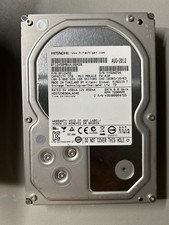
Hitachi HDS723030ALA640 3TB 7200RPM SATA III 3.5in HDD, Low Power-On Hours
$49.00

Seagate ST6000NM0115 6TB 256MB 7200RPM 3.5" SATA 6.0Gb/s Enterprise Hard Drive
$159.99

HGST HUS724040ALA640 4TB 7200 RPM SATA 3.5" Internal Desktop Drive 100% Health
$78.00
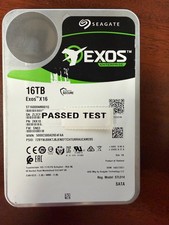
Seagate Exos X16 16TB ST16000NM001G 7200RPM Enterprise HDD*USED GREAT CONDITION*
$319.79
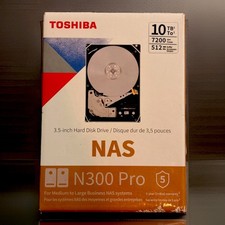
NEW Sealed Toshiba N300 Pro 10TB NAS HDD 7200RPM
$299.99

New Western Digital WD40EFPX 68C6CN0 4TB 3.5" SATA III Internal NAS Red Plus HDD
$137.59



 Reply With Quote