

 Reply With Quote
Post your lilo.conf file please.


I've installed Knoppix 3.6 to my harddrive (physical harddrive 0, linux sees it as /dev/hda1), and have WinXP on physical harddrive 1, or /dev/hdb1. Knoppix setup LILO correctly, and it gives me the option to select Knoppix or WinXP, but when I select WinXP, it shows the text "loading Win2K/XP" or similar, but just sits there. Right now, I have to go into my BIOS and choose which hardrive I want to boot from (a pain for everyone else in the house). How can I fix this?
Post your lilo.conf file please.
Here's my lilo.conf:
# /etc/lilo.conf - See: 'lilo(' and 'lilo.conf(5)',
# --------------- 'install-mbr(
# and '/usr/share/doc/mbr/'.
# +---------------------------------------------------------------+
# | !! Reminder !! |
# | |
# | Don't forget to run 'lilo' after you make changes to this |
# | conffile, '/boot/bootmess.txt', or install a new kernel. The |
# | computer will most likely fail to boot if a kernel-image |
# | post-install script or you don't remember to run 'lilo'. |
# | |
# +---------------------------------------------------------------+
lba32
boot=/dev/hda
root=/dev/hda1
bitmap=/usr/share/lilo/debianlilo.bmp
bmp-colors=1,,0,2,,0
bmp-table=120p,173p,1,15,17
bmp-timer=254p,432p,1,0,0
install=bmp
delay=20
prompt
timeout=50
map=/boot/map
vga=791
default="Linux"
image=/boot/vmlinuz
label="Linux"
initrd=/boot/initrd.img
append="ramdisk_size=100000 init=/etc/init lang=us apm=power-off nomce quiet"
read-only
image=/boot/vmlinuz-2.4.27
label="Linux(2.4)-1"
initrd=/boot/initrd.img-2.4.27
append="ramdisk_size=100000 init=/etc/init lang=us apm=power-off nomce quiet"
read-only
image=/boot/vmlinuz-2.6.7
label="Linux(2.6)-2"
initrd=/boot/initrd.img-2.6.7
append="ramdisk_size=100000 init=/etc/init lang=us apm=power-off nomce quiet"
read-only
other=/dev/hdb1
label="WinXP/2K(hdb1)"
I don't think the problem is on lilo but on where you install XP.
For some reason, Xp don't like linux to be on first partition of first harddisk...
I believed you will not get this problem if you install XP on first partition of first harddisk (/dev/hda1) and linux on first partition of second hardisk (/dev/hdb1).
That may be, but I've had fedora installed on the same system with the same configuration, and it didn't have a problem.
Could I remove and re-install lilo to hdb1 somehow, then change the boot device to hdb1 in the bios?
Or should I look at a different boot loader to install on hdb1 under WinXP? Any suggestions?
Was XP originally installed to the primary slave HD (hdb), or was it initially master (hda), then swapped to slave? If that is the case you might need to adjust XP's boot.ini file...
 Posting Permissions


Netac DDR4 32GB 16GB DDR4 3200MHz UDIMM C16 Desktop Internal Memory RAM Kit
$99.99
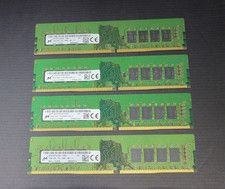
64GB (4x16GB) Micron PC4-2666V MTA16ATF2G64AZ 16GB UDIMM DDR4 Desktop Memory
$239.99

Major Brand 16GB (2x8GB) PC3-12800U DDR3-1600MHz DDR3-12800 DESKTOP RAM NON-ECC
$29.99

A-Tech 8GB DDR3 1600 PC3-12800 Laptop SODIMM 204-Pin Memory RAM PC3L DDR3L 1x 8G
$21.68
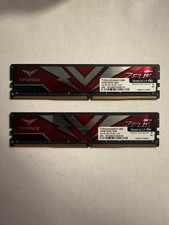
TEAMGROUP T-Force Zeus 64GB (2x32GB) DDR4 2666MHz PC4-21300 Desktop RAM Kit
$199.99
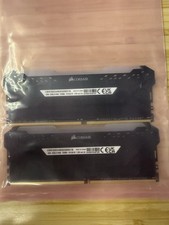
Corsair Vengeance RGB Pro 32GB (2x16GB) DDR4 3200 DIMM CMW32GX4M2E3200C16 #CD2
$160.00
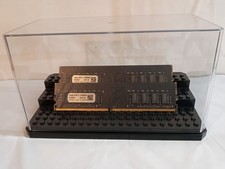
32GB KIT (2x16GB) DDR4 2666MHz PC4-21300 - 288 pin DESKTOP Non ECC - Black/Gold
$121.00

Samsung 16GB LPCAMM2 PC5 7500 DDR5 LPDDR5X CAMM2 M561K1LC4DM0-CCTGM RAM Memory
$189.00

RAMAXEL Lenovo 32GB LPDDR5X CAMM2 7500MHz Laptop RAM | UNTESTED
$445.00
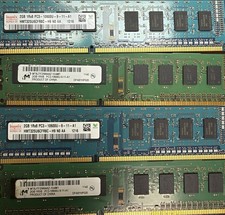
Used Computer RAM - This Is For Multiple Sticks Of RAM
$120.00