-
wifi troubles
I'm having trouble with my orinoco (silver) connecting to my wireless router. I've read most of stickys which have helped but I'm still not connecting. I ran the script which picked up most things, but is not connecting. When I run iwconfig I get back the following:
lo no wireless extensions
eth0 it shows all my info such as my essid, wep key, nickname(??) etc, except my link quality is 0/92.
eth1 no wireless extensions.
Any help would be great thank you
-
-

Originally Posted by
roc
I'm not sure if this will help but this is what I'm getting when I use the iwconfig command:
lo no wireless extensions.
eth1 no wireless extensions.
eth0 IEEE 802.11b ESSID:"roc" Nickname:"HERMES I"
Mode:Managed Frequency:2.457GHz Access Point: 44:44:44:44:44:44
Bit Rate:11Mb/s Sensitivity:1/3
Retry limit:4 RTS thr

ff Fragment thr
ff
Power Management
ff
Link Quality=0/92 Signal level=134/153 Noise level=134/153
Rx invalid nwid:0 Rx invalid crypt:0 Rx invalid frag:0
Tx excessive retries:0 Invalid misc:0 Missed beacon:0
Hope this helps.
I hope I can help, notwithstanding being a novice, HoweverI need to ask a few questions first.
(1) Is 44:44:44:44:44:44 the MAC address of your Accesspoint (router)? I find it suspicious given the billions of combinations that yours happens to be the one with all '4's. (I get all zero's and it means that the accesspoint is not being detected/recognised.) Unless of course you are spoofing your MAC address ...
(2) Are you using fixed I.P addresses or DHCP (from the router) to assign them?
The first thing to try is eliminate whether it is the location of your wireless box that is causing the problems. I have found the KnoxppixLinux to be less sensitive than the M$ equivalent -- perhaps I need to tweak the power but ... the point is that it is important to find out whether it is merely the location of your box that is causing the lack of connection.
I found that moving my box a few centimeters can make all the difference! So to eliminate this ... try and get connected right next to the router if you can.
If this fails, say so, and I'll try and help you further.
Regards,
Grant D. Vallance
-
Hey Grant thanks for the reply, and great stickey post, that thing has helped me out. I got the wireless capabilities to work and it is great. It was something so easy that I overlooked. Well time to get hardcore about nix. Thanks to all
Similar Threads
-
By Killerah in forum Hdd Install / Debian / Apt
Replies: 2
Last Post: 11-06-2005, 05:42 PM
-
By HappyDays in forum General Support
Replies: 2
Last Post: 09-26-2005, 06:18 AM
-
By DusteD in forum General Support
Replies: 6
Last Post: 07-28-2004, 03:45 PM
-
By cameik in forum Hdd Install / Debian / Apt
Replies: 8
Last Post: 06-01-2004, 01:35 AM
-
By cold in forum Hdd Install / Debian / Apt
Replies: 0
Last Post: 05-03-2004, 08:51 PM
 Posting Permissions
- You may not post new threads
- You may not post replies
- You may not post attachments
- You may not edit your posts
-
Forum Rules


(New) AMD Ryzen 7 5700X 8 Core 16 Thread AM4 Unlocked 3.4 GHz CPU OEM Tray
$174.99

SGIN 17.3" Laptop Intel Quad-Core Up to 2.4 GHZ 8GB RAM 256GB SSD HD
$229.99

AMD Ryzen 7 PRO 8700GE 8-Core/16-Thread Up to 5.1GHz AM5 (FL1)
$189.00

DELL Optiplex 780 SFF CORE2DUO 3.0GHz 8GB RAM 250GB HDDDVDRW NO OS
$99.99

Apple Macbook Pro 13" M1 8-Core 16GB 512GB - Good
$464.99

Intel Xeon E5 - 2667V2 / SR19W 3.30GHz 25MB 8-Core CPU Socket LGA2011
$30.00

AMD Ryzen 7 7800X3D 4.20GHz Quad Core 100-000000510 8 Thread AM4
$279.99

AMD Ryzen 7 9700X 8-Core 16-Thread 40MB Cache Socket AM5 9000 Series Processor
$245.99

Dell OptiPlex 5070 SFF i7-9700 (8-Core) 3.0GHz 16GB 256 SSD Windows 11
$250.00
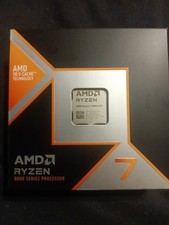
AMD Ryzen 7 9800X3D 8-Core 16-Thread AM5 5.2GHz 3D V-Cache CPU NEW SEALED
$400.00



 Reply With Quote