

 Reply With Quote
http://www.knoppix.net/forum/viewtopic.php?t=12577
I t's hard to speculate why knoppix did not find your dvd drive without some more info of your pc's configuration and what you did to boot knoppix.


Hello, I'm new to this site, and I am also a new linux user. I bought a linux format magizine with a DVD of live Distros on it. Well I installed knoppix, but after it's installed I can't get it to dectect my dvd drive. Well, I don't know how to go about having it dectect my dvd drive, but all I know is that it's not listed anywhere. Where do I go to have KDE/Knoppix/Linux attempt to detect my dvd drive. Also, do you know of any good knoppix, KDE, or Gnome books I could go looking for. I really want to get away from my "windows zombie" ways.
Thanks,
Arkon
http://www.knoppix.net/forum/viewtopic.php?t=12577
I t's hard to speculate why knoppix did not find your dvd drive without some more info of your pc's configuration and what you did to boot knoppix.
kelmo is right. It's hard to say without knowing some hardware details about your system but you can't play dvd's without libdvdcss.
Then you also need to configure Xine or mplayer or whatever you use to watch dvd's. Most apps default to using /dev/dvd so presuming your dvd drive is /dev/hdb you'd simply create a symlink like so:Code:wget http://download.videolan.org/pub/lib...2.8-1_i386.deb su dpkg -i libdvdcss2_1.2.8-1_i386.deb
Code:ln -s /dev/hdb /dev/dvd
I performed the task as you suggested mzililkazi, now instead of zine just not playing the DVD it locks up. I also did a ln -s /dev/cdrom /dev/dev and /dev/hdc /dev/dev it did not work. the error message states that it can not find /dev/dvd/ HELP
Originally Posted by mzilikazi

Silly you did not read directions very well.It is /dev/dvd NOT /dev/dev. Now you need to remove those crazy symlinks you made.
Get root
Now check it to see if it's done correctly.Code:su rm -f /dev/cdrom /dev/dev ln -s /dev/hdc /dev/dvd ln -s /dev/hdc /dev/cdrom
It should say:Code:ls -al /dev/dvd
The same for /dev/cdrom.Code:lrwxrwxrwx 1 root root 9 Oct 6 17:24 /dev/dvd -> /dev/hdc
Now, if your dvd/cdrom drive IS in fact /dev/hdc then it should work.
well, I have a dvd drive that came with my pc, a Hitachi DVD-ROM GD-5000.
and btw, I don't really want to watch dvd's on it. I just want to use it for my cd's and such. And I can't get it dectected. by the way, thanks for the quick review.
Thanks for the corrections, mzilikazi, I got rid of the sym links as you suggested and performed the commands as you stated.
su
rm -f /dev/cdrom /dev/dev
ln -s /dev/hdc /dev/dvd
ln -s /dev/hdc /dev/cdrom
ls -al /dev/dvd = lrwxrwxrwx 1 root root 10 Nov 14 03:51 /dev/dvd -> /dev/cdrom
ls -al /dev/cdrom = lrwxrwxrwx 1 root root 8 Nov 27 19:22 /dev/cdrom -> /dev/hdc
Afterwards I placed a DVD into the drive and nothing happened. I thought it would have initiated xine automatically, but it did not. I also clicked on xine and it froze up again. I uesed Kpackage Mgr to load xine and all of its dependencies. Whats wrong NOW?????
AFAIK Xine does not have the ability to start automatically when you insert a DVD. Just to confirm, you did install libdvdcss as posted above right? Check the configuration of XINE to make sure it's using /dev/dvd (should be default).
Is DMA enabled for your dvd drive?
You can also try mplayer. From command line it's like this:Code:hdparm /dev/hdb /dev/hdb: IO_support = 1 (32-bit) unmaskirq = 1 (on) using_dma = 1 (on) keepsettings = 0 (off) readonly = 0 (off) readahead = 256 (on) HDIO_GETGEO failed: Invalid argument
Code:mplayer dvd://1 -dvd-device /dev/hdb
 Posting Permissions


Dell PowerEdge R620 2x Xeon E5-2630 v2 3.1GHz 2.5" 4-BAY 32GB RAM No OS 2x 495w
$174.95

Dell EMC PowerEdge R440 Xeon silver 4215 2.5GHz 16 GB ram 2x 550W PSU No HDD
$275.00

Dell Poweredge R720 8SFF 2.5" 2x Xeon E5-2680 v2 2.8GHz 20-Cores 64gb 4x Trays
$259.99
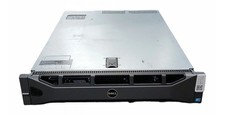
Dell PowerEdge R710 Server 2x Xeon E5620 2.4GHz 96GB DDR3 Rackmount
$139.99

Dell Poweredge R720 8SFF 2.5" x Xeon E5-2680 v2 2.8GHz 20-Cores 128gb 4x Trays
$349.99

Dell Poweredge R630 2x Xeon E5-2680 v4 2.4ghz 28-Core | 32GB | HBA330 | 2x 1100w
$359.99
Dell Poweredge R630 2x Xeon E5-2680 v4 2.4ghz 28-Core 128GB HBA330 2x 1100w
$719.99

Dell PowerEdge R640 8xSFF Server Barebone 2 x Heat Sink w / 2x 1100W PSU
$315.00

Dell R640 Diskless Servers 2x Gold 18-Cores 6254 3.10GHz CPU, 32gb RAM, No Raid
$699.00

Dell Poweredge R630 2x Xeon E5-2680 v3 2.5ghz 24-Cores / 64gb / Raid / 2x 1Tb
$374.99