-
Getting my DVD drive working with Knoppix.
Hello, I'm new to this site, and I am also a new linux user. I bought a linux format magizine with a DVD of live Distros on it. Well I installed knoppix, but after it's installed I can't get it to dectect my dvd drive. Well, I don't know how to go about having it dectect my dvd drive, but all I know is that it's not listed anywhere. Where do I go to have KDE/Knoppix/Linux attempt to detect my dvd drive. Also, do you know of any good knoppix, KDE, or Gnome books I could go looking for. I really want to get away from my "windows zombie" ways.
Thanks,
Arkon
-
http://www.knoppix.net/forum/viewtopic.php?t=12577
I t's hard to speculate why knoppix did not find your dvd drive without some more info of your pc's configuration and what you did to boot knoppix.
-
Senior Member
registered user
kelmo is right. It's hard to say without knowing some hardware details about your system but you can't play dvd's without libdvdcss.
Then you also need to configure Xine or mplayer or whatever you use to watch dvd's. Most apps default to using /dev/dvd so presuming your dvd drive is /dev/hdb you'd simply create a symlink like so:
Code:
ln -s /dev/hdb /dev/dvd
-
still does not work
I performed the task as you suggested mzililkazi, now instead of zine just not playing the DVD it locks up. I also did a ln -s /dev/cdrom /dev/dev and /dev/hdc /dev/dev it did not work. the error message states that it can not find /dev/dvd/ HELP

Originally Posted by
mzilikazi
kelmo is right. It's hard to say without knowing some hardware details about your system but you can't play dvd's without libdvdcss.
Then you also need to configure Xine or mplayer or whatever you use to watch dvd's. Most apps default to using /dev/dvd so presuming your dvd drive is /dev/hdb you'd simply create a symlink like so:
Code:
ln -s /dev/hdb /dev/dvd

-
Senior Member
registered user
Re: still does not work
Originally Posted by
globaltekit
I performed the task as you suggested mzililkazi, now instead of zine just not playing the DVD it locks up. I also did a ln -s /dev/cdrom /dev/dev and /dev/hdc /dev/dev it did not work. the error message states that it can not find /dev/dvd/ HELP
Silly you did not read directions very well.  It is /dev/dvd NOT /dev/dev. Now you need to remove those crazy symlinks you made.
Get root
Code:
su
rm -f /dev/cdrom /dev/dev
ln -s /dev/hdc /dev/dvd
ln -s /dev/hdc /dev/cdrom
Now check it to see if it's done correctly.
It should say:
Code:
lrwxrwxrwx 1 root root 9 Oct 6 17:24 /dev/dvd -> /dev/hdc
The same for /dev/cdrom.
Now, if your dvd/cdrom drive IS in fact /dev/hdc then it should work.
-
well, I have a dvd drive that came with my pc, a Hitachi DVD-ROM GD-5000.
and btw, I don't really want to watch dvd's on it. I just want to use it for my cd's and such. And I can't get it dectected. by the way, thanks for the quick review.
-
DVD
Thanks for the corrections, mzilikazi, I got rid of the sym links as you suggested and performed the commands as you stated.
su
rm -f /dev/cdrom /dev/dev
ln -s /dev/hdc /dev/dvd
ln -s /dev/hdc /dev/cdrom
ls -al /dev/dvd = lrwxrwxrwx 1 root root 10 Nov 14 03:51 /dev/dvd -> /dev/cdrom
ls -al /dev/cdrom = lrwxrwxrwx 1 root root 8 Nov 27 19:22 /dev/cdrom -> /dev/hdc
Afterwards I placed a DVD into the drive and nothing happened. I thought it would have initiated xine automatically, but it did not. I also clicked on xine and it froze up again. I uesed Kpackage Mgr to load xine and all of its dependencies. Whats wrong NOW?????
-
Senior Member
registered user
AFAIK Xine does not have the ability to start automatically when you insert a DVD. Just to confirm, you did install libdvdcss as posted above right? Check the configuration of XINE to make sure it's using /dev/dvd (should be default).
Is DMA enabled for your dvd drive?
Code:
hdparm /dev/hdb
/dev/hdb:
 IO_support   =  1 (32-bit)
 unmaskirq    =  1 (on)
 using_dma    =  1 (on)
 keepsettings =  0 (off)
 readonly     =  0 (off)
 readahead    = 256 (on)
 HDIO_GETGEO failed: Invalid argument
You can also try mplayer. From command line it's like this:
Code:
mplayer dvd://1 -dvd-device /dev/hdb
Similar Threads
-
By decalvas in forum Hdd Install / Debian / Apt
Replies: 3
Last Post: 08-27-2005, 02:26 AM
-
By britt in forum Hardware & Booting
Replies: 0
Last Post: 02-16-2005, 11:46 AM
-
By askme in forum Hardware & Booting
Replies: 13
Last Post: 09-22-2004, 11:16 PM
-
By Joninator in forum General Support
Replies: 6
Last Post: 07-23-2003, 07:44 PM
-
By Tortoise in forum Hardware & Booting
Replies: 6
Last Post: 06-04-2003, 03:34 AM
 Posting Permissions
- You may not post new threads
- You may not post replies
- You may not post attachments
- You may not edit your posts
-
Forum Rules


16GB (2x8GB) Kingston HyperX blu KHX1600C10D3B1/8G PC3-12800U DDR3 1600
$27.99

NEW Kingston 8GB DDR4 2666MHz Desktop RAM KCP426NS8/8 PC4-21300
$30.00

DDR4 Laptop RAM 4GB 8GB 16GB 32GB 2400 2666 3200 Samsung Hynix
$66.00
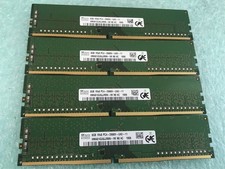
SK hynix 32GB(4 x 8GB) HMA81GU6JJR8N-VK PC4-2666V DDR4 Desktop RAM - CR337A
$89.95

Samsung W03J0009150379F87A 64GB (2x32GB) RAM DDR4 2400MHz CRC0Y
$179.99

A-Tech 8GB DDR3 1600 PC3-12800 Laptop SODIMM 204-Pin Memory RAM PC3L DDR3L 1x 8G
$21.68
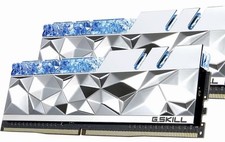
G.SKILL Trident Z Royal Elite Series 32GB (2 x 16GB) DDR4
$150.00
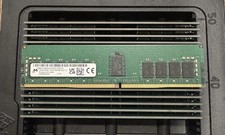
✅ MICRON MTA18ASF2G72PDZ-3G2R1 16GB 2Rx8 DDR4-3200 PC4-3200AA REG ECC Memory
$119.97

Crucial DDR3L 16GB 2 x 8GB 1600 MHz PC3L-12800 Laptop RAM Sodimm Memory 1.35V
$41.00
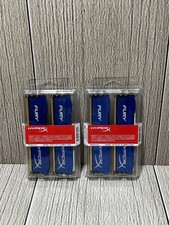
Lot of 2 Kingston Fury 8GB (4x4GB) HX316C10FK2/8 DDR3-1600MHz Ram
$50.35



 Reply With Quote