

 Reply With Quote
Try reinstall knoppix and this time let lilo install to mbr.


I have just done jdong's install guide (http://www.knoppix.net/forum/viewtop...ighlight=howto) (using knoppix-installer script instead of the old one) and when I reboot, i'll get to the NTLDR, I get to choose from two options:
Win XP Home (which i named "Evil Bill Gates OS")
Knoppix (^ "w00t_Linux_w00t")
I choose Knoppix, and I get a constant blinking cursor. Nothing happens. Zip. Zilch. Etc.
I don't know what happened. During install, I installed LILO to the Linux partition...which I think is the problem. Dunno what to do from there.
Thanks for your help.
Try reinstall knoppix and this time let lilo install to mbr.
I have edited a qoute from myself regarding this to fit you better.During install, I installed LILO to the Linux partition...which I think is the problem.
The meaning of hdXY is simply your hard drive, where X is driveletter )a,b,c,d...) and Y is partition number (1,2....15, 16...) where you installed lilo.
you could use the Win2000/NT/XP bootloader.
to do that I let the nt bootloader and lilo work together for me. works well.
quick sketch what i do, write LILO to a floppy, make a "image" of the floppy-mbr put that image in C:\ edit BOOT.INI mine looks like this.
a few more details.[boot loader]
timeout=2
default=multi(0)disk(0)rdisk(0)partition(1)\WINDOW S
[operating systems]
C:\linux.ipl="LINUX"
multi(0)disk(0)rdisk(0)partition(1)\WINDOWS="Micro soft Windows XP Home Edition" /fastdetect
1) as you made lilo write to the linuxpartitions root, you should have this line in lilo.conf:
or give partition as an argument to liloCode:boot=/dev/hdXY
Code:lilo -b /dev/hdXY
2) make a image of the root of the linuxpartition, and put it on a floppy, then in windows put it directly under C:\
3) Modifiy c:\boot.ini -- add a line with:Code:dd if=/dev/hdXY of=/mnt/auto/floppy/linux.ipl bs=512 count=1
repeat 1) and 2) every time you run LILO.Code:C:\linux.ipl="Linux"
Microsoft ntldr now believes you have yet another windows installed. happy booting
oh btw, i have several linuxes booting from that same lilo.
 Posting Permissions


Samsung 860 PRO 2TB 2.5" SATA III V- NAND SSD MZ-76P2T0 86%-90% Health
$187.00
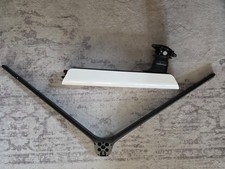
Samsung Odyssey Neo G95NA - OEM Stand - BN96-51632B
$125.00
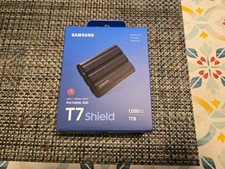
Samsung T7 Shield 1TB USB 3.2 Gen 2 External Portable SSD MU-PE1T0S Brand New
$198.99
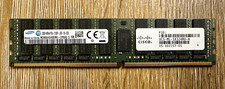
Samsung 32GB DDR4-2133 PC4-2133P ECC Registered RDIMM 288-Pin 15-102217-01
$239.00

RAM-HOL-SAM52CPU RAM USB-C Powered Dock Samsung Tab Active4 Pro & Tab Active Pro
$81.99

RAM-HOL-SAM60CPU RAM USB-C Powered Dock for Samsung Tab Active5 - 3 - 2
$81.99

RAM-GDS-SKIN-SAM54-NG-1 RAM Mounts IntelliSkin® Next Gen for Samsung Tab Active4
$93.99

Cell Phone Smartphone Computer repair banner poster sign iphone Samsung
$89.99
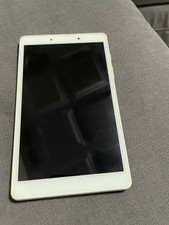
USED Silver White Samsung Galaxy Tab A 8" Kids Edition 32GB TABLET - SM-T290
$39.99

Samsung Galaxy Tab Active 3/ 64 gig/WIFI
$85.00