

 Reply With Quote
Q3 filesystem?Originally Posted by mimes
I've never seen that before, but knoppix needs ext3 or resisefs


Hi, I have never partitioned a harddrive before, and when it was time to use QT Partitioning thingy, I already had 4 partitions on the harddrive. The main one that contains my old windows 98 system, had like 9GB on it. I reformatted it to a Q3 linux filesystem. I used the other 2GB one for my linux swap, and I also have another partition that has a very few GB on it and one that is empty. They are lined up as follows:
-The non used "free", few GB's one
-The main Linux one
-The Swap
-The empty, useless, "free" partition
I saved the changes, and tried to continue the installation for Knoppix, but it once again said i needed to partition the HD. Then i used the IGNORE_CHECK=1 thing to skip the hd thing. I tried to start the installation, but it ended up giving me a printer error thing in a big standalone window. I said next, then it closed the installation. Please help!! I am an extreme newbie.
Q3 filesystem?
I've never seen that before, but knoppix needs ext3 or resisefs
your swap is probably too big. If i remember correctly, it should be about 2x your RAM, up to about 500MB.
It would be best if you posted specific info about your partition table. You can do this rather easily w/ an app called fdisk. Open a terminal, become root and issue:
Or it is possible that your drive is /dev/hdb. Copy and paste the output of fdisk -l /dev/hda please.Code:fdisk -l /dev/hda
Try to be specific and post actual errors (copy & paste) or it is very difficult to help you learn how to partition a drive. Oh and BTW - forget qtparted and use a real partitioing tool like fdisk or cfdisk which is very easy to use.
Alright, I'm sorry for being so vague before. When I type "cfdisk" in superuser mode, I get the error:
FATAL ERROR: Bad primary partition 1: Partition begins after end-of-disk.
Press any key to exit cfdisk
When I type "cfdisk" in a regular shell, it gives me the error:
FATAL ERROR: Cannot open disk drive
When I type the command df, to find more about my filesystems, I get:
Filesystem 1K-blocks Used Available Use% Mounted on
/dev/root 3471 1109 2362 32% /
/dev/scd0 716308 716308 0 100% /cdrom
/dev/cloop 1943588 1943588 0 100% /KNOPPIX
/ramdisk 145928 2244 143684 2% /ramdisk
AND when I try to use QTParted to delete and manage partitions, the program opens, but I can only do a few limited things.
Any help would be really appreciated, I am a Linux newbie who wishes to help others someday.
 Posting Permissions


Netac DDR4 32GB 16GB DDR4 3200MHz UDIMM C16 Desktop Internal Memory RAM Kit
$99.99

16GB KIT (2x8GB) DDR4 Gamer Desktop RAM PC4 MIXED BRANDS
$65.00

Samsung 8GB DDR4 SO-DIMM PC4-3200AA 260-Pin RAM M471A1G44BB0-CWE Module
$29.25

A-Tech 8GB DDR3 1600 PC3-12800 Laptop SODIMM 204-Pin Memory RAM PC3L DDR3L 1x 8G
$21.68

Major Brand 16GB (2x8GB) PC3-12800U DDR3-1600MHz DDR3-12800 DESKTOP RAM NON-ECC
$29.99
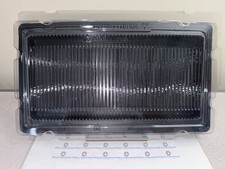
50x RAM Box Tray DDR2 DDR3 DDR4 DDR5 ESD DIMM Memory Shipping Storage Transport
$9.99

MINT Micron Cisco 32GB PC4-2400T DDR4 2Rx4 RDIMM RAM MTA36ASF4G72PZ-2G3 LOT
$159.99

DDR4 Laptop RAM 4GB 8GB 16GB 32GB 2400 2666 3200 Samsung Hynix
$30.00
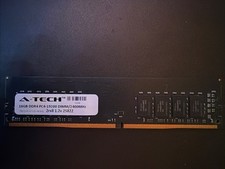
A-tech 16GB Ddr4 Pc4-19200 Dimm/2400mhz 2rx8 1.2v 25822
$49.95

16GB ( 4X 4GB ) MEMORY DDR3 PC3-10600 1333MHz FOR DELL OPTIPLEX 790 780 990 980
$39.99