-
Junior Member
registered user
Introduction
Yep, first post here. I'm one of those long time lurker, first time poster type of people. Figured I might as well introduce myself now rather than later. I just installed Knoppix a few weeks ago and been correcting my own issues little by little.
I figured the easiest way to fix my little bugs with Knoppix/Linux would be to HD install it on my mom's computer. Needless to say, she calls me every hour to figure something. My latest project is to install DamnSmallLinux (50Mb liveCD based on Knoppix) on a 9 year old 486SX Laptop that's worth absolutely nothing. I'll need luck, cause I already hit my first problem, can't find the Floppy drive (it's an external PCMCIA drive).
-Stefan
-
Senior Member
registered user
Re: Introduction

Originally Posted by
Bidi
Yep, first post here. I'm one of those long time lurker, first time poster type of people. Figured I might as well introduce myself now rather than later. I just installed Knoppix a few weeks ago and been correcting my own issues little by little.
I figured the easiest way to fix my little bugs with Knoppix/Linux would be to HD install it on my mom's computer. Needless to say, she calls me every hour to figure something. My latest project is to install DamnSmallLinux (50Mb liveCD based on Knoppix) on a 9 year old 486SX Laptop that's worth absolutely nothing. I'll need luck, cause I already hit my first problem, can't find the Floppy drive (it's an external PCMCIA drive).
-Stefan
Well, Welcome Bidi, to the Wonderful World of Linux, Debian, "Sid", and GNU 
First of all, OUCH! ( on your mom's computer! ) I dont think I'd inflict my mom with this, giggle... ( maybe a nice I-Mac - LOL ) If I was going to do this to her, I'd spend at least a few hours on getting her used to what to click, and set up LOTS of shortcuts on the desktop...
On your second issue, maybe a nice post in the "Laptop" forum on the PCMCIA thing, is a good start. I dont have a laptop, nor do I have PCMCIA, so I havent a clue, but I know "of" laptops, and I think that forum may be the best place to look, I am quite sure that your subject has been covered in that forum, at least once - maybe do a Search Knoppix.net with the keyword pcmcia in the box? You may find someone else has already "broken ground" on what you seek? You may want to look in the DOCS, as well, it may be a "known" issue, already... And, if all else fails, a post into the forum, will definately get you what you seek 
I cant remember what "my first post" was, but, I bet you it wasnt a "Hi" one, more likely, "HELP - How do I get 'this' working?" post... Hmmm, now I'm intrigued, what was my first post?????
Again, welcome, good luck, and hope it all works out for you - ( and your mom doesnt kill you for what you DID to her - LOL ROTFLMAO ... )
Ms. Cuddles
EDIT:
Just looked at my very first post, and, yep, it was what I thought... First part was how great Knoppix is, and then, about issues on "converting" my system from Win98 over to HDD Installed Knoppix... Sheesh, talk about a "blast from the past", and only coming up on a year ago, I sure have come a long way, since then 
END EDIT
-
Junior Member
registered user
Re: Introduction
Originally Posted by
Cuddles
Just looked at my very first post, and, yep, it was what I thought... First part was how great Knoppix is, and then, about issues on "converting" my system from Win98 over to HDD Installed Knoppix...
Haha.... dont' worry about me, I'll get as much info about a subject as possible before posting a question, that way I don't sound so stupid.
As far as Knoppix on my mom's computer, it took 1 hour for her to get the basics. The biggest problems right now are getting programs that she uses and configuring it her way. And for the floppy thing, I meant I can't physically find the drive, I have no idea where I put it. I actually already have a question, let me go post it.
-
Senior Member
registered user
Re: Introduction
Originally Posted by
Bidi
Originally Posted by
Cuddles
Just looked at my very first post, and, yep, it was what I thought... First part was how great Knoppix is, and then, about issues on "converting" my system from Win98 over to HDD Installed Knoppix...
Haha.... dont' worry about me, I'll get as much info about a subject as possible before posting a question, that way I don't sound so stupid.
As far as Knoppix on my mom's computer, it took 1 hour for her to get the basics. The biggest problems right now are getting programs that she uses and configuring it her way. And for the floppy thing, I meant I can't physically find the drive, I have no idea where I put it. I actually already have a question, let me go post it.
Knoppix has a pcmia deamon. I don't think DSL has one though.
(Whats my first post?)
Found it, looks somewhat intelligent. I must have lurked also.
 Posting Permissions
- You may not post new threads
- You may not post replies
- You may not post attachments
- You may not edit your posts
-
Forum Rules

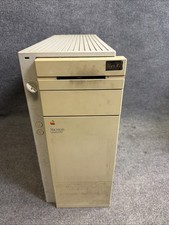
Vintage Apple Macintosh Quadra 950 w/ Key - (FOR PARTS)
$199.90
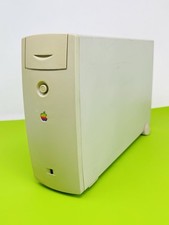
Vintage Apple M2115 SCSI External Hard Drive for Macintosh POWERS ON
$119.89
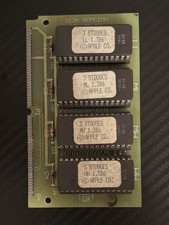
Vintage 1988 APPLE MACINTOSH “3 Stooges” 512K Romsimm AP1127-02 VERY RARE
$399.00
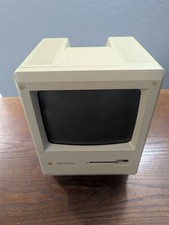
Vintage Apple Macintosh Plus 1Mb Computer (Model M0001A)
$100.00
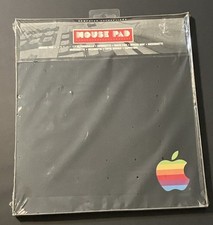
vintage Rainbow Apple Logo Mouse Pad-Sealed New
$59.00

Vintage Apple iBook G3 12.1” 500MHz 2001 Restored, SSD Upgraded Mac OS 9.2/OS X
$170.00
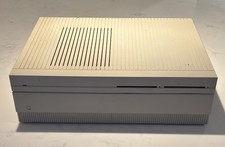
Vintage APPLE MACINTOSH II Desktop PC EMPTY CASE & Power Supply Only UNTESTED
$39.90

Lot of 3 VIntage Apple Computer Rainbow Logo Sticker Decal Macintosh 1980s NOS
$7.00

Vintage 1988 Apple Macintosh Plus 1MB M0001A Computer Keyboard WORKING See Video
$225.00
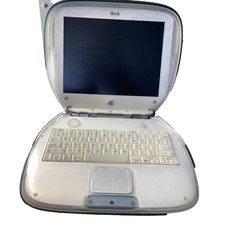
Vintage Apple iBook G3 Clamshell M2453 Dead HDD For Parts As is
$189.99



 Reply With Quote