

 Reply With Quote
Did you mount the drive?


Ok, so i have a compUSA 16mb USB flash HD designed for windows 98, 98SE, 2000, and xp(according to the package). I purchased it for the purpose of file transfers between my (linux) system and my dad's (windows) system, since i can't get Samba to work.(DON'T TIP ME ON SAMBA! i am solving this now)
Knoppix "supposedly" supports this .... the boot sequence sais "USB found managed by hotplug", but i cannot find the flash device once in KDE.
I looked in /dev but only took a glance, since i really didnt know what i was looking for,
I looked in /mnt. Definately NOT there
Any ideas?
OTHER INFO
==============
Works great in windows. I formatted it as FAT file system
16 MB size. windows sees it as 15.5 for some reason...
Booting with it already in
Did you mount the drive?
Does Linux see your drive?The USB drives are usually accessed through SCSI emulation so it's going to be /dev/sda or similar.Code:lsusb
Ok, in reply to the first reply...
How do you mount? The only mounting i have done is when i click an HD icon
Second, let me try /dev/sda ... i don't think i saw that but i'll check
Originally Posted by Jakykong
However, I get an icon for my usb memory gizmo when I boot and can click it (although you might have to be sure you mount it as read/write if you actually want to to write stuff to it). Mine shows up as "sda1".Code:man mount
sda1 doesen't show up anywhere. The only other SCSI things i have are my HDs.
But i think i might have found a problem...
My USB ports are built on an internal Generic HUB. I only have 1 usb port in the system, it is connected(internally) to a four port hub
Works fine in windows. Does knoppix support usb hubs?
Could lead to a problem if it doesent...
It does for me. When I mentioned that I had plugged my USB devce in and it just worked on CD boot, I had actually plugged it into a USB hub next to my notebook. Did it last night with a different USB flash drive, a different version of Knoppix, the same hub, and using the noscsi cheat code (because of the previous mention of scsi emulation). Even though I was using the noscsi cheat code I still had access to my USB flash drive as sda1 . Note that my device is there when I boot; installing it later might yield different and less satisfactory results.
Yeah,. its there when i boot... just gotta find it in the /dev folder
What is strange is that it doesent show up on the desktop as a hard drive icon... should it?
Mine does, and is in the dev folder. Clearly yours is different. Don't know why. Sorry.
no prob...
I rebooted and this time i got an sda1 in the /mnt folder. Thaught it finally worked, but the folder sais it is 0 bytes in size.
It's a 16MB flash drive, and it makes no sense that it would only have 0 bytes of writable data.
In windows i did a low-level format, and there is some data on it. The FAT file system is currently in place(according to windows).
 Posting Permissions


Kingston 32GB 64GB 128GB 256GB USB 3.0 Flash Drive Thumb Memory Stick Pen lot
$285.90

Microsoft Office 2021 Pro Plus USB for 1PC Windows 10 & 11
$62.50
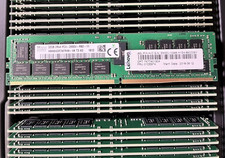
HYNIX HMA84GR7AFR4N-VK 32GB PC4-2666V 2RX4 RDIMM MEMORY HMA84GR7AFR4N-VK
$189.99

TF/SD Card Adapter Camera Reader Android Type-c For iPhone17 Pro Max Plusm lot
$573.98

USB 3.0 Flash Drive 32GB 64GB 128GB Memory Stick Thumb Stick Lot Pack
$826.09
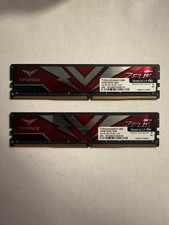
TEAMGROUP T-Force Zeus 64GB (2x32GB) DDR4 2666MHz PC4-21300 Desktop RAM Kit
$199.99

USB 3.0 Micro SD SDHC TF Card Reader Memory Adapter for PC Laptop Camera lot
$3.75

128GB (4x32GB) SK hynix DDR4 PC4-2666V RDIMM ECC Server Ram HMA84GR7CJR4N-VK
$799.00

Micron 32GB 1x32GB DDR5 5600 CL46 ECC Unbuffered SO-DIMM MTC20C2085S1TC56BD1
$399.00

5 in 1 Memory Card Reader USB 3.0 OTG Adapter SD Card Reader For iPhone/iPad LOT
$9.99