-
Administrator
Site Admin-

Originally Posted by
Jakykong
....I rebooted and this time i got an sda1 in the /mnt folder. Thaught it finally worked, but the folder sais it is 0 bytes in size....it makes no sense that it would only have 0 bytes of writable data.
In windows i did a low-level format, and there is some data on it. The FAT file system is currently in place(according to windows).
By data do you mean there are some files on it? If not, write a file or two in windows to it. Boot Knoppix again and get sda1 mounted (look again for a desktop icon, should be under the other hard drive icons). I'm not too concerned about the reported space here, just want to know if you can see the files in the device.
Also, you are doing this from a Live CD, are you not? No need to introduce any of the added complexity of a HD install if there is no good reason for it. If you are not running from a Live CD, boot one and try all of this again.
-
You mean that an HD install is more complex than a live CD? Ok, i'll boot from the cd to see if it works, but i have to get it working on my HD install for efficiency reasons.
There are files on it, according to windows. Some diablo items, a folder containg a dat file, dhack, and a diablo update.
When i say size i mean the size that knoppix seems to think the flash disk is in total... 0 bytes.
What would i need to do differently to get this working on the HD install if it works on the live CD?
-
Nope. im in live CD right now and it ain't working. (i know ain't isnt a word... but i use it anyway)
-
Administrator
Site Admin-
Originally Posted by
Jakykong
What would i need to do differently to get this working on the HD install if it works on the live CD?
Lots of things seem to break after a hard disk install. To be fair, Knoppix is intended as a Live CD. That's where the developers put their effort. Some people can make installs work, more power to them. But you just have to look at how many posts there are in the Hdd Install forum and what they are about to see that Hdd install of Knoppix is far from simple and clean. On top of that, many of the posts in the General Support and the Networking forums, as well as here, are also about hard drive install problems, so the total of Hdd install problem posts is even higher than if you just look at the Hdd Install forum.
I don't have any one simple fix to give you if you get it working from CD but it still doesn't work from hard disk. You can look at some of the posts in the Hdd Install forum to see what others have had to do to resolve their problems for some thoughts on where to start.
For now it does not seem like the problem is HDD install related, as I can access any of several different USB flash devices from (Live CD) Knoppix and you apparently can not. I'm guessing it may be a BIOS or cheat code issue. I would certainly see if there were a BIOS update for your system. But I would suggest that you do further testing by booting from Live CD. It would be a shame to come across a fix but not realize that you had because something else in the HDD Install was also there and hiding it. Once you get the Live CD working with the USB drive then it seems likely that the Hdd install will work as well, but I like to take things one step at a time. I also assume that, unless the user is posting in the Hdd Install forum or has stated otherwise that they are working from a Live CD, and I expect others do too, so I thought I should ask so we could know for sure what conditions you were operating under.
-
ok thanks.
I'll poke around... see what i can find. It's weird that it isn't finding it on the Live CD.
Seems, though, that since knoppix is sooo useful, has so many tools, and runs on a debian linux. Also, since the install process is EXTREMELY simple(3 steps, 1. partition, 2. configure, 3. install) it makes sense over other versions.
I could be wrong, but on my UNIX 486, i had to install the K desktop environment separaely from the kernel. Also, the kernel didn't do much when first installed. Knoppix had (almost) everything i needed.
I see what you are saying, though, about why an HD install might pose *some* problems.
I have heard of a program called driverloader. I know from ndiswrapper that (at least network cards) windows drivers can be loaded in linux. If i could do this, getting a generic flash disk driver should be simple, as they come with windows.
Do you know of a program to do this? Maybe driver loader, but where i have heard of it was mentioned when i was getting my lan card working(was still live CD then...). ndiswrapper was the free way to do that...
-
Administrator
Site Admin-
Originally Posted by
Jakykong
Seems, though, that since knoppix is sooo useful, has so many tools, and runs on a debian linux. Also, since the install process is EXTREMELY simple(3 steps, 1. partition, 2. configure, 3. install) it makes sense over other versions.
You would think so, wouldn't you. But the truth is that Klaus focused on something else in putting together Knoppix - A live CD with a lot of really good stuff that he could fit on a 700 meg CD. He did a great job on that. But in the process he mixed and match and did some things that make it much harder to get updates. That's completely not a problem when the CD is used as intended, but comes as a nasty surprise for someone who installs it to hard disk as if it were a Linux distro. Also, (IMHO), in some ways it looks like the people who came up with the install scripts and got them included just cut corners and are not getting fixes back into the scripts. I've constantly seen problems in the networking forum with people who complain that they could get on the Internet fine from the live CD but no longer can after an install. The problem frequently seems to be the same thing; a simple changing of permission on some files. It would seem to me that this kind of thing should have been caught in testing and certainly should have made it's way back to the install scripts after it was found here, but I've been seeing it for over a year and many releases of Knoppix CD's. Again, just read through the Hdd forum (and keep an eye on the other forums for Hdd install issues) to see the extent of this.
Originally Posted by
Jakykong
I have heard of a program called driverloader. I know from ndiswrapper that (at least network cards) windows drivers can be loaded in linux. If i could do this, getting a generic flash disk driver should be simple, as they come with windows.
Sorry, can't help you with this. In my experience Linux is better at supporting flash drives than Windows. I know windows 98 made me install several different flash memory drivers for several different flash memory devices (smart media reader, compact flash interface, different drivers for different USB devices) when Linux (Knoppix) worked fine for all of them with it's single built in driver. I really don't know why you are having the problem you are. I would still look at a BIOS upgrade, but that's certainly just a guess. If the device fails on several different computers then it could well be something "special" about the device, if several different make USB flash devices fail in your computer then I would look at the BIOS or cheat codes. (By the way, I did finally get a universal driver for Win98, although I still have the bloat from the other installed drivers).
Oh, one more thought. You mentioned that you have a USB with an internal hub. These little gizmos do take some power. I'm wondering if you might have a power issue. Since your hub is internal there's not much you can do to bypass it, but if you could plug a powered USB hub into that and supply plenty of power from an external source, you would eliminate that as a potential problem.
-
Driverloader is linux... i just looked at thier site. It is designed to load windows drivers in linux, and this is a windows 98+ device...
I know also that the hub is NOT the problem. I upgrade my power supply once a year... have since like 2000 and updated this year several months ago. My power supply is able to supply twice as much as the system uses, i checked in the CMOS. I am not likely to upgrade again for a while, i just like to be able to have lots of devices without worry of power.
Besides which, the computer was built with the hub. It should have no problem with powering it since the system was built to handle it.
Anyway, i will keep an eye on HDD problems. Maybe if i read enough of those posts, i'll be able to figure out some of my problems.
Once again, however, i will mention i am going to solve my flash problem on the live CD like you suggested. Then i'll take the method and try it in HD install. Thus far, all the live CD problems i have talked about have worked exactly the same on my HD install...
-
Senior Member
registered user
Similar Threads
-
By jason_pine in forum General Support
Replies: 0
Last Post: 10-28-2005, 04:14 AM
-
By mattrock1988 in forum Ideas
Replies: 0
Last Post: 05-29-2005, 02:59 PM
-
By monckywrench in forum Ideas
Replies: 4
Last Post: 04-20-2005, 06:46 PM
-
By Randy in forum Hardware & Booting
Replies: 2
Last Post: 02-03-2005, 09:48 PM
-
By Jameson in forum General Support
Replies: 2
Last Post: 12-31-2004, 05:19 AM
 Posting Permissions
- You may not post new threads
- You may not post replies
- You may not post attachments
- You may not edit your posts
-
Forum Rules

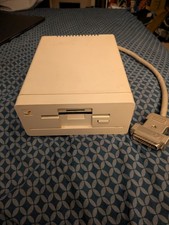
Commodore Amiga 1010 External 3.5” Floppy Drive A500 A1000 A2000 Tested Working
$169.99
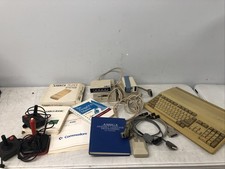
Commodore Amiga A500 Collector Set 1010 Drive A520 Mouse PSU Manuals + Extras
$529.95
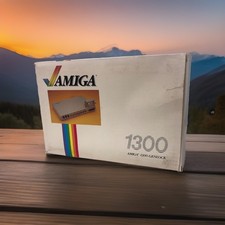
OPEN BOX - AMIGA Genlock Interface Vintage Video Adapter 1300- GREAT
$329.95
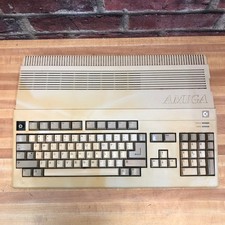
Commodore Amiga 500 Vintage Computer A500 No Power Supply
$249.95
COMMODORE AMIGA 500 WITH GOTEK NTSC,NO PSU ,NO MOUSE ,NO MONITOR ,TESTED
$355.00
Commodore Amiga 600 Computer w/ PIStorm Framethrower Recapped, Caffeine OS NTSC
$799.99
TerribleFire TF1260 Amiga 1200 Accelerator - 68060 Rev.6 50MHz 128MB RAM + IDE
$499.00
Vtg Amiga Computer Monitor Commodore 13" Screen W/ Power Cord Powers On As Is
$279.95

ZuluSCSI Compact RP2040 - an affordable SCSI-2 (and 1) emulator w/ USB-C
$45.00
PAL Commodore Amiga 2000 Vintage Computer Works Dual 3.5" NICE READ
$529.00



 Reply With Quote