

 Reply With Quote
Many BIOSs have a setting that will change the default for num lock. Have you checked yours to see if you can control it in the BIOS?


I'm using Kurumin 4Alpha2 (a Brazilian flavor of Knoppix).
I changed the option at kde to have the keyboard numlock on at startup but it only works at graphical interface. At text mode, nothing changed. Continue to have to tap the numlock key.
It's bad, because very often I forget to do it.
If anybody knows a magic formula to do it, please tell me.
Many BIOSs have a setting that will change the default for num lock. Have you checked yours to see if you can control it in the BIOS?
apt-get install numlockx
You may need to add numlockx on to the end of ~/.xsession or create a file ~/.profile and add it there.
 Posting Permissions


Intel Xeon E5-2680 V2 2.8GHz 10-Core 25MB 8GT/s SR1A6 LGA2011 B Grade Server CPU
$7.95
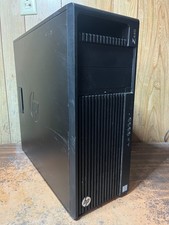
HP Z440 Workstation Windows 11 Pro Computer XEON 16GB 500GB SSD 2TB HDD M2000
$200.00

HPE DL360 G10 CTO Server W/ 2x800W 1x LP PCIE RISER 1xFLEXROM 2XHIGH PERF FANS
$200.00

NEW HP Z4 G4 Workstation Xeon W-2123 16GB ECC 256GB NVMe NVIDIA T400 750W Win11
$450.00

Dell Precision T7820 2x Xeon Silver 4114 2.20GHz 950W No RAM GPU HDD 4x SATA
$354.48
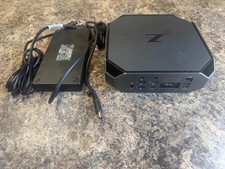
HP Z2 Mini G5 Workstation Xeon W-1270P 3.8GHz/16GB/1TB SSD/ NVIDIA T1000/W11 Pro
$349.00

Lenovo ThinkStation P520c Intel Xeon W-2133 6-Core 3.60GHz -NO RAM/ HDD/ GPU/ OS
$127.54

Dell Precision T7820 2x Xeon Gold 6130 2.10GHz 950W No RAM GPU HDD 4x SATA
$374.48

Lenovo ThinkStation P520c Xeon W-2133 3.60GHz 16GB Quadro P2000 Desktop Wi-Fi 6
$180.00
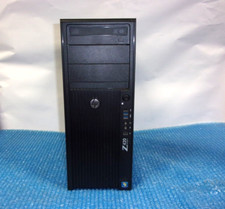
HP Z420 Tower Workstation Xeon E5-1620 3.60GHz, 4GB Ram, NO HDD, NO OS
$140.00