

 Reply With Quote
Maybe you are attacking from the wrong direction? When you set your resolution through the Kcontrol it is saved in ~/.kde (or at least I presume it is saved there) So....why not put your own custom .kde into /etc/skel?


I am trying to force my knoppix remaster to adopt specific values for XF86Config-4.
I am trying to get the cd version and the hard drive installed version of my remaster to have specific monitor values default to 70Hz 1024 x 768 the system uses a via driver I have got it to start load the via driver but it will only display at 640 x480 or 800x600 on older monitors . On new or near new monitor no problems, this is to cater for old monitor.
I have tried different modifications to the mkxf68config Knoppix Script and also the XF86config-4.in file and the XF86Config.in but it still defaults to what ever monitor resolution that knoppix finds during its prob.
I have add the following line to XF86Config-4.in and it gets loaded into XF86Config-4
Section "Monitor0'
HorizSync 60 -90
Vertrefresh 30 -50
EndSection
the above gets entered into XF86Config-4
The Mode Line information that is generated by mkxf86config has been commented out (in mkxf86config, XF86Config.in & XF86Config-4.in)but it still appears in the XF86Config-4 file.
If I manually modify the XF86Config-4 and comment out the input from mkxf86config and restart kde (three finger salute) ie ctrl+alt+backspace . when kde restarts the desktop is set to 1024x768.... but if i totally reboot the system everything reverts to what ever knoppix probe thinks the monitor is capable of.
After installing to hard drive I modified the XF86Config-4 file making 1024x768 after kdm is restarted I have 1024 x 768 on my old monitor so
I tried making a script that copies a backup of the XF86Config-4 file that makes monitor work at 1024x768, last thing before starting KDM but even though the script over writes the XF86Config-4 file(know to work at 1024x768 after kdm restart)but it still defaults to 640x480. If I three finger salute restarting KDM when KDM restarts I have my 1024x768 (If I reboot the system all defaults to 640x480).
When KDM starts it seems to always be using the monitors probed value not the XF86Config-4 file.
So my current situation leaves me to boot my system wait for KDM to finish loading KDE Desktop then RESTART KDM to get old monitor to run at 1024x768.... Help Please!!
any suggestions
thanks
michael
Maybe you are attacking from the wrong direction? When you set your resolution through the Kcontrol it is saved in ~/.kde (or at least I presume it is saved there) So....why not put your own custom .kde into /etc/skel?
Cheers for your suggestion but I have to modify the XF86config-4 at command line after the system boots into kde to initiate the 1024x768 res when I do things thru Kcontrol only can set to 640x480 max.
I am going to look at not calling on mkxf86config and have a XF86Config-4 preconfigured.
################
Can any one tell me the easiest way to stop any scripts calling on mkxf86config?????
################

Easieist way to disable mkxf86config from working is to put 'exit 0' as the first line in the script. but this may get you into trouble if some other script has already deleted xf86config-4 and is expecting mkxf86config to create a new one.Originally Posted by michaeln
mkxf86config-4 uses xk86config-4.in as a template for creating xf86config-4. If you make your changes in xk86config-4.in they should appear in the newly created xk86config.4.
 Posting Permissions


OEM 45w T-Tip Power Adapter charger for Apple macbook air 2012-2017 A1436 A1466
$19.99
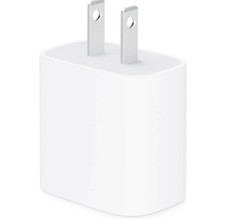
apple oem 20w charger usb-c power adapter
$9.99

Genuine Apple Power Adapter Extension Cable 6FT White OEM MacBook MK122LL/A
$10.99
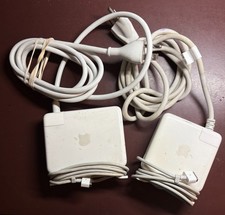
LOT OF 2 OEM APPLE MAGSAFE POWER ADAPTERS - MD A1172 AND MD A1222
$25.00

Genuine OEM Apple Power Adapter Extension Cable for MacBook Pro Air
$8.99

Genuine Apple OEM A2164 30W USB-C AC Power Adapter with USB-C Cable, Very Good
$20.59

Genuine OEM Apple 60W MagSafe Power Adapter A1344 ~ FREE S/H
$12.99

OEM Apple 45W A1436 Power Charger AC Adapter for MacBook Air MagSafe 2
$12.99
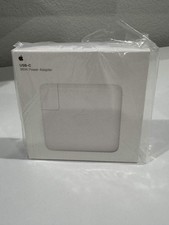
Apple 96W USB-C Power Adapter - White - Genuine OEM - NEW SEALED - MacBook Pro
$44.99
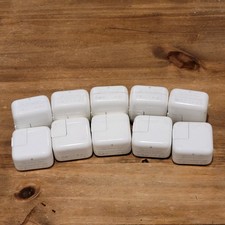
Lot of 10 Apple 12W USB Power Adapter Wall Charger Block iPad iPhone A1401 OEM
$31.99