-
Senior Member
registered user
To pick one thing (probably the most important thing) out of your list: With Debian, you don't need to install Firefox (or other programs for which Debian packages exist) from tarballs or RPMs, or download other binary installers. Use apt-get instead. Please read the "sticky" topic in the "Hdd Install" section of this forum named "Apt-get / dpkg tutorial".
Once your "/etc/apt/sources.list" is configured correctly, you go to a console, get root, and type
apt-get update && apt-get install mozilla-firefox
in order to install Firefox.
In order to see what installation candidates for Firefox are available to you, type
dpkg -l 'mozilla-firefox*'
or if you don't know the exact name of what you're looking for, go to the Debian packages search page and enter a search string and choose the "Unstable" distro.
As you might guess from the above, you can install Karamba with the command
apt-get install karamba
Similar Threads
-
By knewbix in forum The Lounge
Replies: 7
Last Post: 06-28-2005, 05:00 AM
-
By Quip Frok in forum General Support
Replies: 6
Last Post: 09-28-2004, 12:37 AM
-
By ishaim in forum MS Windows & New to Linux
Replies: 3
Last Post: 07-27-2004, 06:56 AM
-
By Sebastian Mares in forum General Support
Replies: 2
Last Post: 06-28-2004, 12:55 PM
-
By jbrush in forum Hdd Install / Debian / Apt
Replies: 2
Last Post: 12-09-2003, 06:45 PM
 Posting Permissions
- You may not post new threads
- You may not post replies
- You may not post attachments
- You may not edit your posts
-
Forum Rules


(New) AMD Ryzen 7 5700X 8 Core 16 Thread AM4 Unlocked 3.4 GHz CPU OEM Tray
$174.99
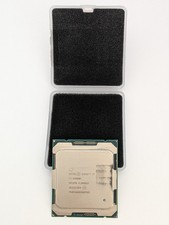
Intel Core i7-6900K SR2PB 8-Core 3.20GHz CPU LGA 2011 (Socket R)
$60.00

AMD Ryzen 7 PRO 8700GE 8-Core/16-Thread Up to 5.1GHz AM5 (FL1)
$189.00

SGIN 17.3" Laptop Intel Quad-Core Up to 2.4 GHZ 8GB RAM 256GB SSD HD
$229.99

Apple Macbook Pro 13" M1 8-Core 16GB 512GB - Good
$464.99

Intel Xeon E5 - 2667V2 / SR19W 3.30GHz 25MB 8-Core CPU Socket LGA2011
$30.00

AMD Ryzen 7 7800X3D 4.20GHz Quad Core 100-000000510 8 Thread AM4
$279.99

AMD Ryzen 7 9700X 8-Core 16-Thread 40MB Cache Socket AM5 9000 Series Processor
$245.99

Dell OptiPlex 5070 SFF i7-9700 (8-Core) 3.0GHz 16GB 256 SSD Windows 11
$250.00
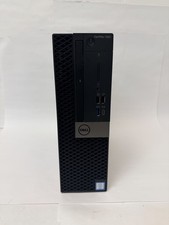
Dell OptiPlex 7060 Intel Core i7-8700 3.2GHz 8GB RAM 256GB Windows 11 Pro FAST
$159.99



 Reply With Quote