

 Reply With Quote
If it's ntfs formatted you have to look into captive. If fat or some linux type try:
sudo mount -o remount,rw /dev/sda1 /mnt/sda1
If it asks to specify filesystem add: -t vfat or whatever it is.
man mount has all mounting options listed.


I am cannot enable my hard drives to write. After mounting a drive, I right click on the drive and choose actions > change read/write mode. Prompt asks "Do you really want to change partition /dev/sda1 to be writable? I select yes, but it is still in read only. I have set root password and knoppix password. I have switched to su. Still cannot write to HDD.
If it's ntfs formatted you have to look into captive. If fat or some linux type try:
sudo mount -o remount,rw /dev/sda1 /mnt/sda1
If it asks to specify filesystem add: -t vfat or whatever it is.
man mount has all mounting options listed.
I should have added a more detail. I have 2 drives. /dev/hda is configured as hda1 (OS) 8Gb, hda2 (home) 8Gb, hda3 (swap) 2.65 Gb. /dev/sda is sda1 (data) 1Tb. All are formatted ext3 (except hda3). I think the problem is that I have been using gui's to long and believe everything I read. I was able to switch to SU then manually mount and rw.
 Posting Permissions


Vintage Apple II Avant-Garde Creations Super Shape Draw And Animate 1981
$295.00

Apple Macintosh Classic M1420 Vintage Desktop Computer Model Macintosh Classic
$100.00
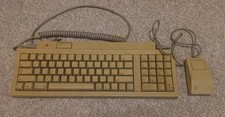
Vintage Apple Keyboard II Model M0487 & G5431 Mouse UNTESTED AS-IS
$59.99

Vintage Apple Macintosh Plus Desktop Computer - M0001A
$150.00

LARGE LOT Vintage Apple Macintosh Mouse Cables Accessories SCSI etc - UNTESTED
$80.00
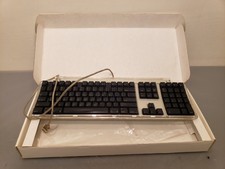
Vintage Apple Pro Keyboard USB Mac M7803 **Used in box
$75.00
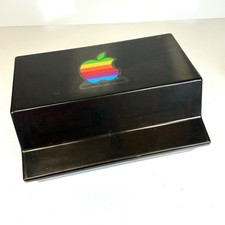
Lot of 64 Apple II IIe IIc 5.25” Floppy Disk Games Software Utilities Vintage
$39.00

Lot of 3 VIntage Apple Computer Rainbow Logo Sticker Decal Macintosh 1980s NOS
$7.00

Vintage Apple Multiple Scan 15av Display Monitor M4681
$299.99
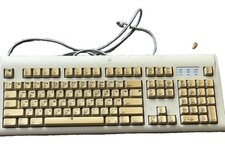
Vintage Apple Design Keyboard Model M2980 Macintosh 1994 Untested
$28.49