


 Reply With Quote
cable select is always a bit dodgy, when i read up on it, i found that the standard was never accepted.
try setting the drives as master/slave.


Hello. I was wondering if anyone knew of a solution...
(C: Quantum 10 gig, D: West. Digital 30 gig / both ntfs and jumper settings on 'cable select' using cable select cable / mobo drivers updated)
A few days ago a condenser(I think) on my mobo blew up,
so I got a new mobo(Asrock K7 Upgrade-880). I wanted to
see if my hard drives were ok, so I just plugged it into
the new mobo without reinstalling Windows, and both
had no problems.
So I unplugged my D: hdd(pri slave), and formatted
and reinstalled Windows Xp sp1 with just my C hdd(pri master) plugged in.
Everything went ok, so I replugged in my D hdd, but the
problem is, I can't see it in Windows explorer.
In other words, the bios and windows device manager both
recognize it, but it doesn't appear in windows explorer,
and if I go into Device Management, it says that D: is a
'dynamic' disk, that it's unaccessable, and that 'status bar' doesn't
appear on the right side...
I also tried changing it to the secondary slave by connecting
it to the cd-rw(sec master), but it's still the same... And when I
run cmd in windows, D doesn't appear...
It seems that something went wrong during the reinstallation,
and that I have to convert it from a 'dynamic' to a 'basic' disk...
but that would mean that I would lose all my data...
So someone suggested that I use Knoppix to boot my computer,
access D:, and backup what I can...
But this is my first time using knoppix, so I was wondering,...
1) If I boot my comp with it, can I access D?
2) If I can, can I transfer files from it over to C, then reboot into
WinXp, and access the files?...
Any info would be appreciated... thanks in advance.
cable select is always a bit dodgy, when i read up on it, i found that the standard was never accepted.
try setting the drives as master/slave.
Actually, I originally had it as master/slave,
but I couldn't fix my problem, so that's why I changed it to
'cable select'...
Use all the smiley faces you want, but the advice was right. Make it work as master/slave. You need a special cable for cs (part of the cable is cut and twisted between the middle and last IDE connector) or it can never work right, which I'm betting you don't have.Originally Posted by yoyall
The thing is, it WON'T work whether I put it to 'cable select' OR
'master/slave'~
In other words, it's not a cable or mobo problem...
it's a problem with WinXp...
(D being a dynamic disk)
So that's why I was wondering if I would be able to
access my D hdd and transfer files over to my C hdd
if I booted my computer with Knoppix~
Yes, most likely you will be able to access the drive. As far as transferring the files over to C, it is considered risky to write files to an ntfs partition using the standard linux ntfs drivers. You should make sure to use the captive drivers if you move them over to your new winxp install. Or if you have more than one cd drives, with one being a cd-rw, you could just use knoppix to burn the important files onto a disc.
So given that moving to cable select didn't fix anything, and others are telling you that cable select is a problem, why leave it on cable select?
OK, you may have other problems, but you may have compounded them with the cs setting.
This one I do not know the answer to. My expectation is low. But since you have the disk, why in the world not try? Knoppix will not write to the disk, will not hurt anything.
You might try making it a normal basic disk again, there is a procedure to do so here: http://faq.arstechnica.com/link.php?i=1806 . But I would at least try looking at it with Knoppix first.
Actually, it can be done from a live CD even if you have only one CD drive (a writer obviously) and even if you don't have enough memory for the toram option. See the details in this thread: http://www.knoppix.net/forum/viewtopic.php?t=14781
ah okay~ thanks to all for all the tips~
I'll try them out~
I had a similar problem with Windows not being able to find the primary slave. BIOS could find it. I re-pinned the slave drive and now BIOS and Windows XP finds it. I'd suggest looking for an alternate way of pinning the drive not being recognized.
 Posting Permissions

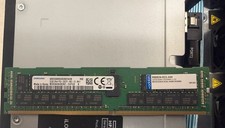
2x SAMSUNG 32GB DDR4 2RX4 PC4-2933Y SERVER MEMORY M393A4K40CB2-CVFC0 64GB TOTAL
$300.00

Netac DDR4 32GB 16GB DDR4 3200MHz UDIMM C16 Desktop Internal Memory RAM Kit
$99.99

16GB KIT (2x8GB) DDR4 Gamer Desktop RAM PC4 MIXED BRANDS
$65.00
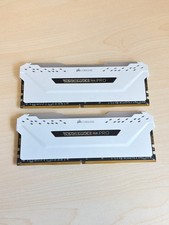
Corsair Vengeance RGB Pro 32GB 2x16GB DDR4-3200 CL16 White CMW32GX4M2C3200C16W
$174.99

A-Tech 8GB DDR3 1600 PC3-12800 Laptop SODIMM 204-Pin Memory RAM PC3L DDR3L 1x 8G
$21.68

MINT Micron Cisco 32GB PC4-2400T DDR4 2Rx4 RDIMM RAM MTA36ASF4G72PZ-2G3 LOT
$159.99

Major Brand 16GB (2x8GB) PC3-12800U DDR3-1600MHz DDR3-12800 DESKTOP RAM NON-ECC
$29.99
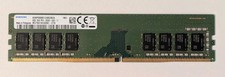
Samsung 8GB DDR4 2666MHz Desktop Ram Memory (M378A1K43DB2-CTD) Tested
$29.99
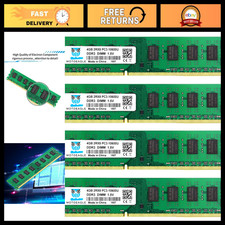
16GB DDR3 RAM Kit (4x4GB) 1333MHz UDIMM, PC3-10600U Memory, 240-Pin CL9 1.5V
$72.99
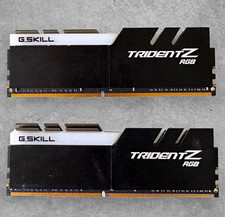
G.SKILL Trident Z RGB 32GB (2x16GB) DDR4-3200 DIMM RAM Kit Intel XMP 2.0
$144.00