

 Reply With Quote
If it's ntfs formatted you have to look into captive. If fat or some linux type try:
sudo mount -o remount,rw /dev/sda1 /mnt/sda1
If it asks to specify filesystem add: -t vfat or whatever it is.
man mount has all mounting options listed.


I am cannot enable my hard drives to write. After mounting a drive, I right click on the drive and choose actions > change read/write mode. Prompt asks "Do you really want to change partition /dev/sda1 to be writable? I select yes, but it is still in read only. I have set root password and knoppix password. I have switched to su. Still cannot write to HDD.
If it's ntfs formatted you have to look into captive. If fat or some linux type try:
sudo mount -o remount,rw /dev/sda1 /mnt/sda1
If it asks to specify filesystem add: -t vfat or whatever it is.
man mount has all mounting options listed.
I should have added a more detail. I have 2 drives. /dev/hda is configured as hda1 (OS) 8Gb, hda2 (home) 8Gb, hda3 (swap) 2.65 Gb. /dev/sda is sda1 (data) 1Tb. All are formatted ext3 (except hda3). I think the problem is that I have been using gui's to long and believe everything I read. I was able to switch to SU then manually mount and rw.
 Posting Permissions


RAM-HOL-SAM60CPU RAM USB-C Powered Dock for Samsung Tab Active5 - 3 - 2
$81.99

Samsung Galaxy Tab Active 3/ 64 gig/WIFI
$85.00
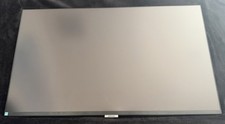
Samsung LS32A700NWNXZA 4K UHD LED Monitor 32" A700 Series with HDR, Black
$200.00

Samsung 2.5" 870 EVO SSD SATA III 250GB 500GB 1TB Internet Solid State Drive Lot
$90.00

RAM-HOL-SAM52CPU RAM USB-C Powered Dock Samsung Tab Active4 Pro & Tab Active Pro
$81.99
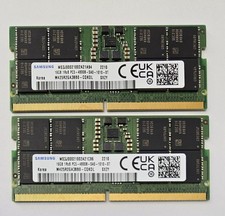
Samsung 32GB Kit (2x16GB) DDR5-4800B SODIMM MEMORY 1Rx8 M425R2GA3BB0-CQKOL
$319.99

Cell Phone Smartphone Computer repair banner poster sign iphone Samsung
$89.99

RAM-GDS-SKIN-SAM54-NG-1 RAM Mounts IntelliSkin® Next Gen for Samsung Tab Active4
$93.99
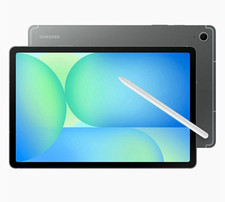
Samsung Galaxy Tab S10 FE 5G SM-X528U Tablet, 10.9" WUXGA+, Samsung Exynos 1580
$300.00

Samsung PM9C1A 256GB m.2 2280 SSD GEN4X4 NVME MZVL8256HDJD new Laptop PC
$34.99