-
Senior Member
registered user
Okay, is it a hard drive intall or are you running from the CD?
If you're running from the CD, just have the card in the reader when you boot, you shouldn't need anything else, so stop reading here.
If you have a hardrive install, first check your fstab for a line refering to the card reader as a drive. Mine were listed as sda and so on. You may find that the line is commented out (means there is a "#" at the begining of the line). if that line is there you should be able to access it. If it's there but commented out, you should still be able to access it, after you remove the "#".
If it's not there at all, you will need to add a line to the fstab for it. The simplest way to get the setting correct is to boot from CD witht the card in the reader. You should see a little hard drive on you desk top for he card. Right click on it, and click properties. Then click on the device/location tab. See what the device is. It will probably be something along the lines of "/dev/sda1" No check the fstab for your CDboot and look for a line that refers to that device. COpy it down word for word and reboot without the CD. Now open up your fstab with kate or some other text editer, and add the line you coppied down.
If you want a little hard drive on your desktop for it, do this- On the desktop, right click and then selecet new and then hard disk A box will pop up with various options. set it how you want it and on the device tab just choose the device you added to the fstab.
New to linux and don't now what an fstab is? the fstab is a file in /etc/ that tells linux what partitions and drives are available. This is where you tell it there's a new drive or partition. the file is just named "fstab" without quotes. To edti it, right click on it and selecet "open with" and then pick whatever editer you want. I usualy use kate, but there's a half dozen at least preinstalled and many mroe available.
Of course I should point out that while all this "should" work, it has so far failed completely for me. I've been trying for 11 days now and have yet to access my card reader without booting from the CD.
Similar Threads
-
By richb in forum Hardware & Booting
Replies: 1
Last Post: 10-18-2004, 11:44 PM
-
By jamie44 in forum Ideas
Replies: 1
Last Post: 11-11-2003, 05:04 AM
-
By josephy in forum Laptops
Replies: 0
Last Post: 11-10-2003, 03:54 AM
-
By Ilkka in forum Hardware & Booting
Replies: 10
Last Post: 07-05-2003, 06:47 AM
-
By DukeLeto in forum Hardware & Booting
Replies: 3
Last Post: 06-02-2003, 07:00 PM
 Posting Permissions
- You may not post new threads
- You may not post replies
- You may not post attachments
- You may not edit your posts
-
Forum Rules


HyperX HP32D4U8D8HC-16XR DDR4 - 32GB (2x16GB) UDIMM Desktop Memory 3200MHz
$139.99
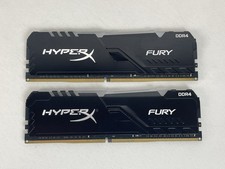
HyperX HP32D4U8D8HC-16XR DDR4 - 32GB (2x16GB) UDIMM Desktop Memory 3200MHz
$139.99
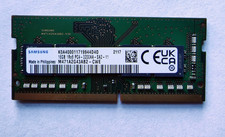
Samsung 1x 16GB DDR4-3200 SODIMM Laptop RAM Memory M471A2G43AB2-CWE PC4-25600
$59.00

DDR4 Laptop RAM 4GB 8GB 16GB 32GB 2400 2666 3200 Samsung Hynix
$66.00
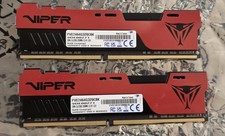
Patriot Viper 64GB (2x32GB) DDR4 3200MHz 288-Pin DIMM Unbuffered RAM
$225.00

RAMAXEL Lenovo 32GB LPDDR5X CAMM2 7500MHz Laptop RAM | UNTESTED
$445.00

A-Tech 8GB DDR3 1600 PC3-12800 Laptop SODIMM 204-Pin Memory RAM PC3L DDR3L 1x 8G
$21.68

Crucial DDR3L 16GB 2 x 8GB 1600 MHz PC3L-12800 Laptop RAM Sodimm Memory 1.35V
$41.00

Apple MacBook Air 13-inch M4 Chip 16GB RAM 512GB SSD w ''Rеаd dеѕсriрtiоn''
$774.00
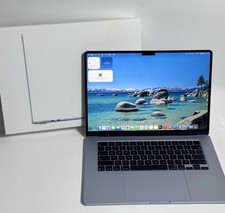
Apple MacBook Air 15-inch 2026 M5 Chip 24GB RAM 1TB SSD ''Rеаd dеѕсriрtiоn''
$1200.00



 Reply With Quote