-
need help with getting on net and infrared detection
hi i have a HP pavilion zt3000 and i just started with knoppix 3.2 and i have a built in modem in my laptop and when i try to go on the net it says my modem is busy so i can't go on the net. and i was also wondering if anyone knows how to get knoppix to pick up my infrared port so i can use it. i don't know a whole lot bout comps either so simple help would be good. thank you
-
Senior Member
registered user
Hi,
the first step is to find out which infrared chip your computer has built in. To find out, enter
You can use the results to search on goole, in this forum or ask more specifically again.
For my VAIO, I have:
NSC,PC87338,11.2,0x398,0x3e8,0x3e8,10,0,1,0,1
and I can get it to work with:
Code:
# for Sony VAIO
 setserial /dev/ttyS2 irq 10 port 0x3e8

 # this is fot FIR to work, don't use this for SIR
 setserial /dev/ttyS2 uart none

 # to use the FIR driver
 modprobe nsc-ircc dongle_id=0x09

 # brings up irda0 network device
 irattach irda0 -s

 # The following devices are in range:
 cat /proc/net/irda/discovery
Greetings,
probono
-

Originally Posted by
probono
the first step is to find out which infrared chip your computer has built in. To find out, enter
When is infrared (IRDA) going to be totally plug-and-play in knoppix? (I don't want to mess with drivers)
Anyone working on this?
I'd like to be able to insert the knoppix CD, get to the desktop and be able to send and receive files from my IRDA phone directly from konqueror. Is that already possible?
Do you know any distro that has IRDA plug-and-play?
Come on guys MSWin has IRDA plug-and-play please don't like behind that piece of crap!
How may I help to get there?
-
Didn't work for me
I'm trying this on a Dell Inspiron 510m, and I've made sure the IR is enabled in the BIOS settings (disabled by default). However when I run findchip it comes up with nothing.
According to XP it's got an "SMC IrCC Fast Infrared Port", but even when I do "findchip -dv SMC" it just says "wrong chip".
In dmesg it says "ttyS01 at 0x02f8 (irq=3) is a 16550A", but when I try a modprobe it fails saying possibly the IO or IRQ settings are wrong...
By the way, you mention dongle_id, I assume you only need that if you're using an adaptor to the serial port, not a built-in IR sensor?
Similar Threads
-
By g6con in forum Hardware & Booting
Replies: 2
Last Post: 08-30-2005, 10:49 PM
-
By dr_rude in forum Laptops
Replies: 0
Last Post: 10-14-2004, 03:02 AM
-
By dr_rude in forum General Support
Replies: 0
Last Post: 10-08-2004, 03:27 AM
-
By Sven in forum General Support
Replies: 0
Last Post: 03-10-2004, 05:02 AM
-
By staverts in forum Hardware & Booting
Replies: 0
Last Post: 07-28-2003, 06:48 AM
 Posting Permissions
- You may not post new threads
- You may not post replies
- You may not post attachments
- You may not edit your posts
-
Forum Rules

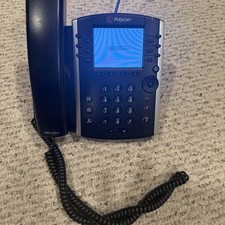
Polycom VVX 411 12-Lines Desktop VoIP Phone (2200-48450-025)
$20.00

Grandstream WP810 Portable Cordless Wi-Fi IP Phone
$54.99
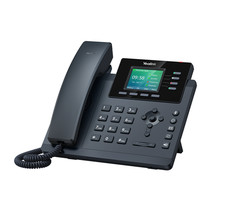
YEALINK T34W PHONE & 2 MONTHS OF PHONE SERVICE
$65.00
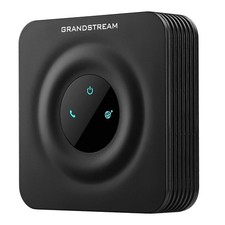
Grandstream HT801 v2 1 FXS, 1 Fast Ethernet New Version
$34.99
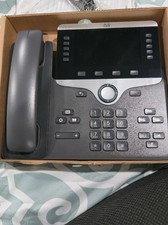
Cisco CP-8861-K9 8861 VoIP IP Corded Phone Charcoal New 9 available
$118.00

Cisco/Linksys SPA2102 VoIP Phone Adapter Router 2FXS (Unlocked)
$17.99
*New* Yealink MP54-Teams Smart Business IP Phone, PoE, Touch Screen
$75.00

Cisco / Linksys SPA2102 VoIP 2FXS Phone Adapter with Router (unlocked)
$18.99

NEW Cisco IP Phone 7841-K9 4-Line VoIP Gigabit PoE CP-7841-K9
$49.95

Lot of 35 Polycom VVX 300 & VVX400 IP Phones
$150.00



 Reply With Quote