

 Reply With Quote
Try this at console: chmod 0 /usr/bin/mkdesktophdicons


I'm using kurumin 4.0 alpha 2 (a Brazilian flavor of Knoppix) with Kde 3.3.
I like to have my icons (shortcuts to programs) in desktop arranged in a manner that I understand and I think make sense for me.
Every time I boot the system up, something sorts the icons in alphabetical order and arrange them in columns. I don't like that. It makes too difficult for me to find the icons.
Does anyone know how can I avoid the system to do this courtesy to me??
Try this at console: chmod 0 /usr/bin/mkdesktophdicons
 Posting Permissions


Netac DDR4 32GB 16GB DDR4 3200MHz UDIMM C16 Desktop Internal Memory RAM Kit
$99.99

128GB (4x32GB) SK hynix DDR4 PC4-2666V RDIMM ECC Server Ram HMA84GR7CJR4N-VK
$799.00
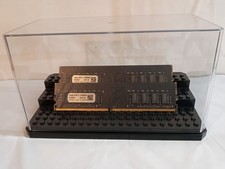
32GB KIT (2x16GB) DDR4 2666MHz PC4-21300 - 288 pin DESKTOP Non ECC - Black/Gold
$121.00

Major Brand 16GB (2x8GB) PC3-12800U DDR3-1600MHz DDR3-12800 DESKTOP RAM NON-ECC
$29.99

A-Tech 8GB DDR3 1600 PC3-12800 Laptop SODIMM 204-Pin Memory RAM PC3L DDR3L 1x 8G
$21.68
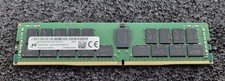
32GB Micron PC4 – 3200AA DDR4 ECC Registered Server RAM - MTA36ASF4G72PZ-3G2J3
$200.00

Samsung 16GB LPCAMM2 PC5 7500 DDR5 LPDDR5X CAMM2 M561K1LC4DM0-CCTGM RAM Memory
$189.00

RAMAXEL Lenovo 32GB LPDDR5X CAMM2 7500MHz Laptop RAM | UNTESTED
$445.00
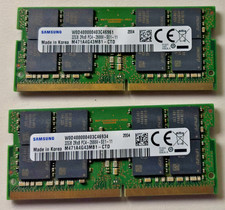
64 (32x2 GB) Memory for laptop Samsung PC4 2Rx8 2666V.
$260.00
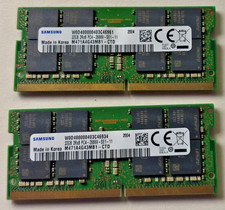
64 GB Ram (32x2) Memory for laptop: Samsung PC4 2Rx8 2666V.
$280.00