-
How about:
/dev/scd0 /mnt/hfs auto defaults,ro,noauto,users,noexec,umask=000 0 0
or:
/dev/scd0 /mnt/hfs hfs defaults,ro,noauto,users,noexec,umask=000 0 0
-
Senior Member
registered user
Thanks for trying and I don't mean to be a failure really 
I had tried the umask=000 and with 4 0's too. I tried those entries in fstab to no avail here's the results:
"/dev/scd0 /mnt/hfs auto defaults,ro,noauto,users,noexec,umask=000 0 0"
in fstab gives this:
Could not mount device.
The reported error was:
mount: I could not determine the filesystem type, and none was specified
and " /dev/scd0 /mnt/hfs hfs defaults,ro,noauto,users,noexec,umask=000 0 0"
gives this:
Could not mount device.
The reported error was:
mount: wrong fs type, bad option, bad superblock on /dev/scd0,
or too many mounted file systems
Meanwhile back at the terminal I get this:
john@ixan:~$ hmount /dev/scd0
/dev/scd0: contains 1 HFS partition
Volume name is "MacAddict 29" (locked)
Volume was created on Wed Oct 7 17:01:31 1998
Volume was last modified on Thu Nov 5 14:55:59 1998
Volume has 0 bytes free
john@ixan:~$ ls -l /dev/hdc
brwxrw---- 1 root disk 22, 0 Apr 14 2001 /dev/hdc
Is it really hopeless to mount or I should say access hfs on x86 linux??
Follow-up: Maybe this is a clue, but I'm not sure, anyway I'm using a desktop device icon in kde and I can select the entry I created for hfs in the device tab, but I noticed that after I click on the icon to open and get the error messages above when I look at the device in properties it has defaulted back to the /dev/scd0 /mnt/dvd that the knoppix install set up.
Similar Threads
-
By dennyk858 in forum Tips and Tricks
Replies: 1
Last Post: 03-29-2006, 04:08 AM
-
By dennyk858 in forum General Support
Replies: 4
Last Post: 03-25-2006, 04:58 AM
-
By embata_n1 in forum Tips and Tricks
Replies: 2
Last Post: 11-14-2005, 05:23 PM
-
By Prayer in forum General Support
Replies: 1
Last Post: 09-14-2005, 11:06 PM
-
By i2hhj in forum Laptops
Replies: 7
Last Post: 01-31-2005, 07:57 PM
 Posting Permissions
- You may not post new threads
- You may not post replies
- You may not post attachments
- You may not edit your posts
-
Forum Rules

Vintage California Computer Systems Floppy Board for Altair IMSAI S-100 Systems
$150.00
MITS Altair - 88-S4K 4k Dynamic RAM Board
$199.00
Vintage Rare Cromemco Boards for Altair IMSAI S-100 Systems
$195.00
1977 Best Creative Computing v.2 MITS Altair Computer Faire IBM 5100 HP-25 PDP-8
$48.00
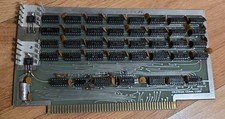
Celetron Altair 4K Memory Board 1036C S-100
$79.99

S-100 backplane motherboard bare PCB 9 slot (for Altair/IMSAI)
$34.99
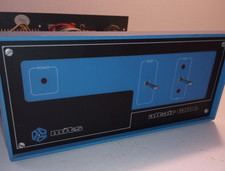
MITS ALTAIR 680b Turnkey Computer
$2390.00
Homebrew S-100 Computer Design Intel 8080 Z80 ADM-3A DEC LSI-11 Altair 8800 Bus
$59.99

CP/M 86 1.1R 8086 Highmonitor 8 Inch Floppy Diskette 80s IMSAI Altair
$29.99
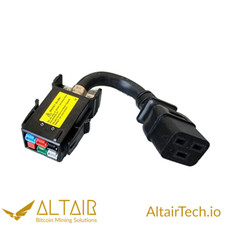
AltairTech.io ANEN 6-pin P33 to IEC C19 adapter
$16.99



 Reply With Quote