-
Code:
mount -t auto /dev/sda /mnt/sda
works.
In fact, the system showed me a small trick. Before I upgraded it, the device for the USB stick was /dev/sda; for some unknown reason (maybe I pluged in my friend's on the other USB port), dmesg says:
Code:
scsi1 : SCSI emulation for USB Mass Storage devices
  Vendor: USB 2.0   Model: Mobile Disk       Rev:
  Type:   Direct-Access                      ANSI SCSI revision: 02
Attached scsi removable disk sda at scsi1, channel 0, id 0, lun 0
SCSI device sda: 253952 512-byte hdwr sectors (130 MB)
sda: Write Protect is off
 sda: sda1
WARNING: USB Mass Storage data integrity not assured
Now I just mount it on /dev/sda1. Still, it is bit weird why it went to sda1. ... 
Similar Threads
-
By dennyk858 in forum Tips and Tricks
Replies: 1
Last Post: 03-29-2006, 04:08 AM
-
By dennyk858 in forum General Support
Replies: 4
Last Post: 03-25-2006, 04:58 AM
-
By embata_n1 in forum Tips and Tricks
Replies: 2
Last Post: 11-14-2005, 05:23 PM
-
By Prayer in forum General Support
Replies: 1
Last Post: 09-14-2005, 11:06 PM
-
By i2hhj in forum Laptops
Replies: 7
Last Post: 01-31-2005, 07:57 PM
 Posting Permissions
- You may not post new threads
- You may not post replies
- You may not post attachments
- You may not edit your posts
-
Forum Rules


Cisco Nexus N9K-C92160YC-X 48P 25GbE SFP28 6P QSFP+/QSFP28 PE Switch
$439.00

Cisco WS-C3650-12X48UR-L 48-Port Stackable Layer 3 8x10G SFP+ Port Switch
$129.99

Cisco Catalyst C9130AXI-B WiFi 6 802.11ax Wireless Access Point Brand New
$101.99

Cisco Acacia DP04QSDD-E25-840 400G QSFP-DD Coherent DCO Transceiver Module
$699.99

Cisco | N3K-C3232C | 32-Port 100G QSFP Network Switch W/ 2x PSU, 2x Power Cords
$205.00

CISCO Services Router C891F-K9, Grade B, SKU 16188
$24.94

Cisco Catalyst WS-C2960X-48FPD-L 48-Port Gigabit Managed PoE+ Ethernet Switch
$69.99
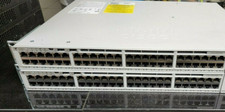
Cisco C9200-48P-E Cisco POE Network Switch
$749.99

Cisco C3850-NM-2-10G
$75.00
CISCO INDUSTRIAL SWITCH IE-3100-8T2C-E New
$1049.00



 Reply With Quote