

 Reply With Quote
my cd-rom is working like hell, i suppose its because i'm running knoppix from cd. but i cant install it, i cant make new partitions on my drive. oh god, is there no other way? why is knoppix using the cd like crazy when i copy data?


hi,
i want to, well, i must copy about 50gb form a hardrive to another. i copy with about 2mb/s, but there are often breaks so its mainly BELOW 1mb/s.
50gb with 1mb/s, calculate yourself how long it would take. and this is not just one single forlder, so i have to comde back every now and then.
i have udma drives connected with an udma cable. i also used 'hdparm -d1 /dev/hd[a-b]' but copying is still slow.
also theres xcopy missing on my winbootdisk, so i dont know how else to copy the data.
please help me!
greeting,
Mad
my cd-rom is working like hell, i suppose its because i'm running knoppix from cd. but i cant install it, i cant make new partitions on my drive. oh god, is there no other way? why is knoppix using the cd like crazy when i copy data?
Hm, are you sure, that you use plain "cp" and not other fancy tools like KDE or mc ?Originally Posted by -SPM-Mad
Because cp itself is very fast and will not once (if started once) spin up the cd! (At least on my system Cebit-Edition of Knoppix, so around 2003-03-21)
cu
Fabian
yeah, i'm using the kde.
hey, this is my first time using linux. how do i use the cp?
-SPM-Mad,
As far as your ide throughtput, look in dmesg for your current ide settings, from a terminal (konsole, xterm, ...) or console use this command:
dmesg | grep ide:
my old systems say this:
ide: Assuming 33MHz system bus speed for PIO modes; override with idebus=xx
post back if you get this message and tell us what udma support you have, udma66, udma 100, we could tell you how to experiment with your udma settings.
Also post the output of hdparm /dev/hda (you 'll have to be root)
as far as copying the files with the linux cp command, open a console window and use " su - " to log in as root, then use the cp command as follows:
cp -Rp *path-to-source *path-to-destination
what this does is copy from the source to the destination similar to xcopy in DOS, the -Rp flags which mean: -R - copy recursively (enter sub-directories) and -p - keep permissions (file ownership) intact, you could use -R -p or you can put them together as -Rp.
HTH
rock
well, i read in the docs how to tweak the hard drive. but i think thats not the problem. when i tested my drives with hdparm -Tt i got stats like 25mb/s.
and yeah, he also says
ide: Assuming 33MHz system bus speed for PIO modes; override with idebus=xx
i have a brand new 7200rmp drive and an older 7200er, connected with an ultra ata cable. i think they both support udma100 (cant find the manual atm) but i'm sure the can read/write more then 2mb/s.
when i copy files in the kde with konqueror it first displays ~10mb/s, and then it gets slower and it often 'freezes' for a few ms.
it then shows (in my german version) 'verzögern'. in the english version this could be something like 'retard' or whatever. and after a few MBs the speed is somtimes 10kb/s or 2mb/s.
well, i tried the cp command, but whats the placeholder for everything in linux?
cp -Rr /mnt/hda6/ /mnt/hdb7/h/ or
cp -Rr /mnt/hda6/* /mnt/hdb7/h/* dose not work
oh, btw: sorry for my poor english
What filesystem is on your hard drives?well, i tried the cp command, but whats the placeholder for everything in linux?
cp -Rr /mnt/hda6/ /mnt/hdb7/h/ or
cp -Rr /mnt/hda6/* /mnt/hdb7/h/* does not work
If you wanted to copy all of the /mnt/hda6 directory to the h directory on /mnt/hda7 if both devices are mounted, running as root you should be able to use:
cp -Rp /mnt/hda6 /mnt/hdb7/h
Note: it's -Rp
not -Rr
For example if I want to copy my pictures from my linux storage partition /mnt/hda9/pics to /mnt/hda1/temp, my windows partition what I would do is:
cp -Rp /mnt/hda9/pics /mnt/hda1/temp
I do get an error doing this copy (error: changing permissions) because /mnt/hda9 is an ext3 linux filesystem, but /mnt/hda1 is fat32, but the files are in fact copied to my windows partition.
Also regarding your udma drives, it's not the drives, it's your mobo ide controller that will determine what udma mode your system will support.
why don't you boot to your cd and add this "cheat code" and see what happens, boot up with:
knoppix idebus=66 [plus any other necessary cheat codes]
then do a:
hdparm -t /dev/hda
and grep dmesg for ide again
dmesg | grep ide:
HTH
rock
 Posting Permissions


Intel Xeon E5-2699 V4 2.20GHz 55M 22-CORES LGA2011-3 Server Processor 145W SR2JS
$84.49

Dell EMC PowerEdge R440 Xeon silver 4215 2.5GHz 16 GB ram 2x 550W PSU No HDD
$275.00

Lenovo ThinkStation P520 Intel Xeon W-2123 3.6GHz 900W - NO RAM/ GPU/ HDD/ OS
$189.98

Dell Precision T5820 Workstation 3.70GHz W-2135 No RAM/ GPU/ HDD/ OS
$179.98

Intel Xeon Gold 6230 2.1 GHz Processor - SRF8W
$29.00

Matched Pair _ Intel Xeon E5-2698 V4 2.2GHz 20-Core Processor CPU LGA2011 SR2JW
$94.99
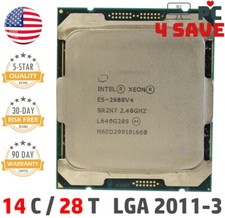
Intel Xeon E5-2680 V4 CPU 2.4~3.3GHz 14-Core 35M LGA 2011-3 R3 Server SR2N7 120W
$16.99
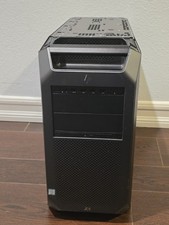
HP Z8 G4 Z8G4 Barebone Workstation w/ Intel Xeon Silver - No HDD No RAM No GPU
$449.99

Intel Xeon Processor E5-2687W V4 SR2NA 3.00GHz Broadwell 160W LGA2011 12-Core
$36.00
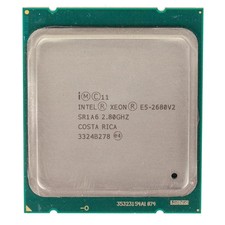
Intel Xeon E5-2680 V2 2.8GHz 10-Core 25MB 8GT/s SR1A6 LGA2011 B Grade Server CPU
$7.95