

 Reply With Quote
Isn't there a readymade .deb file for your theme?


Hi,
I've installed Knoppix to my harddrive, and I've got almost everything configured just how I like it. I have one question that I would REALLY like to be answered, so if you have anything to say AT ALL, please do. Here's my question(s):
Is it possible to install a theme, even without the Theme Manager(not in KDE 3.2)?
How do I do it?
If it's not possible to install themes in this version, what about Window Decorations?
How do I install Window Decorations?
(I have a really sweet Window Decoration that I would rather install. I've converted the package to a .deb file from an .rpm, and I am now trying to figure out this manual that was included.
Manual:
PLEASE PLEASE PLEASE help me!!!! This is the main reason I installed Knoppix to my HD!!!!-- INSTALL -----------------------------------
Basic Installation (from the console):
- Step 1
$ ./configure --prefix=`kde-config --prefix`
- Step 2
$ make
- Step 3 (as root)
# make install
If configure fails, check that you have both
the Qt and KDE development headers installed.
You need at least KDE 3.2 and QT 3.3.
Debian note: You may need to append
--with-qt-includes=/usr/include/qt3
to the configure line.
----------------------------------------------
Isn't there a readymade .deb file for your theme?
Google KDE (search within results) theme (search within results) .deb & see if you can find .deb packages for the theme you want. If you have already made a .deb from an rpm,
dpkg -i (name of your .deb package including path)
configure-make-make install is for if you are compiling from source.You can do it that way but install from a .deb package with dpkg if at all possible, it's much easier.
Have you tried looking for themes at http://www.kde-look.org/. If you find one you like, then google for a deb. If no deb, convert an rpm or compile from source.
People, thanks, it is working and looking great!!!
Hey El Santo isn't this MY post????
I have successfully installed the theme, but now how do I find it to apply it to my desktop. I go to the control center,and window decorations, but it is not in the list of themes. El Santo, could u tell me what u did step by step?
Thanks
Could someone please help?
What theme did you install & how did you do it? I will try to duplicate your install to see where the problem is.Originally Posted by mimes
This is the Window Decoration that I would like to install: http://www.kde-look.org/content/show.php?content=13997 . But I also downloaded an application from KDE-apps.org that is a "theme manager" for KDE 3.2 and up. Here: http://www.kde-apps.org/content/show.php?content=9838 I would like to install this Window Decoration, but I have no clue how. I converted it to an .deb package with alien, "installed" it with the code, but it's not showing up in the Window Decorations list. And THERE IS NO LOOK 'N FEEL SECTION OF KDE 3.2! Pertaining to the standalone "thememanager" I downloaded it, and compiled it, but I can't run the application. I would PLEASe like some help with these. If you can't answer both, please answer at least the one you know! :P THANKYOU!Code:dpkg -i [the file name]
Well, I got part way there. The info on the 'theme manager' indicated that it was to become part of kdebase, so 'apt-get -t unstable install kdebase' upgraded kde to the latest version and the theme manager is now in Control Center.
But it doesn't do much. It will install 'theme files' if you can find one. The file search filter is set to 'theme files' I don't know what it is looking for, my system appears not to have any. And of course there is no help file.
It has a 'get new themes' which is just a link to kde-look.org, so I tried to install a theme from kde.look.org using 'lipstick 0.7' as a trial. Unfortunately it wouldn't compile, first complaining thet 'the newly creaed file is older than the downloaded file, check your system clock' (my clock is correct). When forced it refused to configure, 'no KDE headers found'.
I successfully alien'ed your kwin-crystal & installed it using dpkg but it doesn't show up in the theme manager, possibly it is not a complete 'theme' . Also, it put its files in /opt/ which is where SuSe puts KDE, not in /usr/kde3 like Debian so the system can't find them.
The theme manager does appear to have tools to /create your own theme, so perhaps you can select a wallpaper, an icon set, set some colors, etc & bundle them together to create your own theme.
 Posting Permissions


Lot of 500 Cisco 10-3145-02 QSFP-100G-CWDM4-S 100G CWDM4 QSFP28 Transceiver
$1500.00

Cisco WS-C3650-12X48UR-L 48-Port Stackable Layer 3 8x10G SFP+ Port Switch
$129.99
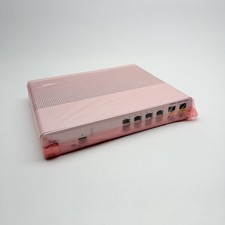
Cisco 8-Port Ethernet Catalyst Switch - WS-C2960C-8TC-L - Brand New
$50.00
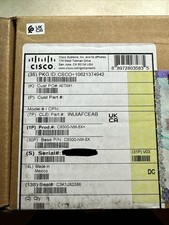
Cisco C9300NM8X Network Switch Module
$649.99

Genuine Cisco SFP-10G-SR 0-2415-03 10 Gigabit Transceiver
$5.40

Cisco Nexus N9K-C92160YC-X 48P 25GbE SFP28 6P QSFP+/QSFP28 PE Switch
$439.00

Cisco C9300-48UXM-A Switch 9300 Series 48-port UPoE Network
$874.99
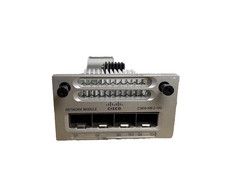
Cisco C3850-NM-2-10G 2 Port Network Exp Module for 3850
$16.99

Cisco Catalyst WS-C2960+24TC-S 24-Port Gigabit Managed SFP Switch
$39.99

Cisco Catalyst C9130AXI-B WiFi 6 802.11ax Wireless Access Point Brand New
$101.99