

 Reply With Quote
You could use partimage from the CD - without mounting your partition. Or just use the classic unix tools (cpio,tar,dump..). "apropos backup" also mentions mondo & kbackup.


Hi, I wanted to know if you know of any good backup utility. I tryed using partimage, but when I run it it says:
CANNOT BACK UP PARTITION HDA5 BECAUSE ITS MOUNTED
That is my main partition, where knoppix is running. I want to know how to back up my system. If you knwo of another good utility, or how to make this one work I'd really apretiate it.
You could use partimage from the CD - without mounting your partition. Or just use the classic unix tools (cpio,tar,dump..). "apropos backup" also mentions mondo & kbackup.
I used partimage like you sayed, and it work ok. Thanks for the tip...
I tried doing a backup with partimage with the CD (Knoppix 3.7) and the program tells me I must be in root mode.
OK, so I try to get in to root mode (su) and then it asks me for a password.
Hmm, this is the CD I'm using. I didn't know that there was a password on the CD version.
What's the trick here?
sakiZ
Try sudo. I haven't yet seen it fail on me. Or you can boot into text mode which will log you in as root by default. Boot cheat code: knoppix 2
I hope this helps.
James
The liveCD asked for a password???
That's a bit strange....
OK, thanks fo the tips on Partimage, etc.
I got that going.
Once I was in the Partimage menu, and attempted a backup it wanted to create the image file in the same partition as my Knoppix installation.
Well, I really don't want that. I have a blank Linux partion on my alternate drive that I want to create the system image on. But I don't see that Partimage gives me a way to do that.
sakiZ
Hi
I used the DD comand
dd if=/dev/hdb2 of=/dev/hda6
It cloned the partition to my Linux partion on my other drive!!
Better check the docs before you use this one folks!
sakiZ
Yep it's dangerous! Not half as dangerous though if you are doing if=/dev/hdb2 of=/mnt/hda6/hdb2.img which will store the image in a file instead of cloning it to another partition. You can loop mount those images afterwards to extract files from them (mkdir ~/mnt ; mount -o loop /mnt/hda6/hdb2.img ~/mnt), and you can dd them into a partition to make a clone (dd if=/mnt/hda6/hdb2.img /dev/hdb2).Originally Posted by sakiZ
If you want to minimise the filesize of the img by compressing it you should also zero out the free space. Probably not a good idea to try this unless you are sure of your system (and preferably of your backup) EDIT I think some types of filesystems might not like it either, research before you do this /EDIT but you can do "dd if=/dev/zero of=/mnt/hdb2/zero" and it will write one file full of zeros until it runs out of space, then delete the file and do your dd but pipe it through gzip to get a compressed image "dd if=/dev/hdb2 | gzip > /mnt/hda6/hdb2.img.gz". Unfortunately you can't just mount the compressed images though.
Hope you didn't wipe stuff that mattered!
<<Hope you didn't wipe stuff that mattered!>>
No. I had used Partition Magic in Windows XP to create a fresh blank partition to write to.
Thanks for your input on this though. I will investigate doing the dd thing to an image file.
sakiZ
 Posting Permissions

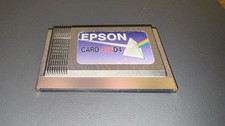
Epson Card 486D4 Single Board Computer Card PCMCIA Vintage Industrial
$906.39

🔥 RARE VINTAGE HP 2112A 21MX M-SERIES 16-BIT MINICOMPUTER HP
$299.99

Lot of 2 Vintage Plextor PX-43CS SCSI CD-ROM Caddy Drives + 4 Caddies Used
$55.99

🔥 RARE VINTAGE HP 2113A 21MX 1000 E-SERIES MINICOMPUTER CHASSIS BACKPLANE
$249.00
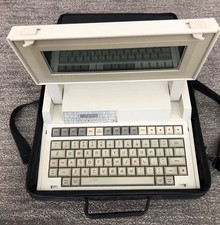
VINTAGE HEWLETT PACKARD HP 110 LAPTOP WITH CARRYING CASE
$350.00
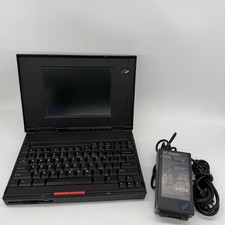
IBM ThinkPad 360C Vintage Laptop Black Screen No Battery w/ Charger AS IS
$175.00
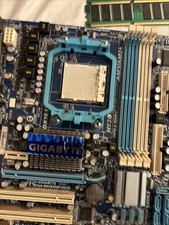
Vintage Computer Motherboard Used
$65.00
Vintage Apple PowerBook 1400 Top Cover Art Inserts 600-4101-A Set Of 7
$64.00
Mixed Lot Box Of Vintage Used Diskettes / Floppy Disks 3.5 3.5" Lot Of 73
$45.00

HP 5060-8359 8K Semiconductor Memory Module 5080-9747 Vintage HP Computer
$224.72