-
Senior Member
registered user
More DD to an image
Ok, I'm looking at your dd to an image.
I want to try doing that to a different partition on my Windows XP drive.
I'm thinking if I totally defrag the partition first in XP and back it up first I should be OK to try it.
sakiZ
-
Senior Member
registered user
Re: More DD to an image

Originally Posted by
sakiZ
Ok, I'm looking at your dd to an image.
I want to try doing that to a different partition on my Windows XP drive.
I'm thinking if I totally defrag the partition first in XP and back it up first I should be OK to try it.
If the partition you want to write the image on is an ntfs formatted partition then I wouldn't bother trying to do it under Linux, either you will have to use paragons ntfs drivers (which I gather are reasonable), or use captive-ntfs which is horribly horribly slow or use linux's normal ntfs tools which means you'ld probably have to figure out what size the file would be (exactly) first, then allocate a file that size in windows on the ntfs drive and finally go into Knoppix and do your dd (hoping it comes out the same size), this is because with normal ntfs write support on Linux you can only write to files without changing the filesize and it can't add/remove files or folders!
If it is a fat partition or some Linux type then it shouldn't be a problem (whether you defrag it or not, but it probably only makes sense to defrag it if it is a fat partition, the default from dos and Windows 9x).
-
Senior Member
registered user
Cloned It AND Loop Mounted IT!!!!
Hey Bfree,
Thanks to you I tried your "dd" trick and it worked!!!
I defragged my partition to recieve the image file, scanned it for errors and backed it up, all in Windows XP.
I booted into Knoppix and did the "dd" command you gave me to create the hdb2.img file.
So far so good.
Next I followed your second step and created the loop mount. Well, I'll be!!! There is my image file appearing as a mirrored clone in my root directory!!!! Amazing.
So to make a clone I do:
"dd if=/mnt/hda6/hdb2.img /dev/hdb2"
If this were to be a clone of my Knoppix set up on a NEW drive would the command then actually be:
"dd if=/mnt/hda6/hdb2.img /dev/had1" ???
Thanks so much for your help.
Windows could never do anything like this.
sakiZ
-
Senior Member
registered user
Re: Cloned It AND Loop Mounted IT!!!!
Originally Posted by
sakiZ
So to make a clone I do:
"dd if=/mnt/hda6/hdb2.img /dev/hdb2"
If this were to be a clone of my Knoppix set up on a NEW drive would the command then actually be:
"dd if=/mnt/hda6/hdb2.img /dev/had1" ???
Not quite. To restore/clone the image into a partition do
Code:
dd if=/mnt/hda6/hdb2.img of=/dev/hdb2"
If you were putting it onto a new drive you would again use the of=. Aswell as that you would proably have to use a rescue disk to tweak the system (fix the bootloader and /etc/fstab) before you could boot it. If it's windows on the other hard I'm not sure what you can do apart from restore it to the same position on a new drive with the same partition table as the original device (you can backup the masterboot record and partition table of your drive with "dd if=/dev/hda of=hda-start bs=512 count=1" and restore it with the reverse) which I'm 99% certain will be ok.
Just to point out one last trick, you can dd an entire disk device, e.g. "dd if=/dev/hda of=hda.img" and "dd if=hda.img of=hdb" but mounting the images from within these requires you to use some tricks to give an offset argument to mount. Here's instructions.
Similar Threads
-
By Jakykong in forum The Lounge
Replies: 2
Last Post: 12-14-2005, 08:36 AM
-
By Cuddles in forum General Support
Replies: 9
Last Post: 11-26-2004, 10:57 PM
-
By helios17 in forum General Support
Replies: 12
Last Post: 10-28-2004, 12:47 PM
-
By Jaguar600 in forum General Support
Replies: 5
Last Post: 09-27-2004, 10:34 PM
-
By mconzo in forum MS Windows & New to Linux
Replies: 4
Last Post: 09-06-2004, 02:09 PM
 Posting Permissions
- You may not post new threads
- You may not post replies
- You may not post attachments
- You may not edit your posts
-
Forum Rules


16GB KIT (2x8GB) DDR3 Gamer Desktop RAM PC3 MIXED BRANDS VIPER VENGEANCE FURY
$10.00

Netac DDR4 32GB 16GB DDR4 3200MHz UDIMM C16 Desktop Internal Memory RAM Kit
$99.99

A-Tech 8GB DDR3 1600 PC3-12800 Laptop SODIMM 204-Pin Memory RAM PC3L DDR3L 1x 8G
$21.68
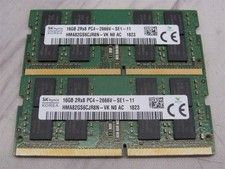
32GB KIT - 2x SK Hynix 16GB 2Rx8 PC4-2666V DDR4 SODIMM Laptop Memory RAM
$99.99

Major Brand 16GB (2x8GB) PC3-12800U DDR3-1600MHz DDR3-12800 DESKTOP RAM NON-ECC
$29.99
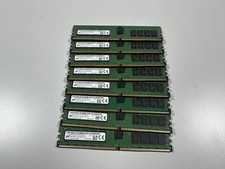
Lot Of 8 - Micron 16GB 2Rx8 PC4-2400T DDR4 Server RAM Memory ECC
$615.00

Samsung 32GB DDR4-2666V-2Rx4-RB2-12 RAM M393A4K40CB2-CTD6Q
$169.00

Samsung 16GB LPCAMM2 PC5 7500 DDR5 LPDDR5X CAMM2 M561K1LC4DM0-CCTGM RAM Memory
$189.00
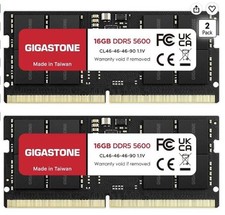
LAPTOP RAM MEMORY GIGASTONE 32GB Kit (2x16GB) DDR5 5600MHz PC5-44800 Unbuffered
$350.00

RAMAXEL Lenovo 32GB LPDDR5X CAMM2 7500MHz Laptop RAM | UNTESTED
$445.00



 Reply With Quote