-
How boot a linux kernel with help of Knoppix!
Hallo!
I've heared you can use knoppix for booting an existing kernel on an hard disk.
I need the paramters for the boot prompt!
Does anybody know this functionality?
Thanks for some help!
-
Senior Member
registered user
most bootable linuxCD's caN do this,
when the line boot appears type knoppix root=/dev/whaterver
with whatever i mean that you type the disk and partition of your /, there is a 50% chance of this booting OK, if not you could still reach the partitions and edit needed files to get the system bootable again (like lilo.conf... and then run lilo)
to do this you boot knoppix like normal. then you use chroot (remount your disk RW first) then edit lilo.conf and run lilo.
-
Senior Member
registered user

Originally Posted by
OErjan
most bootable linuxCD's caN do this,
when the line boot appears type knoppix root=/dev/whaterver
with whatever i mean that you type the disk and partition of your /, there is a 50% chance of this booting OK, if not you could still reach the partitions and edit needed files to get the system bootable again (like lilo.conf... and then run lilo)
to do this you boot knoppix like normal. then you use chroot (remount your disk RW first) then edit lilo.conf and run lilo.
Would it be something like
linuz-2.6.6 root=/dev/hda1/boot
when you type knoppix your telling what kernel to use.
-
Thats what i'm looking for!
But it don't work!
I entered:
vmlinuz-2.6.6-1-686 root=/dev/hda5 or
/dev/hda5/boot/vmlinuz-2.6.6-1-686 root=/dev/hda5
but it doesn't work!
What is wrong? Knoppix says he couldn't find the kernel!
-
Senior Member
registered user
I don't think the isolinux boot loasder knoppix uses allows one to boot an arbitrary kernel off any filesystem type on the HD. It only knows about the two images you can see under boot/isolinux on your cd: linux24 & linux26.
Like Oerjan said, if you boot one of these kernels pointing it to an existing root FS on one of your HD partitons, it'll only work reliably if you are using the same kernel revision (otherwise, the modules and programs on the HD might not correspond to the CD kernel version).
Grub is a much more capable boot loader, which supports what you want, and more. You have a full command line available, and can explore the partitions and their contents because grub understands linux filesystems. Of course you can also boot other operating systems. Kanotix and mepis (amongst others I am sure) have switched to grub as a boot loader, which imho gives them (yet) another edge over knoppix as a rescue tool.
Having said that, from the knoppix boot prompt, either
linux24 root=/dev/hdaN
or
linux26 root=/dev/hdaN
should at least allow you to boot and see your HD install for most machines (say 1 IDE HD, not booting from SCSI/USB). If the CD kernel is too different from the HD one, you might then discover some things don't quite work as they should.
One possibility is using a grub boot floppy. You can crerate one from the knoppix cd, then boot from that with the full grub functionality.
-
Senior Member
registered user
A grub boot floppy is probably your best bet.
Just be sure to learn how to use it.
It's santax is a bit weird.
Similar Threads
-
By wosto in forum Hdd Install / Debian / Apt
Replies: 0
Last Post: 04-04-2006, 09:23 AM
-
By Jakykong in forum The Lounge
Replies: 2
Last Post: 12-14-2005, 08:36 AM
-
By spyhome in forum Customising & Remastering
Replies: 3
Last Post: 08-26-2005, 02:29 PM
-
By lars.tobias in forum General Support
Replies: 2
Last Post: 07-18-2005, 10:01 AM
-
By jbreiden in forum General Support
Replies: 0
Last Post: 12-20-2004, 07:54 AM
 Posting Permissions
- You may not post new threads
- You may not post replies
- You may not post attachments
- You may not edit your posts
-
Forum Rules


Yealink T48S VoIP/SIP Phone, 2 x Gigabit Ports PoE 7" Color SIP-T48S | TESTED
$34.95

Poly CCX 400 Desktop Business Media Phone VoIP 2200-49700-019
$49.99
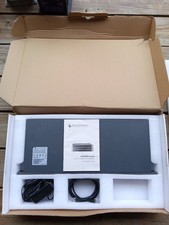
Grandstream GXW4501 Digital VoIP Gateway Works TESTED W Box It Came In.
$329.95

Grandstream WP810 Portable Cordless Wi-Fi IP Phone
$49.28

Cisco / Linksys SPA2102 VoIP 2FXS Phone Adapter with Router (unlocked)
$18.99
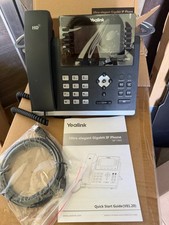
Yealink SIP-T46S IP Phone - Black
$49.00

Cisco/Linksys SPA2102 VoIP Phone Adapter Router 2FXS (Unlocked)
$17.99

Ooma Telo VoIP Free Internet Home Phone Service. Certified Refurbished.
$59.99

LINKSYS SPA3102 VOICE GATEWAY VOIP ADAPTER WITH BUILT-IN ROUTER W ADAPTER CABLE
$32.20
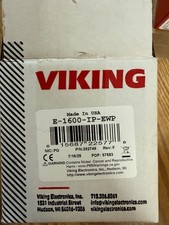
Viking Electronics VoIP Handsfree Emergency Phone E-1600-IP-EWP UPC 615687225778
$375.00



 Reply With Quote