-
Senior Member
registered user
One thing I forgot on your hd install:
kdm will have to be started up at bootup, that's what the link in /etc/rc5.d does, but if you make the link and leave everything else alone you cannot get into X at all, so you must also do this as root:
chmod a-x /etc/init.d/xsession
this makes the stock auto-login to kde for user knoppix non-functional, so that when you boot up the computer you will always get the kdm login screen, then you will be able to login locally, or through your network. You will also have the choice of which desktop environment or window manager you wish to run. If you are getting a login window with user knoppix and root shown, etc. then kdm is already running, but may need to be restarted (or reboot).
ssh will still function with kdm setup, kdm is for non-secure remote X logins, and ssh is for secure console logins (you can use ssh for secure X logins but I'm not going to go there, it's beyond my understanding)
To have ssh started up at boot again make a link in /etc/rc5.d to /etc/init.d/ssh like this (as root):
ln -s /etc/init.d/ssh /etc/rc5.d/S20ssh
HTH
rock
Similar Threads
-
By nuklear in forum General Support
Replies: 8
Last Post: 02-03-2005, 04:31 AM
-
By roc in forum General Support
Replies: 0
Last Post: 12-01-2004, 06:49 PM
-
By yonatan in forum Networking
Replies: 4
Last Post: 11-07-2004, 08:42 PM
-
By RigorMortis in forum General Support
Replies: 5
Last Post: 07-16-2004, 03:38 AM
-
By sn0wflake in forum General Support
Replies: 3
Last Post: 12-01-2003, 11:03 PM
 Posting Permissions
- You may not post new threads
- You may not post replies
- You may not post attachments
- You may not edit your posts
-
Forum Rules


OPNsense pfSense 8-Core Atom C3758 2.2GHz 8GB DDR4 64GB SSD 8x NIC QAT AES VPN
$145.00

KTN-STL3 EMC VNX 15-slot Disk Array Expansion, full 15 x 2tb drives 100% health
$360.00

Ubuntu Server 26.04.1 LTS Bootable USB Flash Drive – Latest September 2026
$12.99

Start9 Server Pure 32GB 4TB Intel i7 Node StartOS — Box + PSU
$599.00

ULTIMATE ARCH LINUX BOOTABLE USB/DVD INSTALLER 64-BIT - CHOOSE BUILD - PC/MAC
$4.49
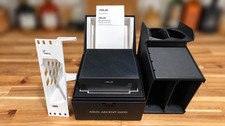
ASUS Ascent GX10 AI Grace Blackwell GB10 128GB 1TB w/ extras; 10" Server
$6500.00

Ubuntu 26.04 LTS – 3 DVD Set Desktop - Server - Studio Edition - Grade AAA+
$13.99

Microsoft SQL Server 2025 Standard 32 Core Unlimited CAL Retail License Package
$299.00
Microsoft SQL Server 2025 Standard 16-Core Perpetual License | Factory Sealed
$724.63

SQL Server 2022 Enterprise 96 Core License & DVD Unlimited CALs with CoA
$284.99



 Reply With Quote