

 Reply With Quote
Yes you need to change the fstab.
Its not hard though.
Make sure only root is logged in,
Copy your /home directory to the drive,
unmount,
then open up fstab change the mount point of /dev/hda3 to /home
reboot and that should do it.


I have 18GB box didicated only to linux. No windows.
I have a partition on my harddisk that is mounted, hda3, but is not utilized by linux for any file structure. A 2.9GB partition is mounted as /, and everything in my linux system is there, literally filling it up.
(I thought I set it up for /home, but I guess not...)
How can I mount, say, /home under the hda3? Do I have to muck with /etc/fstab? That seems logical, but I wanted to get some input as to what is the best way to go about using this 'dead' space.
Jerry
Yes you need to change the fstab.
Its not hard though.
Make sure only root is logged in,
Copy your /home directory to the drive,
unmount,
then open up fstab change the mount point of /dev/hda3 to /home
reboot and that should do it.
 Posting Permissions


Crucial MX500 1TB 2.5" SATA III Internal SSD CT1000MX500SSD1
$102.99

Samsung 860 EVO 250GB SSD MZ-76E250 2.5" SATA III Solid State Drive -
$39.99

Netac 2TB 1TB 512GB 256GB Internal SSD 2.5inch SATAIII Solid State Drive lot
$549.00
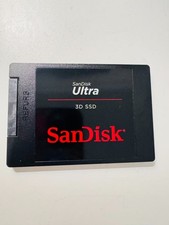
SANDISK ULTRA 3D NAND 1TB SSD SATA III 6 GB/S 2.5" /7 (SDSSDH3-1T02)
$138.56

Samsung 256 GB Internal SATA SSD Fully Tested 50%-79% Health
$24.00

Fanxiang 256GB 512GB 1TB 2TB 4TB SSD Lot 2.5'' SATA Internal Solid State Drive
$42.99

2 PACK 128 GB SSD M.2 2280 SATA Solid State Drive Major Brands, Samsung, LiteON
$28.00

Fanxiang 1/2/5/10Pcs 2.5'' SATA SSD Lot 1TB 2TB 4TB 512GB 256GB TLC Internal SSD
$129.99
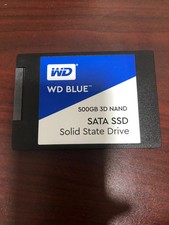
WD Blue 500GB 3D NAND 2.5” SATA III SSD
$40.00

Micron MTFDDAK256TBN 256 GB, Internal ,2.5" SSD
$23.00