-
Junior Member
registered user
Submounting Floppies
Working with Linux, particularly Knoppix, is sweet! But I have one complaint, and that is having to mount and unmount my floppies every time I want to save or view a document. Hence I was wondering, has anyone actually managed to submount their floppy? If so, would you mind showing us how you did it? Thanks.
-
not quite sure what submounting is....
Im not quite sure what submounting is... but you only need to mount your floppy when you insert it into the drive... and right before you take it out... nothing more than that really...
if you have a floppy drive icon right on your kde desktop this is quite easy
simply right clicking on the icon will present you with a mount/unmount command in the menu.
If you do not have a floppy drive icon you can add one by right clicking on the desktop and goto new... there you should see floppy device or removable device etc... the rest should be pretty strait forward.
good luck to you - burnt-toast
-
Senior Member
registered user
Knoppix uses a automounter for floppies and cds, there is no need to mount and unmount them manually.
-
Junior Member
registered user
Let me start by saying that I'm really impressed by the quick responses on Knoppix.net. Thanks guys! I think I was perhaps a little vague in my explanation of what I'd like submounting (or in this case, automounting) to do. In Mandrake 10.0, whenever I want to save (or access) an OpenOffice document on a diskette, I can do it from within the Open or Save As dialog without having to leave OpenOffice to mount the floppy drive, just as one does in Windows. Of course KOffice, which is integrated into KDE, allows you to mount the floppy drive from the Open or Save As dialog. Perhaps there is a way to configure the paths in OpenOffice so that clicking on /floppy mounts the floppy drive? However, that would still leave the matter of unmounting...
You can find information on submounting here http://www.submount.sourceforge.net/. I tried to install the submount package but was unable to get it to work. The main problem I had was with the `subfs’ kernel module which wouldn’t install correctly. SUSE 9.1 uses the submount option to automatically mount and unmount removable media drives while Mandrake uses `supermounting.’
-
Junior Member
registered user
Finally figured out how to get supermount to work so I no longer have to mount and unmount floppies manually. Even though I am now using Debian, the solution should work for Knoppix as well. And the solution is: compile a new kernel with the supermount patch installed. I'd be happy to share the details if anyone's interested.

Similar Threads
-
By pebay in forum Laptops
Replies: 0
Last Post: 02-14-2006, 12:03 AM
-
By malaire in forum Hardware & Booting
Replies: 6
Last Post: 09-24-2005, 07:24 PM
-
By OP4Latino in forum Hardware & Booting
Replies: 7
Last Post: 04-25-2005, 07:22 AM
-
By fredrikj in forum General Support
Replies: 5
Last Post: 05-07-2004, 11:32 PM
-
By gettinbranded in forum Hardware & Booting
Replies: 1
Last Post: 05-22-2003, 05:34 PM
 Posting Permissions
- You may not post new threads
- You may not post replies
- You may not post attachments
- You may not edit your posts
-
Forum Rules


(New) AMD Ryzen 7 5700X 8 Core 16 Thread AM4 Unlocked 3.4 GHz CPU OEM Tray
$174.99

AMD Ryzen 7 PRO 8700GE 8-Core/16-Thread Up to 5.1GHz AM5 (FL1)
$189.00
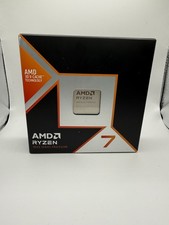
AMD Ryzen 7 9800X3D 8-Core 16-Thread AM5 Zen 5 Desktop Processor NEW
$380.00

DELL Optiplex 780 SFF CORE2DUO 3.0GHz 8GB RAM 250GB HDDDVDRW NO OS
$99.99
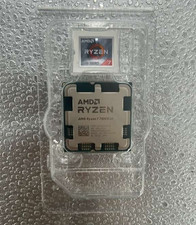
AMD - Ryzen 7 7800X3D 8-CORE 16-THREAD 4.2 GHz (5.0 GHz Max Boost) AM5 UNLOCKED
$300.00

Intel Core i9-9900K Coffee Lake 8-Core, 16-Thread, 3.6 GHz (LGA 1151)
$189.99
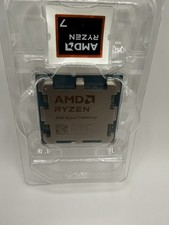
AMD Ryzen 7 9800X3D 8-Core 16-Thread AM5 Zen 5 Desktop Processor
$360.00

Apple Macbook Pro 13" M1 8-Core 16GB 512GB - Good
$464.99

Dell OptiPlex 5070 SFF i7-9700 (8-Core) 3.0GHz 16GB 256 SSD Windows 11
$250.00

Dell T7810 Workstation 8-Core 2.40GHz E5-2630 v3 No RAM GPU HDD OS
$259.98



 Reply With Quote