-
Problems with installing
Hi,
First and foremost: I've had experience with Windows machines and feel fairly competent with them but I'm an absolute *nix noob. I checked the FAQs and couldn't find an answer to my problem, so here goes...
I've been trying to get Knoppix to work on an old machine: Pentium II 333 with 128Mb RAM, 2 hard disks - one for Windows (works fine) and one for the Knoppix install (no partitions). I had problems booting it from the CD, as it didn't seem to like my partitions (would freeze on trying to create /etc/fstab) - using the nodma command got it booting into the WIMP environment though.
However, I tried installing it to the slave hard disk and it wasn't having any of it. I loaded the installer, used the tool to try and configure the hard disks, but it claims the drives are loaded as read only, before crashing out with "FATAL ERROR: can not get disk size" or something similar.
Hope someone can help! 
-
Senior Member
registered user
Linux has three partitiioning tools, fdisk, cfdisk and QTparted. Run the CD, open a console & try cfdisk first. If it can partition/format the 2nd HD, go for it. If not, try Linux fdisk.
You should create 3 partitions: one for the Knoppix O/S (3-4 Gig), one about 300-500 Megs for swap & the rest format vfat (fat32) so Linux and windows can share whatever data is put on it.
What Windows? If it's XP or win2K, you will have a ntfs system on that drive. Linux support for ntfs systems is not good, do not write to ntfs systems from linux unless you use 'captive ntfs'. Put any shared data on a vfat partition instead.
-
What size are your hard drives? I have had similar exp in the past with an old dell and compaq P2 systems that had two small older drives attached. I got them to behave in two ways
1. Only have the drive you wish to particion connected in the master position. When you have particioned it re connect the other drive in whichever order you wish. It should no work
2. Due to older bios restricitions I found it necassary to update the bios.
It may work it may not but its a place to start.
Only my Own Knowledge and Exp for what its worth
Jim
Similar Threads
-
By Patonr in forum Hdd Install / Debian / Apt
Replies: 7
Last Post: 03-11-2005, 11:43 PM
-
By Presently42 in forum Hdd Install / Debian / Apt
Replies: 34
Last Post: 02-23-2005, 05:44 AM
-
By gradnite in forum Hdd Install / Debian / Apt
Replies: 1
Last Post: 07-09-2004, 08:08 PM
-
By TheTempest in forum General Support
Replies: 3
Last Post: 03-26-2004, 03:49 PM
-
By Stonemug in forum General Support
Replies: 3
Last Post: 08-21-2003, 07:02 PM
 Posting Permissions
- You may not post new threads
- You may not post replies
- You may not post attachments
- You may not edit your posts
-
Forum Rules


16GB KIT (2x8GB) DDR4 Gamer Desktop RAM PC4 MIXED BRANDS
$65.00

Netac DDR4 32GB 16GB DDR4 3200MHz UDIMM C16 Desktop Internal Memory RAM Kit
$99.99
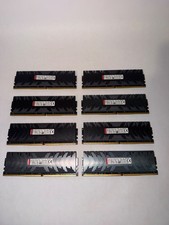
128gb DDR4 Ram Hpyerx HX430C15PB3K8/128 16x8 3000 MHZ CL15 Tested Read DESC
$300.00

Samsung 8GB DDR4 SO-DIMM PC4-3200AA 260-Pin RAM M471A1G44BB0-CWE Module
$29.25

A-Tech 8GB DDR3 1600 PC3-12800 Laptop SODIMM 204-Pin Memory RAM PC3L DDR3L 1x 8G
$21.68
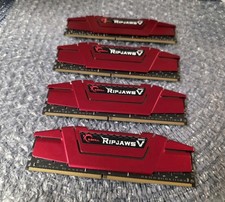
G.Skill Ripjaws V 64GB (4x16GB) DDR4 3600MHz CL19 Desktop RAM F4-3600C19D-32GVRB
$400.00
G. SKILL Ripjaws V 16GB (16GBx1) DDR4-3200 (PC4-25600) RAM CL16 Desktop Memory
$68.88
CORSAIR VENGEANCE LPX 16GB (2x8GB) PC4-25600 (DDR4-3200) Memory Kit - Black...
$75.00
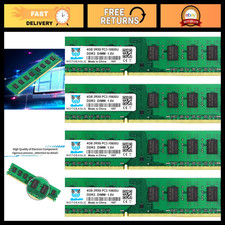
16GB DDR3 RAM Kit (4x4GB) 1333MHz UDIMM, PC3-10600, 240-Pin Desktop Memory
$72.99
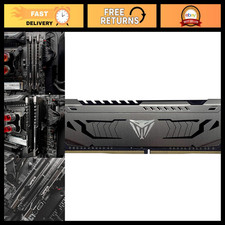
8GB DDR4 RAM 3200MHz CL16 Desktop Memory Module - High-Speed Performance Upgrade
$125.99



 Reply With Quote