

The topic already summarized the issue.
I booted from knoppix 3.1 and wanted to install a debian proper.
So created a partition on the disk, formated it and proceed with debootstrap. It nicely downloaded all the requiered packages but failed to install them because some script found /dev/null non-writeable.
I didn't investigate too deep in that matter, but my suspicion is that the chroot done by debootstrap somehow gets into the way and finally clashes with the fact that it booted from a CD and have /dev there.
I worked around by installing knoppix on the partition ment for debian, rebooted with that and proceeded successfully as i intended originally.
Now my question is: how to debootstrap debian from knoppix without this extra twist?
Please note that this is not just problem aside, but it is that the regular debian installation procedure is not working properly from the knoppix CD.
Thanks for help
-lars
 Posting Permissions

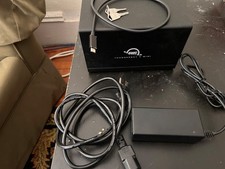
OWC ThunderBay 4 mini 4-Bay 2.5" Thunderbolt 3 RAID Enclosure [Diskless]
$185.00

G-Technology G-SPEED Studio XL 48TB Thunderbolt 2 Storage - Housing Only
$200.00

EMC KTN-SL3 15-Bay Disk Array Enclosure w/2x 303-108-000E Cards, Dual PSU,No HDD
$239.99

OWC Mercury Elite Pro 2 Bay RAID Enclosure with USB 3.2 for Dual 3.5 inch HDDs
$87.99

Dell PowerEdge HBA330 LP PCI-E 12GBs RAID SAS Controller Adapter J7TNV
$18.95

Broadcom LSI 9305-16i 12Gbps SAS-3 PCIe x8 HBA 16-Ports Raid Controller
$64.99
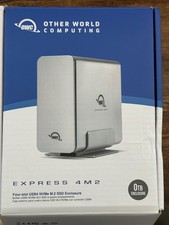
OWC Express 4M2 USB4 40Gb/s 4-Slot NVMe M.2 SSD RAID Enclosure w/ Cable
$125.00

MegaRAID 9580-8i8e 16-port 12G SAS/SATA/NVMe 8GB PCIe RAID - 05-50076-00
$1619.30

Broadcom MegaRAID 9480-8e Fujitsu PRAID EP540e SAS RAID Card (Replac 9380-8e) 8i
$228.00

Areca ARC-1882IX-24 (16i4e)24-Port RAID Controller Card w/BBU /HDD Monitor Board
$300.00


 Reply With Quote