-
saving changes to /etc/fstab
Okay, I'm very new, less than 24 hours. I found an article about using captive ntds with 3.6 that includes making changes to /ets/fstab
I cannot save the changes. I've been round and round with permissions, but it seems as if I'm trying to make changes to the cd. Can anyone please tell me what I'm missing?
-
Senior Member
registered user
I wouldn't put a captive-ntfs-mounted drive in fstab. I'd mount it manually. A known bug listed on the Captive site says that writes aren't committed during machine shutdown. But that's your choice.*
Within KDE, bring up a terminal.
su
cd /etc
mcedit fstab
(make your changes and save it)
Then if you use the "Save KNOPPIX configuration" command off the Knoppix menu, and reload your saved configs the next time you reboot, Knoppix will use your modified fstab.
* Matter of fact, 90% of the time I have no luck getting files I edit on my NTFS partition to "stick". They edit and save OK, but I switch back to Windows and the changes haven't been committed. Hope your luck is better.
-
Thanks for the tip. However, I can't make the ntfs partition writeable no matter what I do. The following is an article I found on a linux forum. I tried exactly what was prescribed with no results. Then I noticed if I added the user "captive" with the default id of 1001, a corresponding group was added with id of 1002. No change. I downloaded the ntfs drivers from the service pack 1a, then tried the following mounting method and then tried mounting manually. I tried editing fstab by changing only ro to rw. I am now out of ideas and would appreciate any help. Thanks.
Solution! for V3.6-2004-08-16
The problem is that the user "captive" and group "captive" have been removed accidentally in V3.6. One has to recreate them; I copied settings from KnxV3.4-2004-05-17-EN for use in procedure below.
Penguin Menu:Root Shell
passwd
(set to your choice)
KDE Menu:System:KUser
(enter passwd)
OK
Adduser Button: captive
userID: 108 (same as v3.4)
login shell: /bin/false
home folder: /var/lib/captive
uncheck all three boxes (in reverse order to avoid greying out)
Groups Tab
Primary Group: nogroup
OK
AddGroup Button:
Group name: captive
Group number: 116 (not same as V3.4, but close by.)
SAVE
Dialog 'no shadow entry for captive': OK
Penguin Menu: Utilities:Captive NTFS
Follow menu directions; get XP drivers from your hard drive, or download them; Win 2k drivers won't work.
Penguin Menu:Root Shell
mkdir /mnt/hda1 (or whatever you like)
mount -t /dev/hda1 /mnt/hda1
Lastly, there's couple in's and out's for accessing the drive:
I edited the lines in /etc/fstab to look like: (changed ntfs to captive-ntfs and ro to rw)
# Added by KNOPPIX
/dev/hda1 /mnt/hda1 captive-ntfs noauto,users,exec,rw,umask=000,uid=knoppix,gid=kno ppix 0 0
Next, right clik on kde desktop icon:Properties evice:uncheck Read Only
Now you can open the drive by clicking this icon in Konqueror and read/write as you like.
Lastly, REMEMBER to unmount the drive before quitting or your changes may be lost and not copied from the sandbox data area to be written to the hard drive.
-
Senior Member
registered user
Re: saving changes to /etc/fstab

Originally Posted by
masimar
Okay, I'm very new, less than 24 hours.
I saw a tag once that read "proudly using Linux since last Tuesday". Guess that fits.
I don't know much about captive ntfs but I did a search & found this:
http://www.knoppix.net/forum/viewtopic.php?t=11736
Hope it helps.
-
Senior Member
registered user
Here's what greenfly (aka Kyle Rankin) recommends in Knoppix Hacks: After you've installed the Captive drivers, mount the drive with the command
sudo mount -t captive-ntfs -o uid=knoppix,gid=knoppix /dev/hda1 /mnt/hda1
replacing "hda1" with whatever your NTFS partition is. Then the partition's writeable by the regular Knoppix user (which is the real trick here). Of course, you can't have hda1 mounted already.
Then to unmount it and save changes to the disk, use the command
sudo umount /mnt/hda1
Please post your success rate with Captive -- I have Win2K on an NTFS partition, and although using Captive hasn't harmed my drive, more often than not the files I edit using Captive haven't changed the next time I examine them in Windows.
Similar Threads
-
By cheetahman in forum General Support
Replies: 19
Last Post: 03-21-2005, 11:58 AM
-
Replies: 3
Last Post: 11-16-2004, 02:16 AM
-
By DimGR in forum Hardware & Booting
Replies: 8
Last Post: 05-29-2004, 04:48 AM
-
By digiSal in forum Hdd Install / Debian / Apt
Replies: 3
Last Post: 12-19-2003, 04:41 PM
-
By rmayer1 in forum Hdd Install / Debian / Apt
Replies: 15
Last Post: 03-23-2003, 08:17 AM
 Posting Permissions
- You may not post new threads
- You may not post replies
- You may not post attachments
- You may not edit your posts
-
Forum Rules


16GB KIT (2x8GB) DDR3 Gamer Desktop RAM PC3 MIXED BRANDS VIPER VENGEANCE FURY
$10.00

Netac DDR4 32GB 16GB DDR4 3200MHz UDIMM C16 Desktop Internal Memory RAM Kit
$99.99
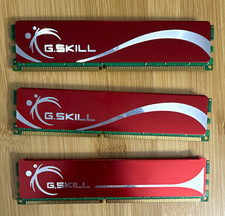
G.SKILL 3GB (3x1GB) DDR-400 PC-3200 184-Pin DIMM RAM Lot F1-3200
$30.00
sk hynix 16GB pc4 3200 server RAM
$1200.00
Crucial 16GB DDR4 3200MHz SODIMM Laptop RAM Memory Module CT16G4SFRA32A.C8FF
$55.00

Samsung 32GB DDR4-2666V-2Rx4-RB2-12 RAM M393A4K40CB2-CTD6Q
$169.00

DDR4 Laptop RAM 4GB 8GB 16GB 32GB 2400 2666 3200 Samsung Hynix
$66.00

RAMAXEL Lenovo 32GB LPDDR5X CAMM2 7500MHz Laptop RAM | UNTESTED
$445.00
Kingston 16GB DDR4 SO-DIMM PC4-19200 2400MHz Memory Module KCP424SD8/16
$55.00

Corsair Vengeance DDR3 8GB 16GB 32GB 1866MHz PC3-14900 Desktop RAM Memory DIMM
$85.00



 Reply With Quote