-
How to change the Knoppximode...?
Hi there,
i installed Knoppix on two different machines. On one I chose "Debian-Style" as Installation-Option which turned out to be good, on the other i chose "Like from CD". Now I am stuck with some files always being created at start-up (like /etc/fstab), giving me no chance to change it permanently.
Can anyone help me changing these to "static" files or to change the behavior completely to normal Debian?
Second: The "like from CD"-Option always and only uses the User "Knoppix" while being in KDE, leaving no chance to set up a "normal" User-behavior.
Will be very glad if someone could give me some hints.
Thank you!
Markus
-
For fixing the fstab problem edit /etc/lilo.conf and add nofstab in the append line (all of them if you use more than one kernel) and run lilo -v to update lilo. This needs to be done as root.
Changing everything to work like a debian style install is AFAIK impossible or not worth the effort. Reinstalling is faster/easier.
For getting users you need to search this forum. I believe shah had a solution so you might want to look at his posts.
EDIT: http://www.knoppix.net/forum/viewtop...login&start=10
Similar Threads
-
By cchano in forum Networking
Replies: 2
Last Post: 09-22-2005, 11:34 AM
-
By Semantic in forum Networking
Replies: 1
Last Post: 07-17-2004, 06:47 PM
-
By newman in forum Laptops
Replies: 0
Last Post: 07-20-2003, 11:49 PM
-
By Jwizzman in forum Customising & Remastering
Replies: 4
Last Post: 01-24-2003, 03:07 PM
-
By Guest in forum Customising & Remastering
Replies: 1
Last Post: 12-22-2002, 04:49 PM
 Posting Permissions
- You may not post new threads
- You may not post replies
- You may not post attachments
- You may not edit your posts
-
Forum Rules


VINTAGE DEC LA34/ LA100 SERIES KEYBOARD W/NUMERIC PAD 70-17864-01C
$140.00

Vintage DEC Digital Starion 200 Desktop PC Powers On Boots To BIOS NO HDD - DW
$269.99

Vintage DEC Digital DECtalk III DTC03 70-22667-01 Chassis Parts Repair
$269.00

Vintage Digital DEC 54-15688 rainbow color graphics option
$129.99

Vintage DEC LK201 Computer Keyboard Used
$59.97

Vintage DEC PDT11 (VT100 Series) Terminal (Powers On).
$550.99
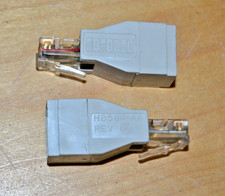
lot of 2 ~ Vintage Digital DEC ~ H8584-AA ~ 8-pin MP to 6-pin MJ **NOS**
$18.99

6 Vintage DEC Digital System Building Blocks - Flip Chips
$295.00

Vintage DEC/Mostek memory systems MK 8015 AA-00 6805-08015 1100 REV C(B7)
$279.99

Vintage DEC Digital VR319-DA 19" High Resolution Monochrome CRT Monitor - Tested
$180.00



 Reply With Quote