-
Administrator
Site Admin-

Originally Posted by
bstemp
The CD contains only one large iso file.
I did use Nero, but when I selected the 'make bootable disk' option, I was only given the option to select drive A:
The option at the bottom is to 'Record a disk from a disk image previously burned onto the HDD'. Should I try this option?
Bill
OK, you did it wrong. Here's the instructions for using Nero:
Check that md5 sum. I'm not kidding.
Once the md5 sum is verified, start up nero. Put an blank 700 meg disc in the drive (not 650 meg). Don't worry about the options for making something bootable, that is for when you want to make a bootable CD from scratch. For example, this evening I made a CD with a partition backup tool on it, as well as a backup copy of the main partition of a new system I'm working on. I used a Win98 boot floppy as the "Drive A image" (although there are other ways that Nero will let you do this, which do give you more room in your boot image). The end result is a CD that I can boot from, have DOS running, and restore my partition from whenever I want. But that's not what you want to do. The ISO image you have (hopefully) has all the information needed to make a bootable CD already on it. You just need to burn this image in a way that will place all of the files contained in the image on the CD as a full directory structure (not that one big ugly unbootable file). Close that splash screen Nero opens (Hit Cancel or just take the first option if you want, it doesn't matter). From the menu, under file pick the Burn Image ... option. A file selector box will pop up. Use it to locate your ISO file. Then burn it. And burn it nice and slow. I recommend 4x. I did a rough calculation based on the number of empty spindels and boxes I have around here, and I figure I have burned over 3000 CDs. I've learned the hard way that writing them fast doesn't pay in the long run. It's worth the little extra time it takes to burn it slow. So at least while you're still trying to get everything working, humor me and burn it slow.
 Posting Permissions
- You may not post new threads
- You may not post replies
- You may not post attachments
- You may not edit your posts
-
Forum Rules


Lenovo ThinkPad E14 Gen 2 Laptop 14” HD Ryzen 5 16GB RAM 512GB SSD Win 11 Pro
$334.99
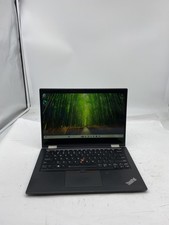
Lenovo ThinkPad X390 Yoga Laptop i5 8365U 1.6GHz 16GB RAM 256GB SSD W11P Touch
$179.99

Lenovo ThinkPad L15 Gen 3 15.6" 16GB, Thunder Black
$241.50
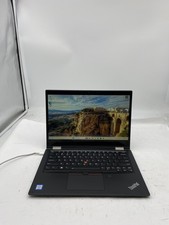
Lenovo ThinkPad X390 Yoga Laptop Core i5 8365U 1.6GHz 16GB 256GB SSD W11P Touch
$179.99

Lenovo Legion 5 Gaming 15.1" WQXGA OLED 165Hz Core i9-14900HX 16GB 1TB RTX 5070
$1469.00
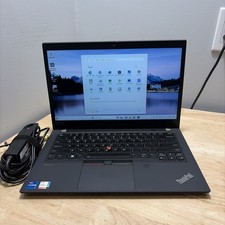
LENOVO THINKPAD T14 GEN 2i CORE I7-11165G7 2.8GHZ 16GB 256 SSD WCAM WI1 CORD
$245.00

Lenovo ThinkPad E14 Gen 3 Laptop 14” FHD AMD Ryzen 5 16GB RAM 512GB SSD Win 11
$374.99

Lenovo ThinkPad T14 Gen 1 14" AMD Ryzen 5 16GB 256GB SSD
$219.99
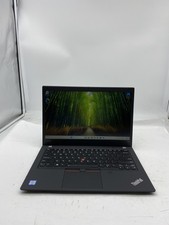
Lenovo ThinkPad T490 Laptop i5 8365U 1.6GHz 16GB RAM 256GB SSD W11P Touch
$169.00

Lenovo ThinkPad T14s Laptop 14” Laptop Core i5 8GB RAM 256GB SSD Windows 11 Pro
$249.99



 Reply With Quote