-
Senior Member
registered user

Originally Posted by
xaviers2002
To create a desktop icon:
Rt click on desktop, choose create new then link to application. The minimum you need to fill in is the application name & rename the link (otherwise it will just say 'link to application'). To add an icon click on the icon box on the general properties tab. You can edit properties again later if necessary.
OR,
if the application is list in the start menu, drag'n'drop copy the entry from the start menu to the desktop. Sometimes this will work better, sometimes the application runs through a startup file rather than directly starting the application.
Unlike windows, Linux can use many formats for icon files, jpg & png being the most common. This means you can easily create your own icons if there is none available. For instance you could clip a picture of yourself from a photo (using gimp image editor) or a logo from a website from a screenshot then resize it to use a desktop icon.
Similar Threads
-
By ihcnut in forum Hdd Install / Debian / Apt
Replies: 0
Last Post: 12-26-2004, 09:26 PM
-
By Bukowski in forum Customising & Remastering
Replies: 1
Last Post: 01-19-2004, 01:57 PM
-
By oreo in forum General Support
Replies: 11
Last Post: 07-23-2003, 06:33 PM
-
By geebee2000 in forum Hardware & Booting
Replies: 9
Last Post: 05-21-2003, 07:29 PM
-
By Juny in forum General Support
Replies: 4
Last Post: 03-14-2003, 09:02 AM
 Posting Permissions
- You may not post new threads
- You may not post replies
- You may not post attachments
- You may not edit your posts
-
Forum Rules


Dell PowerEdge FX2s + 8x FC430 Blades 16x E5-2630v4 160 Cores Rails No PSU/RAM
$699.00

Dell PowerEdge FC430 Blade Server 2x Xeon E5-2630v4 20 Cores FX2 FX2s No RAM/HDD
$119.99

NETAPP HCI NAF-1701 SuperMicro Server 4X BLADE H410C 8X GOLD 5120 4 NODE SERVER
$1499.97

Dell PowerEdge M640 Blade Barebone Server Dell P/N: HHB006 Tested Working
$149.99
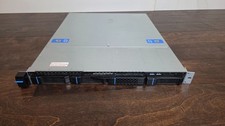
Datto S3P6000 4x 3.5" 1U Blade Rack Server Intel Xeon D-1541 @2.10GHz 48GB DDR4
$128.96

Datto S4P10 1U Blade Rack Server Intel Xeon D-2143IT 2.20GHz 48GB DDR4 4-Bay PSU
$197.76

Dell PowerEdge M630 Blade Server 2x Xeon E5-2680 v4, 2F3MP , 4GDP5 ,R10KJ ,JVFVR
$95.20

Dell PowerEdge VRTX 2.5"x25 Bay Blade Enclosure 4x1600W + 4X M640 (4X Blades)
$1599.99

Dell PowerEdge M620 Blade Server 2x Xeon E5-2680v2 2.8ghz 20-Cores | 128GB
$149.99

Dell Poweredge VRTX 25Bay 2.5" 2x PERC 8, 2xCMC, I/O 1GB Pass Through, 4x PS
$578.08



 Reply With Quote