-
Cannot type anything at boot prompt !
When I boot from CDROM (ISO-image V3.6) and I arrive at boot prompt I see the following :
I only have a white screen with at the bottom :
Press F2 or F3 for further help.
boot :
Note : I only see these 2 lines at the bottom of my screen. The upper part is a white screen.
However, when I want to type knoppix myconfig-scan, I do not see anything appearing at the boot prompt.
Pressing F2 or F3 : no response.
Typing anything else : Nothing at the screen.
Typing ENTER key : no response.
After a time, the system starts loading knoppix automatically. Once booted, I can work normally with Knoppix, meaning surfing, ....
I can also save my config to a floppy, but since I cannot type anything at boot prompt, I cannot use my saved settings, since I cannot type "myconfig =scan" .
When I take my CD to another machine, I can type at boot prompt and it works correctly, so my ISO image on my CD is correct.
I also have the same behaviour when I use Knoppix 3.4 CD-ISO-image.
So I have following questions :
1. What can I do in order to be able to "tell" knoppix to use my config on a floppy without being able to type anything at my boot prompt ?
2. Is there a way that Knoppix automatically starts to use the config of the floppy without typing " knoppix myconfig=scan" at the prompt ?
3. where can I find info on remastering the ISO image, so it automatically will look for the configuration on the floppy ?
Some info of my configuration :
1 Desktop PC containing win XP, having :
1 HD + 1 floppy
1 DVD RW reader/writer
1 CDROM-reader
Samsung Flat screen : (perhaps this is the reason I only see a white screen at boot prompt, but this does not explain why I cant type anyting at boot prompt)
Using DVD or CDROM drive results in same behaviour.
Tnx in advance.
Similar Threads
-
By adamwest in forum Hardware & Booting
Replies: 1
Last Post: 04-18-2006, 06:56 PM
-
By abbynormal in forum Hardware & Booting
Replies: 0
Last Post: 05-06-2005, 03:24 AM
-
By erp in forum Hdd Install / Debian / Apt
Replies: 5
Last Post: 03-23-2004, 02:26 AM
-
By e.newed in forum Hardware & Booting
Replies: 0
Last Post: 03-15-2004, 05:15 PM
-
By Kymira in forum General Support
Replies: 0
Last Post: 03-10-2004, 02:57 PM
 Posting Permissions
- You may not post new threads
- You may not post replies
- You may not post attachments
- You may not edit your posts
-
Forum Rules


RAM-HOL-SAM60CPU RAM USB-C Powered Dock for Samsung Tab Active5 - 3 - 2
$81.99

Lot of 5 Samsung PM9B1 256GB M.2 2280 PCIe Gen4 x4 NVMe SSD MZVL4256HBJD SSD
$200.00

Samsung 2.5" 870 EVO SSD SATA III 250GB 500GB 1TB Internet Solid State Drive Lot
$60.00
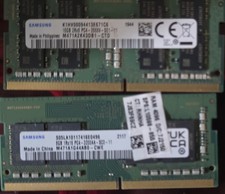
Samsung 16GB DDR4 SO-DIMM 260-Pin PC4-2666 / 8gb ddr4 so-dimm 3200 - 24gb total
$75.00

RAM-GDS-SKIN-SAM54-NG-1 RAM Mounts IntelliSkin® Next Gen for Samsung Tab Active4
$93.99

RAM-HOL-SAM52CPU RAM USB-C Powered Dock Samsung Tab Active4 Pro & Tab Active Pro
$81.99

Cell Phone Smartphone Computer repair banner poster sign iphone Samsung
$89.99

RAM-GDS-DOCK-SAM88CPU RAM GDS® Tough-Dock™ for Samsung Tab A9+
$174.99

NEW Samsung NoteBook NT930QCG touch LCD Full Screen Assembly Blue
$225.77
Samsung One Connect Docking Station SOC8002B Black w/ Cable & Power Cord
$400.00



 Reply With Quote