

 Reply With Quote
This post was moved, based on the first two words in the post.


After installing both Knoppix and Kanotix to hard drive, I'm finding with both of them I struggle to get anything working when logged in as a user.
I'm getting identical problems in both -
No sound effect/sound scheme but music players work.
When trying to connect to the internet via my dial-up modem, I either get a message saying unable to open modem or it be starts and gets as far as initializing but then it just freezes.
When trying to run Firefox or Thunderbird they are asking me to create a new profile (even though I have copied one across from a previous install) but when I try to create them it says I don't have write access to my home folder.
On both Kanotix and Knoppix, I'm using the user created during the (Debian style) install and on both everything works perfectly when logged in as root.
I've tried creating new users but I can't seem to do anything at all then.
I'm really at the end of my tether with this. If I can't get it sorted soon I'm just going to have to delete the user accounts and run as root all the time.
[EDIT] Apologies, although it does mention my modem, I actually meant to post this in the general forum.
This post was moved, based on the first two words in the post.
Sound: In Knoppix see this: http://www.knoppix.net/forum/viewtopic.php?t=14604Originally Posted by fannymites
Kanotix is easier, I think the knotifyrc file is already OK. For both, you may have to run kmix & turn the volume up.
Modem: Knoppix: I use kppp, once I have the modem found & configured, I have not had any problem, just do the account setup in kppp. I have a winmodem, kanotix already has ltmodem installed, just run 'detect-modem.sh'. For knoppix, you will have to install ltmodem if you have a winmodem.
To log in as different user with Knoppix style install, see this: http://www.knoppix.net/forum/viewtop...r=asc&start=10
The write access problem may be that if you copied configuration files from another install, perhaps the config file permissions are still set for that other install (different user names?).
Thanks for that, sound is now working and I can write to my home folder. After much faffing around, most things are running smoothly but I'm still having trouble with my modem - I now have access to it and it starts up but at the very last minute it disconnects. Can anyone think of any reason for this? As I said earlier, it works fine as root so it has to be something I need to do as user to allow me to connect but I don't know what.
 Posting Permissions


OPNsense pfSense 8-Core Atom C3758 2.2GHz 8GB DDR4 64GB SSD 8x NIC QAT AES VPN
$125.00

Ubuntu Server 26.04.1 LTS Bootable USB Flash Drive – Latest September 2026
$13.99

Start9 Server Pure 32GB 4TB Intel i7 Node StartOS — Box + PSU
$649.00

All New Ubuntu 26.04 LTS Linux Bootable USB Flash Drive
$15.95
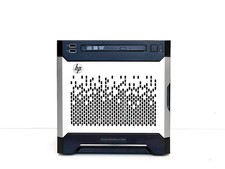
Maxed HP MicroServer Gen8 3.5GHz Xeon E3-1270 V2 16GB RAM 40TB RAID 1TB SSD NAS
$1499.00

NVIDIA Jetson TK1 + Intel NUC Compute Cluster Tray w/ Netgear 16-Port Switch
$499.99
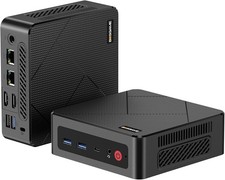
BOSGAME E4 Air Mini PC, AMD Ryzen 5 3500U 8GB DDR4 256GB SATA SSD
$169.99
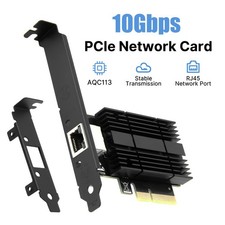
10G PCIe Ethernet Adapter AQC113 10GBase-T RJ45 NIC for Windows Linux NAS Server
$49.29

SQL Server 2022 Enterprise 96 Core License & DVD Unlimited CALs with CoA
$284.99

Multi-Boot Linux & Utility 18 in 1 USB – Best of 2026 Free Same-Day Shipping
$22.99