

 Reply With Quote
(2) I just tried resize2fs, works fine for me.


(1) if you want several types of linux on a HD, how would you partition it ?
it doesnt need "active" partitions like XP, but does it need "primary" partition either ?
could i perhaps have (a) swapfile (b) primary (c) several logicals,
and put all the subsequent distros in the logicals ?
(2) fdisk doesnt seem to allow RESIZING of existing partitions,
and pm8 refuses to do mine either, - whats the solution ?
many thanks if you can help.
(2) I just tried resize2fs, works fine for me.
I would use cfdisk or QTparted to partition the HD. It does I think need an 'active' partition but 'primary' and extended are windows terms not needed for Linux.
For a multi boot system I would put one partition about 4 Gig from each linux O/S I wanted to install, one swap about 300-500 Meg and the rest of the drive for data. Alway skeep data separate from operating system for in case of a system crash. If I was going to use windows at all, I would format the data partition vfat so win & linux could both use the same data partition.
I would put lilo on the MBR from the first O/S installed, all the others would put their lilo (or grub if preferred) on the partition. These systems would then be added into the main lilo as 'other' operating system which will boot into the bootloader on the partition.
If I was going to have a dual boot winows/linux system I would use windows fdisk to do the initial partition at least as far as creating a primary & extended partition. Windows is fussier than linux about partitiions. Linux could then be used to create logical partitions in the extended partition.
Ok this sounds something like what i want todo but im not entirely sure how to do it.
i wasnt to have 3 partitions, 1 for windows 1 for linux and one for all date that is accessible on both linux and windows
im not very sure how to do this but i was thiking of using grub for it as i still want the original dos selection screen.
any help would be great.
First, back up any data you REALLY don't want to lose. If you have XP installed, it might not survive the partitioning process, so be prepared to reinstall it. If it's an oldie with win95 or 98 it probably will survive.
Next, we are going to try to try to partition with QTparted. It probably has the best chance of not killing all the data.
Boot your Knoppix disk. Don't click on any of the hard drive icons, the HD must be unmounted for QT to work on it
Start QTparted (menu item system->QTparted)
QT parted is pretty straightforward, just use the menus etc & add 3 partitions to the HD:
make one about 4-5 Gig, format ext2 or ext3 for your linux O/S. ext2 is not very reliable but Knoppix will reformat it to ext3 as part of the install.
make one about 500 Meg format linux swap
make one fairly large, format vfat (fat32). This will be your data partition. You can transfer your existing data into it later.
Now cross your fingers & see if Windows will reboot. If it does, great, go ahead & install Knoppix.
If it doesn't, reinstall windows before you install Knoppix. Windows always wants to be installed first.
thanks for your advices CrashedA,
>I would put lilo on the MBR from the first O/S installed,
***one expert has told me to also load the first distro into the LAST partition,
so as to force grub to register all subsequent distros.
what dyou think of that ?
>all the others would put their lilo (or grub if preferred) on the partition.
***ok, nobody seems to be arguing about that.
>These systems would then be added into the main lilo as 'other' operating system
>which will boot into the bootloader on the partition.
***and on bootup, will grub offer a choose_your_distro menu ?
***i just read in the YAST manual about putting a 10M partition at the
beginning for the boot loader and the kernel. is that necessary ?
So at the moment, summary advices seem to indicate
(1) boot /kernel partition 10M
(2) swapfile 1G
(3) several logical (say 10G each) in an extended
(4) one primary 10G for the first distro
(5) the rest for data
how does that sound ?
 Posting Permissions

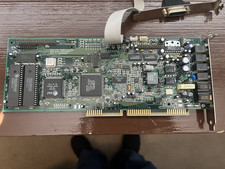
Vintage MediaMagic Telemetry-32 RIO ISA Sound Card Modem OPTi 82C950 AT&T DSP
$34.99

Vintage Beige AT Tower PC Computer 52x CD Floppy Drives Turns On TC
$149.99

Vintage Core CL9 Master Universal Remote Control Steve Wozniak (Apple) READ
$1248.88
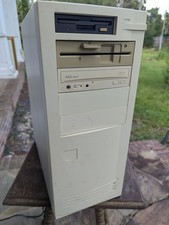
Vintage Beige Desktop PC Tower AT Computer w/ Floppy & 44X CD-ROM TC
$99.99

31 Vintage Intel CPU Lot Pentium III, AMD, Etc, Untested. Gold/Metal recovery?
$100.00
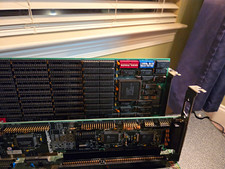
Vintage 286 AT Motherboard Bundle VLSI Chipset+ SIMM RAM + DFI ISA Multi-I/O Crd
$99.99
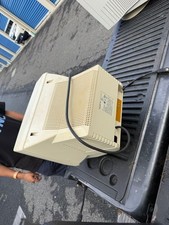
Packard Bell VLMF CRT Computer Monitor Beige Vintage
$60.00

Vintage NEC Versa S Series Software for Windows - Full Set - See Description
$84.99

5x Vintage SSS SCP1802D SCP1802LD Ceramic CPU 1802 COSMAC 1978 Gold IC
$299.99

Vintage MICRON DESKTOP PC 133MHz Pentium - SEE BioS SCREEN PICS
$475.00