

 Reply With Quote
same here... it get's annoying and distracting


I downloaded Knoppix gamer. Very nice start for a remaster. It auto starts xsnow. It's cute at first with falling snowflakes in the background. But I want it to default to off for my remaster. any ideas what I can do? What script should I edit?
same here... it get's annoying and distracting
Well you could crontab a kill command for it or write a simple script to kill it and put that in /etc/skel/.kde/Autostart. Most likely its part of the /etc/X11/Xsession.d/45xsession script or alternately in its own init script in /etc/rc5.d
I opened those scripts with kwrite. didn't find any reference to xsnow. I found a file K10xsession with nvidia and ati scrips but nothing about xsnow. Maybe I could just uninstall xsnow rather than try to write a command to kill it. I wouldn't know how to do that anyway. however it seems like the simplest thing to do would be to remove the line of code that starts it up wherever that might be.
Found it! Right where you would put the program to kill it! /etc/skel/.kde/Autostart. You have to veiw show hidden folders.
Thank you once again arkaine23
javascript:emoticon('')
 Posting Permissions


AMD Ryzen 5 5500 Processor ( read Description)
$59.00

INTEL CORE I9-10940X X-SERIES PROCESSOR | 3.30GHZ | SRGSH
$179.99
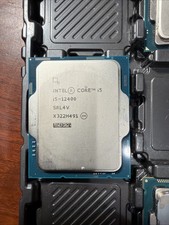
Intel Core i5-12400 Processor SRL4V
$115.00

(LOT OF 20) Intel Core i5-8400 CPU 2.80GHz Desktop Processor (SR3QT)
$700.00

Intel Core i7-9700 Octa-Core 3 GHz Desktop Processor LGA 1151
$79.99

Intel Core i7-3770K 3.5 GHz Processor
$39.00

Intel Core i5-12500T SRL5W 2GHz 18MB 6 Core Socket LGA1700 Desktop CPU Processor
$114.99
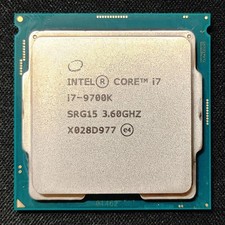
Intel Core i7-9700K Octa-Core 3.6 GHz Desktop CPU
$99.99

Intel Core i7-4770 3.40GHz Quad Core SR149 LGA 1150 CPU Processor tested
$35.00
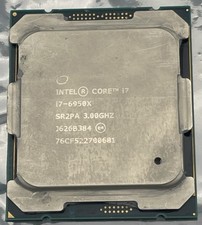
Intel Core i7-6950X Extreme Edition 3.0GHz Processor SR2PA LGA2011 10 Core CPU
$162.95