

 Reply With Quote
Google search for add a new user in linux
This is a good resource for adding users.
Google search for sudo
As found in google search Using sudo to add "power user" acccess.
I hope this helps.
James


Something happened on my 3.6 hard drive setup. My user's password no longer works. Before that happened I was having all kinds of problems with apps not working. I would like to just add a new user. I can log on as root no problem. How do I add a user with "power-user" rights as in Windows?
Google search for add a new user in linux
This is a good resource for adding users.
Google search for sudo
As found in google search Using sudo to add "power user" acccess.
I hope this helps.
James
You can add a new user in Knoppix with Kuser. It's under the 'Systems' menu item.
As a test, I modified the sudoers file (using visudo) giving a user the same rights as root - and I can open it and see my changes took, but yet when I am logged in as the user I still get prompted for the root password whenever I want to do anything the root can do.
Are you using the 'sudo' command?Originally Posted by jMon54
I'm not sure what you mean...jMon54 wrote:
As a test, I modified the sudoers file (using visudo) giving a user the same rights as root - and I can open it and see my changes took, but yet when I am logged in as the user I still get prompted for the root password whenever I want to do anything the root can do.
Are you using the 'sudo' command?
Here's what I did: I opened the console, typed 'visudo', then opened the sudoers file in an editor and made my changes. If I look at the file, the changes are indeed there.
Post the /etc/sudoers file and give an example of what your trying to do with the sudo command (syntax).
from knoppix root I:Post the /etc/sudoers file and give an example of what your trying to do with the sudo command (syntax).
visudo
then i open the sudoers file with kwrite, edit and save
here's the file:
# sudoers file.
#
# This file MUST be edited with the "visudo" command as root.
#
# See the man page for details on how to write a sudoers file.
#
# Host alias specification
# User alias specification
# Cmnd alias specification
# User privilege specification
root ALL=(ALL) ALL
jMon ALL=(ALL) ALL
# KNOPPIX WARNING: This allows the unprivileged knoppix user to start commands as root
# KNOPPIX WARNING: This is totally insecure and (almost) makes knoppix a second root account.
# KNOPPIX WARNING: Never allow external access to the knoppix user!!!
#knoppix ALL=NOPASSWD: ALL
Looks ok but how are you using sudo. Being in sudoers means you can do rooty stuff by adding sudo in front of the command.
Example: sudo nano /etc/lilo.conf
BTW, If you want sudo to work without a password you need to use: jMon ALL=NOPASSWD: ALL but take note of the warnings in the sudoers file.
 Posting Permissions


Fujinet 1.7.1 Atari 400 800 800XL 130XE 65XE XEGS Assembled, Tested, Working
$99.99

Atari 130 XE/Atari 1050 Bundle W/ Cords And Extras (Powered On)
$300.00

DEFECTIVE Atari 810 Vintage Computer Disk Drive powers on Unit Only Boo G3D
$49.29

Atari 800 8-bit Computer System Fully Tested Great Condition 48k READ
$350.00

INFO/soft Character Generator Manual for Atari 3000/5000/7000 NTSC
$40.00
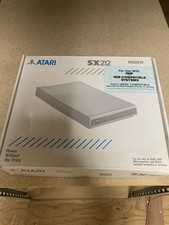
Atari SX212 Modem for IBM Systems w/ Box, Owner's Manual & Power Adapter NOS
$125.00

Atari XE 130XE Computer NTSC with Power Supply Powers On Untested
$159.95

ATARI Mouse with Adapter for ST, STE, Mega STE, TT Optical - USA Seller
$29.99

UNOCART-2600 SD card Multi Rom Cartridge for ATARI 2600 with CASE
$34.25

Vintage Atari SF354 Floppy Disk Drive & Power Supply FOR PARTS OR REPAIR AS IS
$120.00