

 Reply With Quote
Google search for add a new user in linux
This is a good resource for adding users.
Google search for sudo
As found in google search Using sudo to add "power user" acccess.
I hope this helps.
James


Something happened on my 3.6 hard drive setup. My user's password no longer works. Before that happened I was having all kinds of problems with apps not working. I would like to just add a new user. I can log on as root no problem. How do I add a user with "power-user" rights as in Windows?
Google search for add a new user in linux
This is a good resource for adding users.
Google search for sudo
As found in google search Using sudo to add "power user" acccess.
I hope this helps.
James
You can add a new user in Knoppix with Kuser. It's under the 'Systems' menu item.
As a test, I modified the sudoers file (using visudo) giving a user the same rights as root - and I can open it and see my changes took, but yet when I am logged in as the user I still get prompted for the root password whenever I want to do anything the root can do.
Are you using the 'sudo' command?Originally Posted by jMon54
I'm not sure what you mean...jMon54 wrote:
As a test, I modified the sudoers file (using visudo) giving a user the same rights as root - and I can open it and see my changes took, but yet when I am logged in as the user I still get prompted for the root password whenever I want to do anything the root can do.
Are you using the 'sudo' command?
Here's what I did: I opened the console, typed 'visudo', then opened the sudoers file in an editor and made my changes. If I look at the file, the changes are indeed there.
Post the /etc/sudoers file and give an example of what your trying to do with the sudo command (syntax).
from knoppix root I:Post the /etc/sudoers file and give an example of what your trying to do with the sudo command (syntax).
visudo
then i open the sudoers file with kwrite, edit and save
here's the file:
# sudoers file.
#
# This file MUST be edited with the "visudo" command as root.
#
# See the man page for details on how to write a sudoers file.
#
# Host alias specification
# User alias specification
# Cmnd alias specification
# User privilege specification
root ALL=(ALL) ALL
jMon ALL=(ALL) ALL
# KNOPPIX WARNING: This allows the unprivileged knoppix user to start commands as root
# KNOPPIX WARNING: This is totally insecure and (almost) makes knoppix a second root account.
# KNOPPIX WARNING: Never allow external access to the knoppix user!!!
#knoppix ALL=NOPASSWD: ALL
Looks ok but how are you using sudo. Being in sudoers means you can do rooty stuff by adding sudo in front of the command.
Example: sudo nano /etc/lilo.conf
BTW, If you want sudo to work without a password you need to use: jMon ALL=NOPASSWD: ALL but take note of the warnings in the sudoers file.
 Posting Permissions


Genuine OEM Apple MagSafe 2 45W AC Adapter Charger for Macbook Air 2015 11" 13"
$14.24

OEM Apple Data Migration Toolkit for A1706 A1707 MacBook Pro PN 076-00236
$549.99

Genuine Apple Power Adapter Extension Cable 6FT White OEM MacBook MK122LL/A
$10.99

Genuine Apple OEM A2164 30W USB-C AC Power Adapter with USB-C Cable, Very Good
$21.05

OEM 45w T-Tip Power Adapter charger for Apple macbook air 2012-2017 A1436 A1466
$19.99
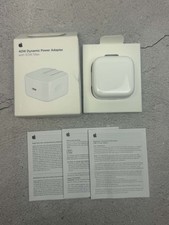
Apple 40W Dynamic Power Adapter 60W Max for iPhone/iPad/AirPods/MacBooks OEM
$17.99

OEM Apple 45W A1436 Power Charger AC Adapter for MacBook Air MagSafe 2
$12.99
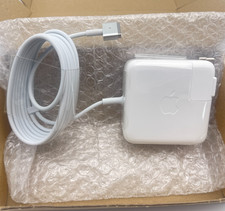
OEM 45W Charger For Apple MacBook Air 11-inch 13-inch Early 2012 2013 2014 2015
$26.98

$6.99
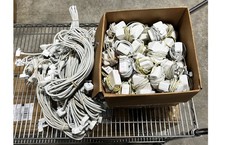
Lot of 100 OEM Apple Magsafe 2 45W AC Adapter A1436 with Power Cable - Grade D
$339.99