-
USB and text mode
I'm trying add USB ports to a computer (Pentium1, 32Mb RAM, Win95) in order to use a USB storage device. Since Win95 won't recognize new USB devices, will I be able to use Knoppix (currently downloading) in text mode to write/download files off of a USB thumb drive? I don't think I'll be able to run the GUI with so little RAM.
Thanks in advance
-
Senior Member
registered user
Yes you should be able to use the USB drive in text mode. With the power off, insert the USB data device into the USB port. Next boot off of Knoppix with the boot prompt
Code:
knoppix 2 vga=normal
It will boot up & get you to a command prompt. USB devices shouls be detected as either /dev/sda or /dev/sdb. In order to copy data from the hard drive to the USB device you will first need to mount both devices. For the C: drive use the following.
Code:
mount -t vfat /dev/hda1 /mnt/hda1
Then check if you can see the C: drive's filesFor the USB drive use
Code:
mount -t vfat /dev/sda1 /mnt/sda1
See if you can write to the USB device
Code:
touch /mnt/sda1/testfile && ls /mnt/sda1
If this is successful then you can now begin copying file from the C: drive to the USB device.
Code:
cp -v /mnt/hda1/autoexec.bat /mnt/sda1/
I hope this helps.
James
-
Great! Thanks for the info
Similar Threads
-
By alnolla in forum General Support
Replies: 4
Last Post: 06-27-2006, 04:52 PM
-
By knopx4me in forum Customising & Remastering
Replies: 0
Last Post: 04-16-2005, 01:30 PM
-
By rquiggle in forum The Lounge
Replies: 12
Last Post: 11-20-2004, 11:24 AM
-
By xuejm1225 in forum General Support
Replies: 1
Last Post: 09-21-2004, 05:05 AM
-
By jerome187 in forum General Support
Replies: 1
Last Post: 07-12-2003, 05:17 AM
 Posting Permissions
- You may not post new threads
- You may not post replies
- You may not post attachments
- You may not edit your posts
-
Forum Rules

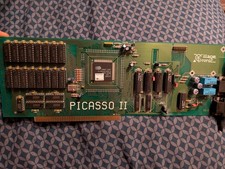
Amiga Picasso II RTG Graphics Card for Amiga 2000 3000 And 4000
$349.99

Microbotics Starboard 2MB + SCSI Sidecar for Amiga 1000 Vintage Computer READ
$279.00

RGB2HDMI Amiga 500 UltraLong (Accelerator Friendly) HDMI Games, non-RTG A500
$50.00
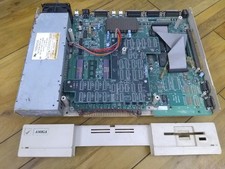
Amiga 1000 Computer W/ Daphne Chip, Commodore A1000 (As-Is)
$239.75
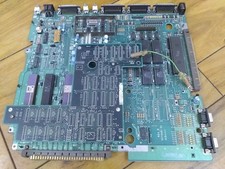
Amiga 1000 Motherboard W/ Daphne Chip, Commodore A1000 (As-Is)
$239.75

Amiga Model 1080 RGB color CRT monitor - Parts Or Repair - Doesn’t Power On
$100.00

Amiga Emplant Emulator Card For Commodore Amiga 2000 4000 3000
$249.00
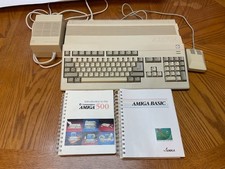
Commodore Amiga 500 w/ 512K comes with manuals, turns on and boots from floppy
$499.99
NewTek Video Toaster 4000 Commodore Amiga
$170.00

Framethrower, Amiga HDMI output via a PiStorm A500 A2000
$40.00



 Reply With Quote