-
no swap file/partition on hda...I need one but dont know how
installed an additional 512 meg of ram and was very disappointed in the lack of performance. finally, I realized that I do not have a swap file on my primary drive. /dev/hda1 is the only partition on the drive and it is an ext3 format. Don't know why I didn't create one when I installed but I am guessing that is why I am getting such sluggish performance from 1 gig of ram. Would some kind soul give me a step by step in creating this swap? I did google it but there are some things I don't understand and I cant afford to screw this install up.
thanx
helios
-
Senior Member
registered user
What is on hda1? You could resize it to get about 500 MB of space to use for your swap. QTparted and cfdisk are good for doing this. I like cfdisk. You can delete the partition and create one that is about 500 MB smaller and then create another one with that extra space and format it as type 83 (swap) or 82 I can't quite remember. Then you write to the partition table if you are sure that is what you want. I'm not sure if resizing on cfdisk will destroy data so you might want to check into that.
-
partition resize
hda contains my knoppix 3.6 hd install. I did not want to go resizing anything until I knew exactly what I was doing. this puppy rocks right now and it took me forever to get it tweaked. It is just sluggish and I am sure its because I dont have a swap partition.
-
Senior Member
registered user
Do you have any extra room on hda1 or is it all for your knoppix install? I did a resize with a mandrake linux partition program and I did my windows partition and nothing got damaged or nothing I can see got hurt. The windows just run the scan disk or check disk when it booted up the next two times and then never did it again. If you had extra room then it would be easy.
-
hda
it is a 120 gig drive with only about 29 gig being used by knoppix. Do I need to resize the hda1 (the only partition on the drive) to accomodate a 1024 kb swap? Are there any written instructions for the precise process? thanks for your time
helios
-
Senior Member
registered user
In that case no resizing is necessary. Just boot to knoppix and from konsole type cfdisk, it maybe su then cfdisk to get root privs. At that screen there should be a rundown of your partitions. If you have only one then it should be there as your 29000MB. The other should be unused space or something similar. Just goto that and select create new and it will ask you for the size of the partition that you want to create. put that in then goto type and select from the list the linux swap choice, which I belielve is 83 - check that. When you enter that info in then you can write it to the partition table and there you go. The write choice at the bottom is the one that writes it to the table. It will warn you the data maybe destroyed but if you are not messing with the other partitions then nothing there will be changed. No resizing is needed because you have enough extra to do quite a bit. You can mess around with this and as long as you do not write it to the partition table then the changes won't stick, so you can exit and nothing will happen.
I remember that I only can run cfdisk from my root account and not from any user.
If you want more info an this google it, but this is what I know from using it quite a bit. This is all from memory as I am in xp now.
-
thanks fish
I did the cfdisk and unfortunately, it reports that the entire drive is being used for the knoppix install. I found the link on google (in fact, several) on how to create the swap file. When I get the courage to try it, I will report back and let you know how it went. here is the link in the event someone else searches the forums for creating a swap file.
http://www.faqs.org/docs/linux_admin/x1762.html
thanx again
helios
-
Senior Member
registered user
I keep saying this every time someone posts anything about partitioning having learned the lesson myself the hard way. If you are going to repartition your drive for any reason, take advantage of the opportunity & create a separate partition for your data.. Never keep your data on the same partition as your operating system; one major crash & your data is history. With Linux you have a choice, either create a separate /home partition or just use a separate data partition & symlink to it from your /home.
For partitioning an existing drive, cfdisk is easy but can be destructive, parted & Qtparted can usually make partitions without losing any data.
BUT, parted (and hence QTparted since it is just a gui frontend for parted) seems to have problems with the knoppix/ext3 filesystem so it may not work (search these forms for 'parted'). If all else fails, linux fdisk can partition the drive but will probably trash data.
With any of them, run from the CD; you cannot partition a drive while it is being used.
Similar Threads
-
By yukichigai in forum Laptops
Replies: 1
Last Post: 07-14-2005, 04:27 AM
-
By Quite in forum General Support
Replies: 2
Last Post: 08-29-2004, 08:35 PM
-
By ZeroKun in forum Hdd Install / Debian / Apt
Replies: 6
Last Post: 05-07-2004, 06:44 PM
-
By bob58 in forum Hdd Install / Debian / Apt
Replies: 6
Last Post: 03-19-2004, 11:31 PM
-
By metavoid in forum General Support
Replies: 7
Last Post: 02-20-2004, 04:40 PM
 Posting Permissions
- You may not post new threads
- You may not post replies
- You may not post attachments
- You may not edit your posts
-
Forum Rules


16GB (2x8GB) Kingston HyperX blu KHX1600C10D3B1/8G PC3-12800U DDR3 1600
$27.99
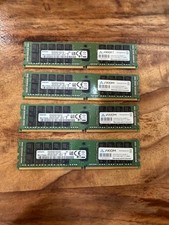
4 x Samsung DDR4 16GB 16GB 2Rx4 PC4-2400T-RA1-11-MC0 M393A2G40EB1-CRC 64G total
$300.00
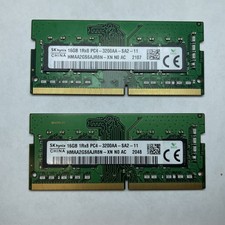
Lot of 2 SK Hynix HMAA2GS6AJR8N-XN 16GB DDR4 PC4-3200AA 1Rx8 Laptop SODIMM RAM
$354.99

DDR4 Laptop RAM 4GB 8GB 16GB 32GB 2400 2666 3200 Samsung Hynix
$66.00

NEW Kingston 8GB DDR4 2666MHz Desktop RAM KCP426NS8/8 PC4-21300
$30.00

A-Tech 8GB DDR3 1600 PC3-12800 Laptop SODIMM 204-Pin Memory RAM PC3L DDR3L 1x 8G
$21.68

Samsung W03J0009150379F87A 64GB (2x32GB) RAM DDR4 2400MHz CRC0Y
$179.99
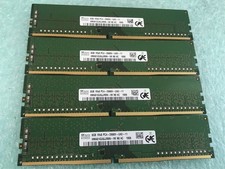
SK hynix 32GB(4 x 8GB) HMA81GU6JJR8N-VK PC4-2666V DDR4 Desktop RAM - CR337A
$89.95
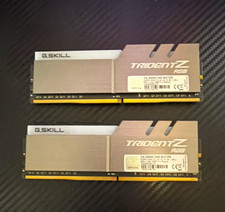
G.SKILL Trident Z RGB 16GB (2x8GB) DDR4-3000 DDR4 DIMM RAM F4-3000C16S
$70.00
Lot of 2 Kingston Fury 8GB (4x4GB) HX316C10FK2/8 DDR3-1600MHz Ram
$50.35



 Reply With Quote