

 Reply With Quote
I was just thinking the same thing, trying to figure out if there is a way to get DVI working with knoppix.


I have knoppix 3.1 and Radeon 8500 connected with DVI cable to my Acer TFT... Is it possible to enable DVI? When I use VGA, everything is ok, but picture is not so sharp. Also I must mention that DVI is not enebled during boot and in DOS... only when XP is loaded. I do not know why?!
I was just thinking the same thing, trying to figure out if there is a way to get DVI working with knoppix.
Anyway, do you have picture on DVI while booting (eg. in BIOS)? What graphic card do you have?
I have the GeForce card.... apparently no DVI in BIOS, DOS, etc... So far the only time I've seen it do DVI is in W*ndows... Have not spent enough time to figure out if this is a hardware limitation or perhaps a configuration setting...
regards
I know some people who have DVI in DOS/BIOS... But yet, I do not know what is the catch... Maybe some setings in BIOS?
nvidia geforce4 ti 4200 DVI out works in BIOS, but not in linux or knppix with out the vesa module used, and then the res is stuck at 800x600..... That was with the standard"nv" module... i dont know about with the "nvidia" module...
I have the same problem.
The only walk around I found is to unplug the DVI cable and to plug it again. It works sometimes.
Or you can use a VGA2DVI plug to get analogic signal. I know this is silly to do this with a DVI graphic card and a DVI monitor, but it works
I'd like a real solution for DVI. Please tell if you find one.
See U,
TOM.
I have solved the problem... Just changed BIOS on my Hercules Radeon 8500FDX... now it is built by ATI, Radeon 8500with DVI all the time on.
Great for ATI, jobah.
And what about GeForce Ti 4200 ?
Thanks,
TOM.
I found a strange work around :
I half unplugged the DVI plug, and it works !
Try this, and tell me
See U,
TOM.
 Posting Permissions


Intel Core i7-9700 Octa-Core 3 GHz Desktop Processor LGA 1151
$79.99

INTEL CORE I7-870 SLBJG 2.93GHZ LGA1156 4 CORE CPU PROCESSOR
$23.00

Lot of (7) Intel Core CPU Processors
$219.00
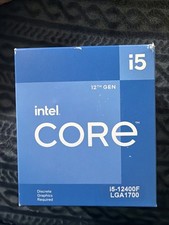
Intel Core i5-12400F 2.50GHz 6 Core SRL5Z 12 Thread LGA 1700 CPU- check Images
$170.00

AMD Ryzen 5 5600X Desktop Processor (3.7GHz, 6 Cores, AM4 CPU) 100-100000065
$135.00

Intel Core i9-9900 3.10GHz CPU Processor SRG18
$165.00

Intel Core i7-7700 3.6GHz Quad-Core Desktop CPU Processor SR338 LGA1151
$40.00

Intel Core i5-7500 SR335 3.4GHz 4-Core LGA 1151 CPU PROCESSOR
$14.99

INTEL CORE I9-10940X X-SERIES PROCESSOR | 3.30GHZ | SRGSH
$179.99
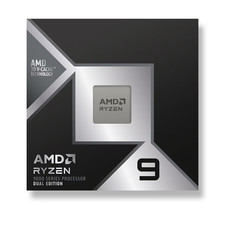
*Brand New-Sealed* AMD Ryzen 9 9950X3D2 Dual Ed. 4.3GHz 16Core AM5 (Bulk+Fast)
$790.00
